> ## Documentation Index
> Fetch the complete documentation index at: https://docs.revize.app/llms.txt
> Use this file to discover all available pages before exploring further.
# Welcome to Revize
> Revize lets your customers fix their own orders after checkout. They can change addresses, swap items, or upgrade shipping without contacting support—saving your team time and reducing frustration.
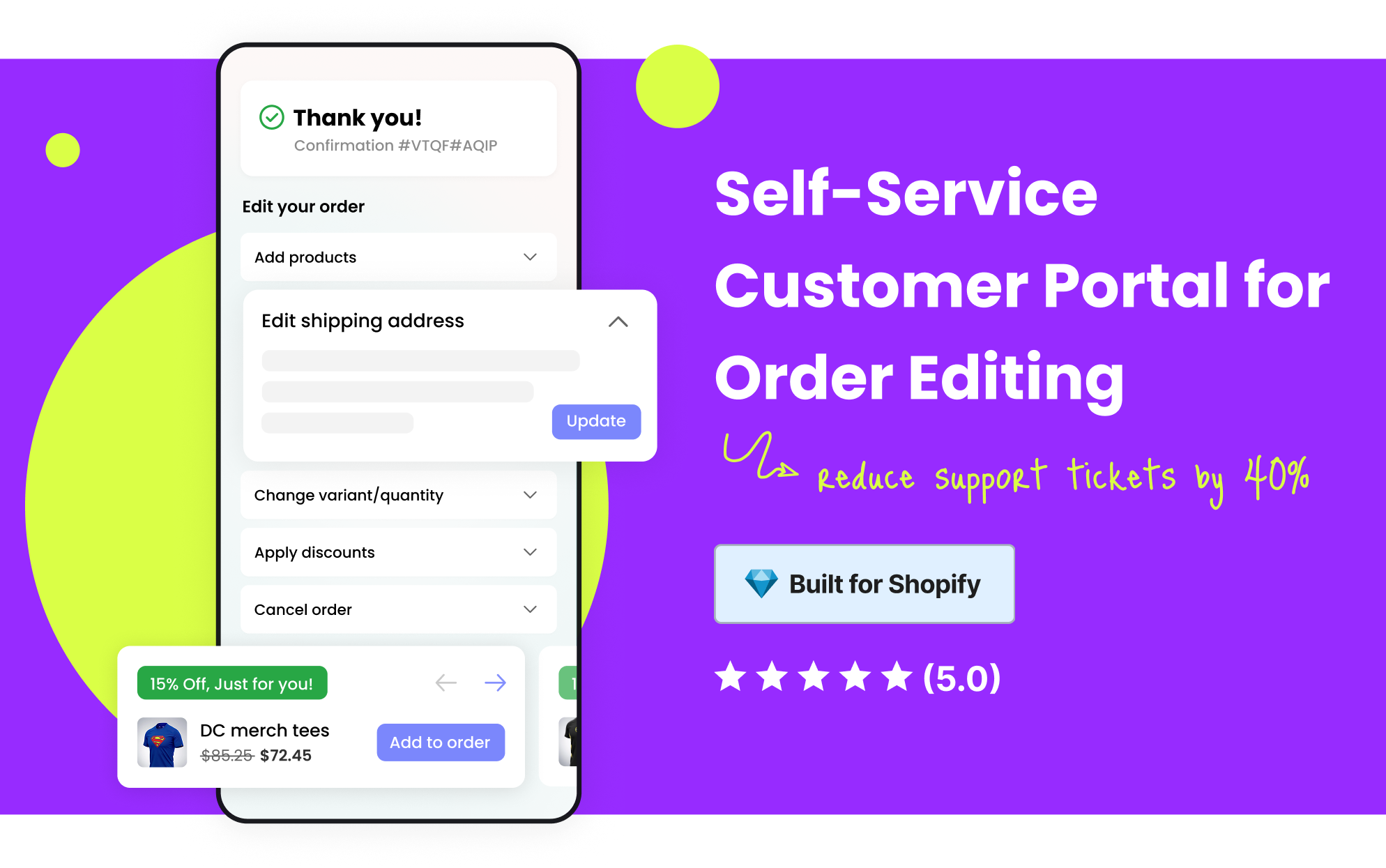 # Give customers control over their orders
Give customers a self-serve portal to correct mistakes in seconds. Your support team gets fewer tickets, and preventable errors stop turning into costly returns. Revize handles payments or refunds automatically and syncs to your fulfillment system so operations stay perfectly accurate.
**The goal:** Turn post-checkout frustration into a great experience. Customers fix their own mistakes, and your team stays focused on growth.
## Why post-checkout editing matters
**Common issues for Shopify stores:**
* Support teams get flooded with order change requests
* Simple edits take too long and frustrate customers
* Manual fixes increase operational overhead
**Lost opportunities:**
* Customers cancel orders when they cannot fix small mistakes
* Upsell moments are missed after checkout
* Preventable errors turn into costly returns and refunds
**How shoppers feel:**
* 70% of returns come from size mistakes, creating instant regret
* Frustration rises when customers cannot fix errors after checkout
* 17% abandon orders from fear of making a mistake
* 69% are less likely to return after a poor fulfillment experience
## How Revize works
Revize puts new orders on hold during the edit window, giving customers time to make changes before fulfillment begins. If your fulfillment process needs orders to flow immediately, you can skip the hold and use release tags instead. This flexibility ensures Revize works with any fulfillment setup.
From the Shopify order status page, customers can update shipping addresses, change variants, adjust quantities, add products, or upgrade shipping. No need to contact support.
When order edits affect the total, Revize automatically triggers Shopify to collect additional payment or issue partial refunds. No manual work, no spreadsheets.
Once the edit window closes, the order syncs directly into your fulfillment system. No duplicates. No delays. Just clean, accurate data.
## What customers can do
Prevent failed deliveries by letting customers correct address mistakes after checkout.
Shoppers can fix size, color, or quantity errors instantly.
Let customers add extra items to an order, turning edits into upsells.
Let customers apply discount codes they forgot at checkout.
Turn post-purchase emails into revenue with one-click "Add to Order" links.
Offer simple cancellations with refunds to store credit or original payment.
Let customers choose faster delivery options even after checkout.
When edits are not enough, customers can open a support request directly from the portal.
Flexible invoice updates including billing details, tax IDs, and downloadable copies.
Customers can select their preferred delivery date and time after purchase.
Customers can correct email or phone details instantly, keeping communication smooth.
Customers can swap items or upgrade products without canceling the order.
## Why merchants love Revize
Customers handle their own edits, reducing tickets and freeing up your support team.
Errors are fixed before fulfillment, lowering refunds and replacement costs.
Edits often lead to upsells, increasing average order value.
Orders flow into your fulfillment system already corrected, saving time and reducing errors.
Customers feel in control, which builds loyalty and repeat purchases.
Whether you ship 100 orders or 100,000, Revize is built to handle volume and complexity.
## Why businesses choose Revize
We work closely with fast-growing Shopify stores. Revize is designed for scale.
From size swaps to multi-item replacements, Revize handles cases that other apps cannot.
Revize integrates with 100+ 3PLs and ERPs like ShipBob, Flexport, and NetSuite. No hacks needed.
Every feature was built because a merchant asked for it. Revize evolves with your needs.
## Quick Links
Get started fast with our Shopify quickstart guide.
Configure hold windows, edit rules, payments, and fulfillment sync.
Explore customer portal features, shipping upgrades, cancellations, invoices, and more.
Find quick answers to common questions about Revize.
## Ready to Get Started?
Install from the Shopify App Store in under 5 minutes. No setup fees. Cancel anytime.
Get personalized setup help in a 15 minute call tailored to your workflow.
***
## Frequently asked questions
Yes. Revize lets customers edit orders post-checkout from the order status page. They can change addresses, swap items, adjust quantities, add products, and upgrade shipping without contacting support.
Customers make changes themselves. Your team no longer handles routine order edits, which cuts ticket volume and response times.
Revize collects any extra amount automatically and issues partial refunds when totals decrease. No manual work is needed.
Yes. Revize releases finalized orders to your fulfillment system after the edit window. It integrates cleanly with major 3PLs and ERPs, including ShipBob, Flexport, and NetSuite.
Yes. You can fully customize the editing experience:
# Give customers control over their orders
Give customers a self-serve portal to correct mistakes in seconds. Your support team gets fewer tickets, and preventable errors stop turning into costly returns. Revize handles payments or refunds automatically and syncs to your fulfillment system so operations stay perfectly accurate.
**The goal:** Turn post-checkout frustration into a great experience. Customers fix their own mistakes, and your team stays focused on growth.
## Why post-checkout editing matters
**Common issues for Shopify stores:**
* Support teams get flooded with order change requests
* Simple edits take too long and frustrate customers
* Manual fixes increase operational overhead
**Lost opportunities:**
* Customers cancel orders when they cannot fix small mistakes
* Upsell moments are missed after checkout
* Preventable errors turn into costly returns and refunds
**How shoppers feel:**
* 70% of returns come from size mistakes, creating instant regret
* Frustration rises when customers cannot fix errors after checkout
* 17% abandon orders from fear of making a mistake
* 69% are less likely to return after a poor fulfillment experience
## How Revize works
Revize puts new orders on hold during the edit window, giving customers time to make changes before fulfillment begins. If your fulfillment process needs orders to flow immediately, you can skip the hold and use release tags instead. This flexibility ensures Revize works with any fulfillment setup.
From the Shopify order status page, customers can update shipping addresses, change variants, adjust quantities, add products, or upgrade shipping. No need to contact support.
When order edits affect the total, Revize automatically triggers Shopify to collect additional payment or issue partial refunds. No manual work, no spreadsheets.
Once the edit window closes, the order syncs directly into your fulfillment system. No duplicates. No delays. Just clean, accurate data.
## What customers can do
Prevent failed deliveries by letting customers correct address mistakes after checkout.
Shoppers can fix size, color, or quantity errors instantly.
Let customers add extra items to an order, turning edits into upsells.
Let customers apply discount codes they forgot at checkout.
Turn post-purchase emails into revenue with one-click "Add to Order" links.
Offer simple cancellations with refunds to store credit or original payment.
Let customers choose faster delivery options even after checkout.
When edits are not enough, customers can open a support request directly from the portal.
Flexible invoice updates including billing details, tax IDs, and downloadable copies.
Customers can select their preferred delivery date and time after purchase.
Customers can correct email or phone details instantly, keeping communication smooth.
Customers can swap items or upgrade products without canceling the order.
## Why merchants love Revize
Customers handle their own edits, reducing tickets and freeing up your support team.
Errors are fixed before fulfillment, lowering refunds and replacement costs.
Edits often lead to upsells, increasing average order value.
Orders flow into your fulfillment system already corrected, saving time and reducing errors.
Customers feel in control, which builds loyalty and repeat purchases.
Whether you ship 100 orders or 100,000, Revize is built to handle volume and complexity.
## Why businesses choose Revize
We work closely with fast-growing Shopify stores. Revize is designed for scale.
From size swaps to multi-item replacements, Revize handles cases that other apps cannot.
Revize integrates with 100+ 3PLs and ERPs like ShipBob, Flexport, and NetSuite. No hacks needed.
Every feature was built because a merchant asked for it. Revize evolves with your needs.
## Quick Links
Get started fast with our Shopify quickstart guide.
Configure hold windows, edit rules, payments, and fulfillment sync.
Explore customer portal features, shipping upgrades, cancellations, invoices, and more.
Find quick answers to common questions about Revize.
## Ready to Get Started?
Install from the Shopify App Store in under 5 minutes. No setup fees. Cancel anytime.
Get personalized setup help in a 15 minute call tailored to your workflow.
***
## Frequently asked questions
Yes. Revize lets customers edit orders post-checkout from the order status page. They can change addresses, swap items, adjust quantities, add products, and upgrade shipping without contacting support.
Customers make changes themselves. Your team no longer handles routine order edits, which cuts ticket volume and response times.
Revize collects any extra amount automatically and issues partial refunds when totals decrease. No manual work is needed.
Yes. Revize releases finalized orders to your fulfillment system after the edit window. It integrates cleanly with major 3PLs and ERPs, including ShipBob, Flexport, and NetSuite.
Yes. You can fully customize the editing experience:
-
Set a fixed edit window, for example 30 minutes after checkout
-
Skip hold if your 3PL is already synced with Revize
-
Choose how refunds are handled, no refunds, refund to original payment, or store credit
-
Restrict editing to certain order types using Shopify tags
Revize adapts to your workflow, whether you want strict control or maximum flexibility.