> ## Documentation Index
> Fetch the complete documentation index at: https://docs.revize.app/llms.txt
> Use this file to discover all available pages before exploring further.
# Translations & Text Customization
> Customize and translate Shopify order editing text for global customers. Revize supports 24+ languages with automatic translations and full customization options.
Speak your customers' language. Revize automatically translates the order editing experience into 24+ languages, with full customization control to match your brand voice.
## Why translations matter for global Shopify stores
Customers feel more confident editing orders in their native language, leading to higher completion rates.
Clear, localized instructions prevent misunderstandings and reduce international support tickets.
Professional translations in local languages show customers you care about their experience.
Remove language barriers to serve international customers effectively across all markets.
## Supported languages
**Western European:**
* Spanish (es)
* French (fr)
* German (de)
* Italian (it)
* Dutch (nl)
* Portuguese (pt)
* Portuguese Brazilian (pt-br)
**Northern & Eastern European:**
* Finnish (fi)
* Swedish (sv)
* Danish (da)
* Norwegian (no)
* Polish (pl)
* Hungarian (hu)
* Lithuanian (lt)
* Romanian (ro)
* Russian (ru)
**East Asian:**
* Korean (ko)
* Japanese (ja)
* Simplified Chinese (zh)
**Southeast & South Asian:**
* Thai (th)
* Georgian (ka)
**Middle Eastern & Semitic:**
* Hebrew (he)
* Arabic (ar)
Need another language? Email us at [hello@revize.app](mailto:hello@revize.app) and we'll add it within minutes. We can support virtually any language your customers speak.
## Translation quality and customization
We use advanced AI combined with human review to ensure accurate, natural translations. However, you have complete control to customize any text to match your brand voice or local nuances.
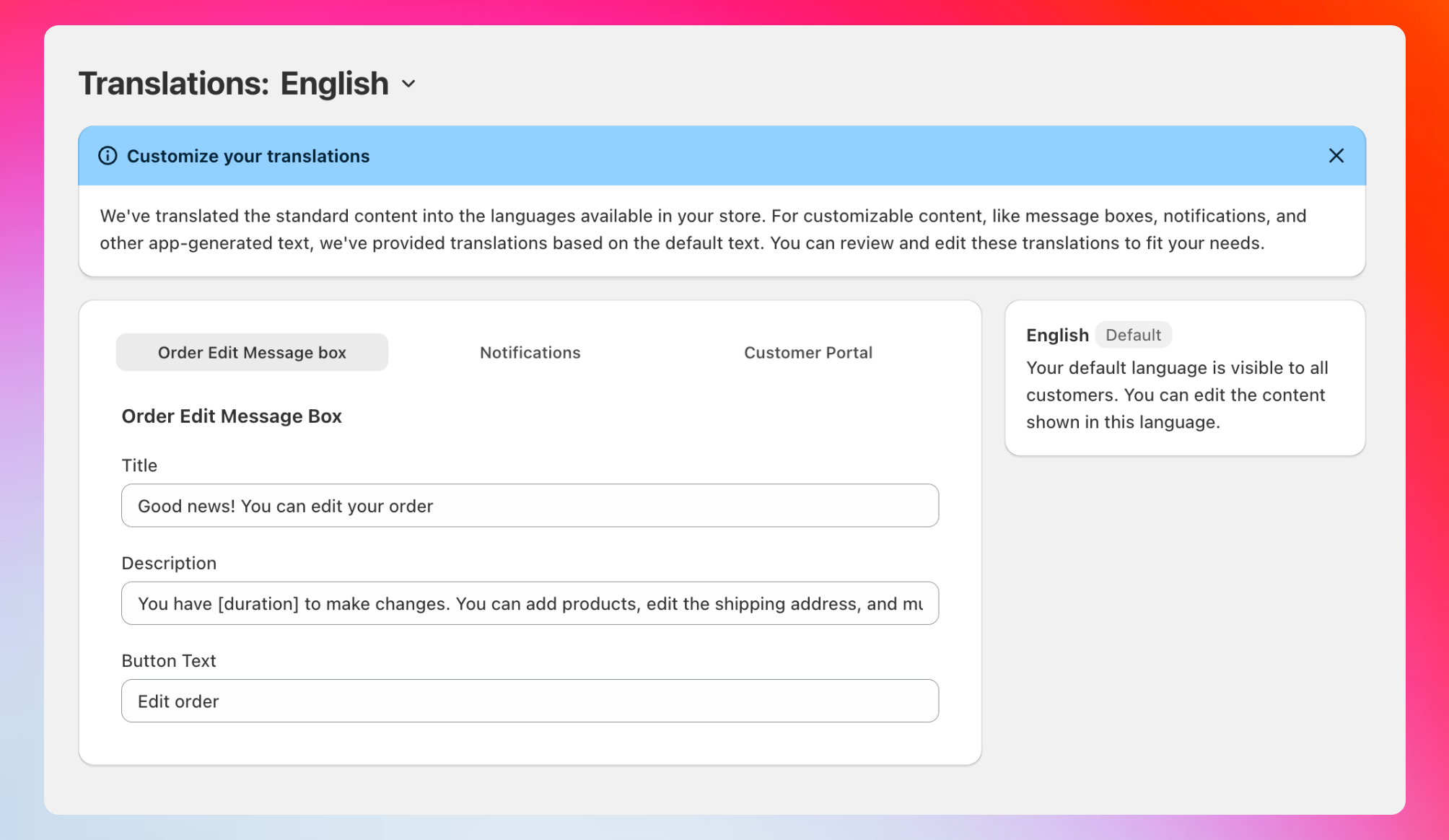 Access your translations dashboard to customize text across all supported languages.
## Three customization areas
### Order Edit Message Box
Access your translations dashboard to customize text across all supported languages.
## Three customization areas
### Order Edit Message Box
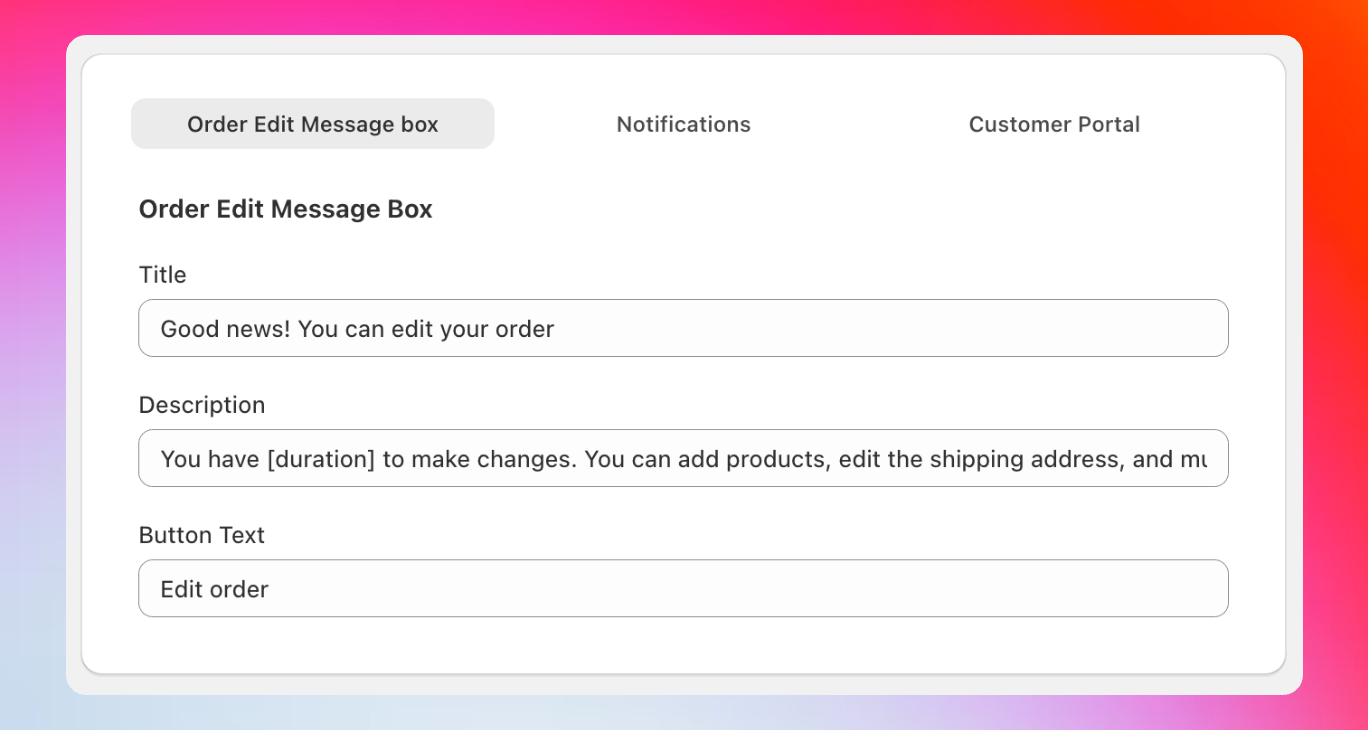 Customize the message box that appears on your thank you page to inform customers about order editing.
**Appears on:** Thank you page after checkout\
**Purpose:** Inform customers they can edit their order
**Default text:**
* **Title:** "Good news! You can edit your orders"
* **Description:** "You have \[duration] to make changes. You can add products, edit the shipping address, and much more."
* **Button:** "Edit order"
**Customize the appearance:** Go to **Settings > Checkout > Order status page** in your Shopify admin, find the Revize app block, and adjust styling options.
**Dynamic duration:** Use the `[duration]` variable to show exact time remaining, like "You have 30 minutes to make changes" - this creates urgency and improves conversion rates.
**Creative alternatives for your message box:**
* "Oops, need to change something? No problem!"
* "Made a mistake? Fix it instantly!"
* "Your order isn't set in stone - edit it now!"
Customize the message box that appears on your thank you page to inform customers about order editing.
**Appears on:** Thank you page after checkout\
**Purpose:** Inform customers they can edit their order
**Default text:**
* **Title:** "Good news! You can edit your orders"
* **Description:** "You have \[duration] to make changes. You can add products, edit the shipping address, and much more."
* **Button:** "Edit order"
**Customize the appearance:** Go to **Settings > Checkout > Order status page** in your Shopify admin, find the Revize app block, and adjust styling options.
**Dynamic duration:** Use the `[duration]` variable to show exact time remaining, like "You have 30 minutes to make changes" - this creates urgency and improves conversion rates.
**Creative alternatives for your message box:**
* "Oops, need to change something? No problem!"
* "Made a mistake? Fix it instantly!"
* "Your order isn't set in stone - edit it now!"
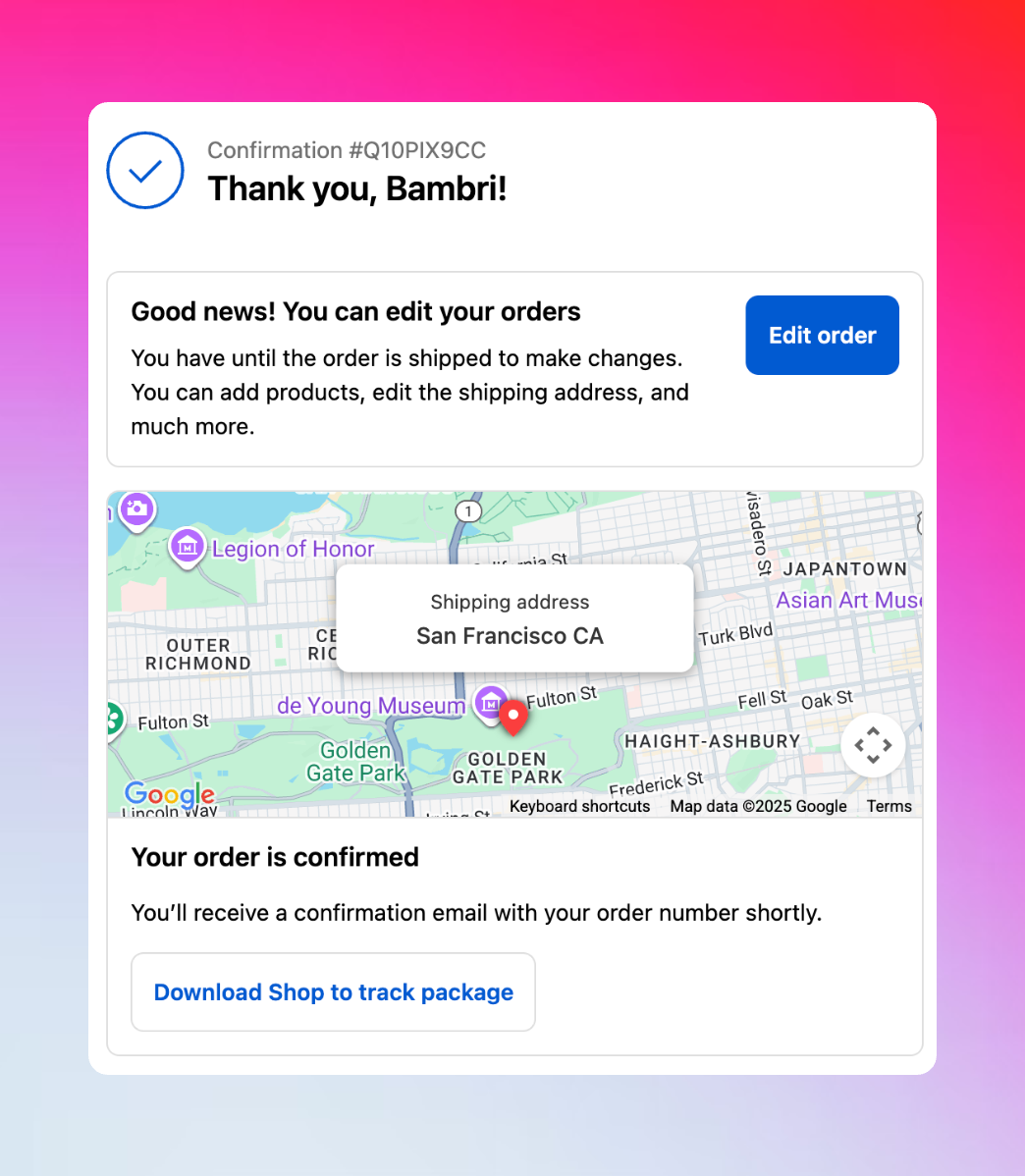 How the message box appears to customers on the thank you page after checkout.
### Notifications
How the message box appears to customers on the thank you page after checkout.
### Notifications
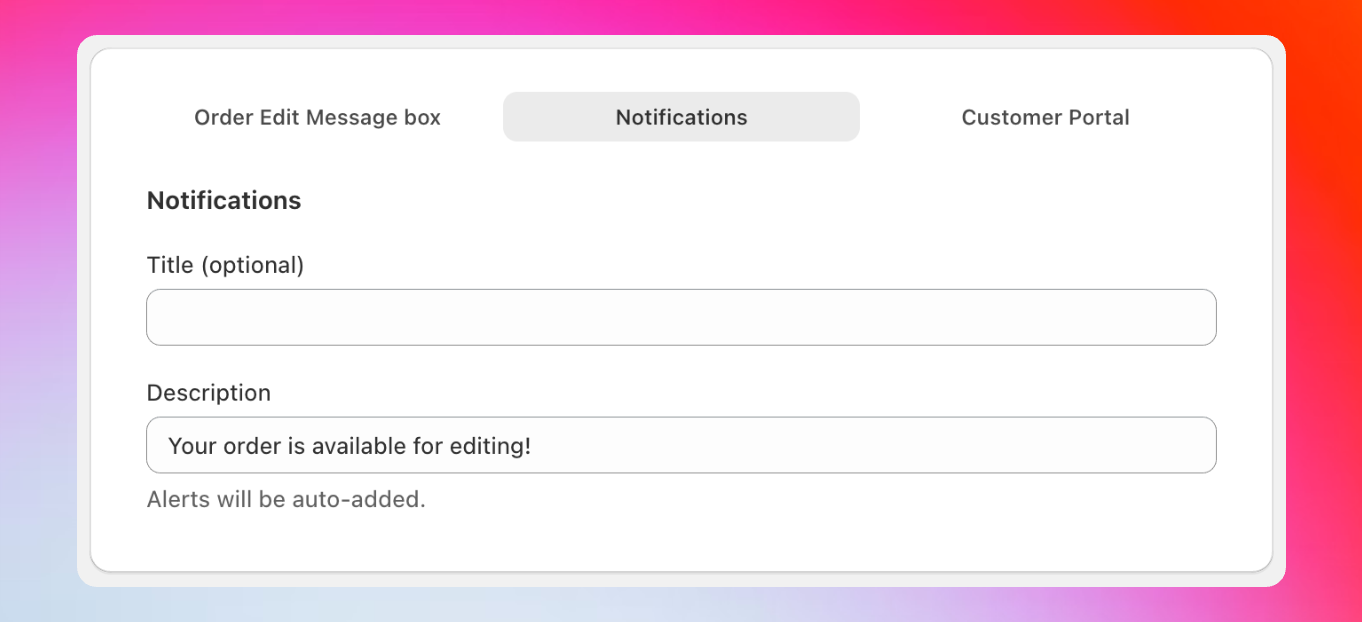 Set up notification banners that appear throughout the customer experience to remind about editing options.
**Appears:** Throughout the customer journey as notification banners\
**Purpose:** Remind customers about editing availability
**Default text:**
* **Title:** (optional)
* **Description:** "Your order is available for editing!"
**Customize the appearance:** Go to **Settings > Checkout > Order status page** in your Shopify admin, find the Revize notification app block, and adjust styling.
**Create urgency with duration:** Use descriptions like "You have \[duration] left to edit your order!" to encourage immediate action. The variable automatically updates to show "30 minutes," "1 hour," etc.
**Engaging notification examples:**
* "Last chance to perfect your order!"
* "Still time to add that item you forgot!"
* "Quick! \[duration] left to make changes!"
### Customer Portal
Set up notification banners that appear throughout the customer experience to remind about editing options.
**Appears:** Throughout the customer journey as notification banners\
**Purpose:** Remind customers about editing availability
**Default text:**
* **Title:** (optional)
* **Description:** "Your order is available for editing!"
**Customize the appearance:** Go to **Settings > Checkout > Order status page** in your Shopify admin, find the Revize notification app block, and adjust styling.
**Create urgency with duration:** Use descriptions like "You have \[duration] left to edit your order!" to encourage immediate action. The variable automatically updates to show "30 minutes," "1 hour," etc.
**Engaging notification examples:**
* "Last chance to perfect your order!"
* "Still time to add that item you forgot!"
* "Quick! \[duration] left to make changes!"
### Customer Portal
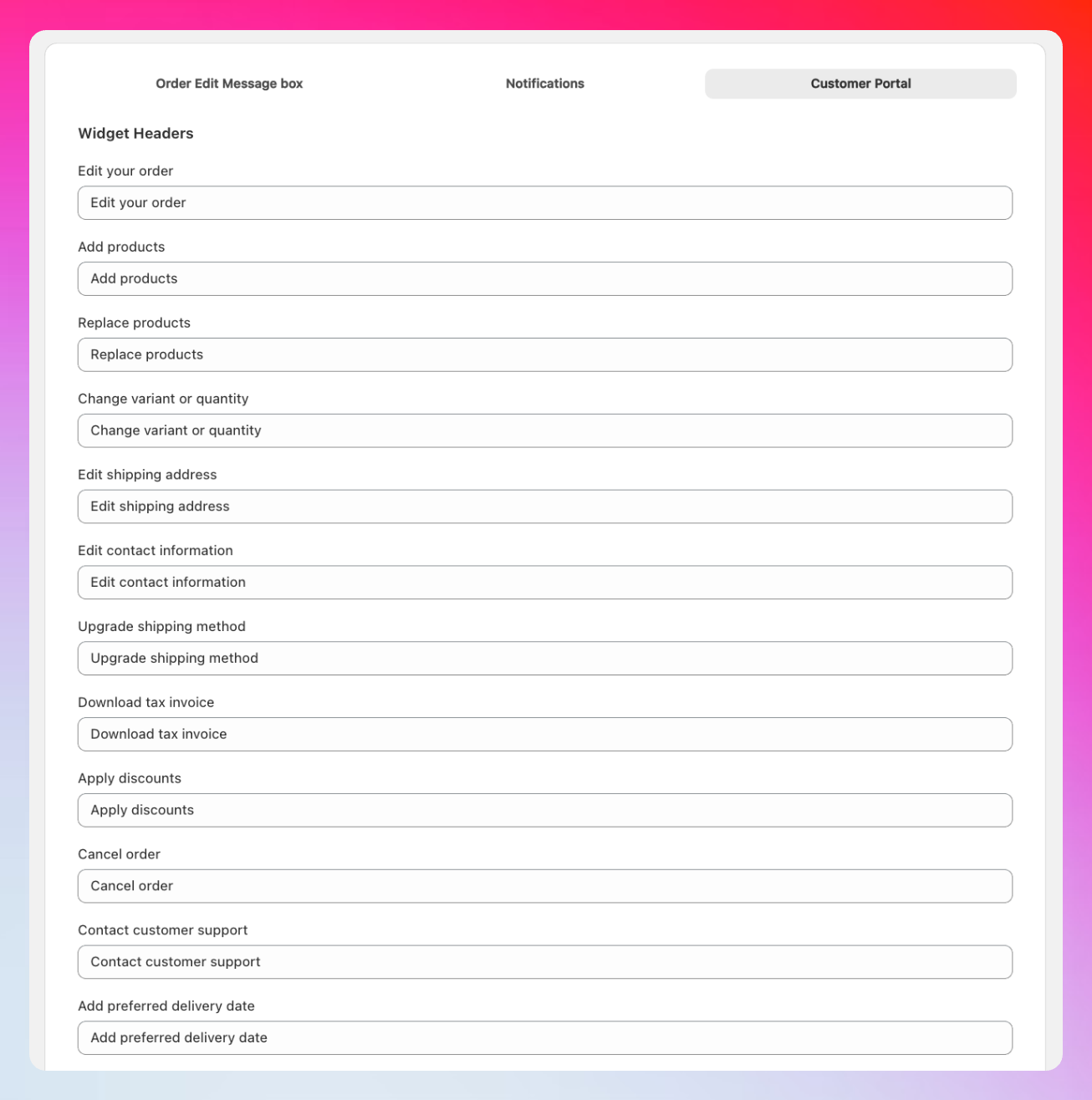 Customize every piece of text customers see in the order editing portal.
**Comprehensive text control for:**
**Customize all editing option titles:**
* Edit your order
* Add products
* Replace products
* Change variant or quantity
* Edit shipping address
* Edit contact information
* Upgrade shipping method
* Download tax invoice
* Apply discounts
* Cancel order
* Contact customer support
* Add preferred delivery date
**7 fully customizable cancellation options** that appear when customers cancel orders. Default reasons include common scenarios, but you can personalize them for your business and customer base.
**7 customizable support categories** that help organize customer requests and route them to the right team members for faster resolution.
**Transaction messaging including:**
* Payment due notifications
* Refund processing information
* Order confirmation prompts
* Balance and payment status updates
Customize every piece of text customers see in the order editing portal.
**Comprehensive text control for:**
**Customize all editing option titles:**
* Edit your order
* Add products
* Replace products
* Change variant or quantity
* Edit shipping address
* Edit contact information
* Upgrade shipping method
* Download tax invoice
* Apply discounts
* Cancel order
* Contact customer support
* Add preferred delivery date
**7 fully customizable cancellation options** that appear when customers cancel orders. Default reasons include common scenarios, but you can personalize them for your business and customer base.
**7 customizable support categories** that help organize customer requests and route them to the right team members for faster resolution.
**Transaction messaging including:**
* Payment due notifications
* Refund processing information
* Order confirmation prompts
* Balance and payment status updates
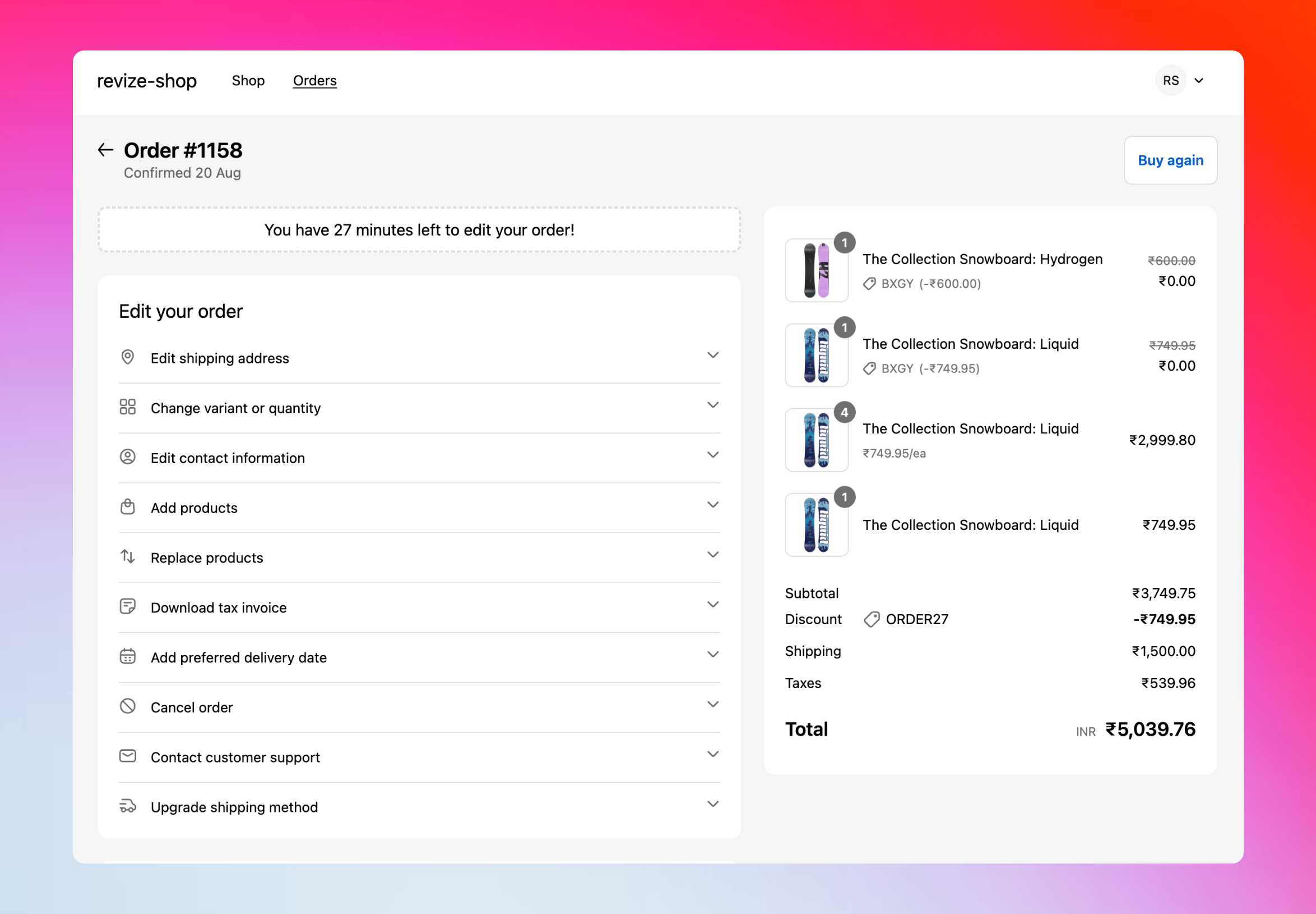 See how your customized text appears in the actual customer portal interface.
## How to customize translations
In your Revize app, click **Translations** in the sidebar.
Click the language dropdown to switch between your store's published languages.
Select from Order Edit Message Box, Notifications, or Customer Portal tabs.
Modify any text field to match your brand voice and customer needs.
Click **Save** to apply your customizations immediately.
**Language availability:** Only languages published in your Shopify store will appear in the translations interface. Add languages to your store first, then customize them in Revize.
## Advanced customization options
**Beyond the dashboard:** We've included the most commonly customized text in your Revize dashboard. For advanced customizations like specific error messages, buttons, confirmation text, or specialized workflow language, contact our support team at [hello@revize.app](mailto:hello@revize.app).
**Brand personality examples:**
**Message Box:** "Whoops! Forgot something? No worries - you've got time to fix it!"\
**Notification:** "Psst... your order is still editable!"\
**Widget Header:** "Tweak your order"
**Message Box:** "Order modifications available for \[duration]"\
**Notification:** "Edit window active - make changes now"\
**Widget Header:** "Modify order details"
**Message Box:** "Act fast! \[duration] to perfect your order!"\
**Notification:** "Time running out - edit now!"\
**Widget Header:** "Quick order changes"
**Message Box:** "Refine your order to perfection"\
**Notification:** "Your concierge editing service awaits"\
**Widget Header:** "Curate your selection"
## Frequently asked questions
Email us at [hello@revize.app](mailto:hello@revize.app) with the language you need. We'll add it within minutes and provide automatic translations for all text elements.
Yes, changes in the translations dashboard update immediately. Test different languages by switching your browser language.
Our AI-powered translations work great out of the box. Your customers will see professional, accurate translations without any setup required.
Absolutely! Contact our support team for advanced customizations. We can modify any text element in the order editing experience to match your needs.
Not at all. Translations only change the text customers see - all editing features, logic, and integrations work exactly the same regardless of language.
Professional translations remove barriers and create trust with international customers. Take a few minutes to customize key messages and watch your global conversion rates improve.
See how your customized text appears in the actual customer portal interface.
## How to customize translations
In your Revize app, click **Translations** in the sidebar.
Click the language dropdown to switch between your store's published languages.
Select from Order Edit Message Box, Notifications, or Customer Portal tabs.
Modify any text field to match your brand voice and customer needs.
Click **Save** to apply your customizations immediately.
**Language availability:** Only languages published in your Shopify store will appear in the translations interface. Add languages to your store first, then customize them in Revize.
## Advanced customization options
**Beyond the dashboard:** We've included the most commonly customized text in your Revize dashboard. For advanced customizations like specific error messages, buttons, confirmation text, or specialized workflow language, contact our support team at [hello@revize.app](mailto:hello@revize.app).
**Brand personality examples:**
**Message Box:** "Whoops! Forgot something? No worries - you've got time to fix it!"\
**Notification:** "Psst... your order is still editable!"\
**Widget Header:** "Tweak your order"
**Message Box:** "Order modifications available for \[duration]"\
**Notification:** "Edit window active - make changes now"\
**Widget Header:** "Modify order details"
**Message Box:** "Act fast! \[duration] to perfect your order!"\
**Notification:** "Time running out - edit now!"\
**Widget Header:** "Quick order changes"
**Message Box:** "Refine your order to perfection"\
**Notification:** "Your concierge editing service awaits"\
**Widget Header:** "Curate your selection"
## Frequently asked questions
Email us at [hello@revize.app](mailto:hello@revize.app) with the language you need. We'll add it within minutes and provide automatic translations for all text elements.
Yes, changes in the translations dashboard update immediately. Test different languages by switching your browser language.
Our AI-powered translations work great out of the box. Your customers will see professional, accurate translations without any setup required.
Absolutely! Contact our support team for advanced customizations. We can modify any text element in the order editing experience to match your needs.
Not at all. Translations only change the text customers see - all editing features, logic, and integrations work exactly the same regardless of language.
Professional translations remove barriers and create trust with international customers. Take a few minutes to customize key messages and watch your global conversion rates improve.