

We ship updates regularly to make order editing better for your customers and easier for your team.
✉️ Upsell Right Inside Your Order Emails
Your post-purchase emails can now sell. Set up email upsells yourself in Revize: pick your email tool and up to three products, copy the ready-made block, and paste it into your email. One click adds the product to the order the customer already placed.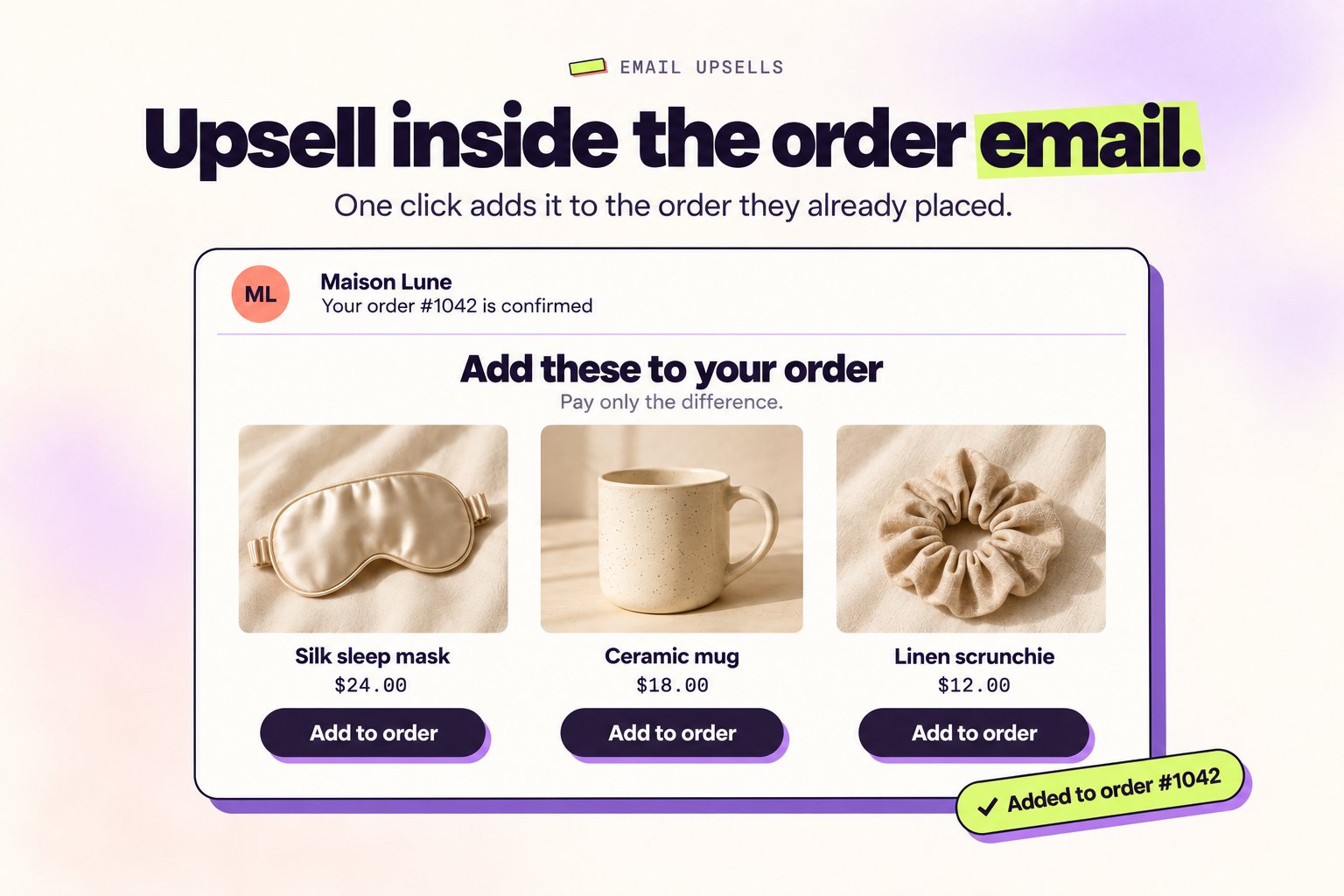
What’s new
- 📨 Any email tool: Shopify Email, Shopify’s order confirmation, Klaviyo flows, or any tool that can insert the Shopify order ID, such as Omnisend or Mailchimp.
- 🧱 Copy and paste: Revize builds the email block with your products, prices, and the right order tag. Prefer your own design? Copy plain links instead.
- 🎯 Variant control: Add a specific variant, or let Revize add the first one that is in stock when the customer clicks.
- 💳 Same order, same payment flow: The product goes into the same order and the customer pays only the difference on the order status page. No login, no new checkout.
- 🛡️ Safe by default: A double click adds the product once, and links stop adding once the order can no longer be edited.
How to enable it
- Open Upsell and click Set up email upsells
- Turn on Add products from email links and save
- Pick your email tool and products, then copy the block into your email
Email upsells are part of Upsells on the Pro plan. See the full setup in Email upsells.
🛍️ Smarter Upsells After Checkout
Turn the Thank-you and Order-status pages into a second purchase moment. Customers can add multiple products to the order they already placed, pay only the difference through Shopify, and receive everything together.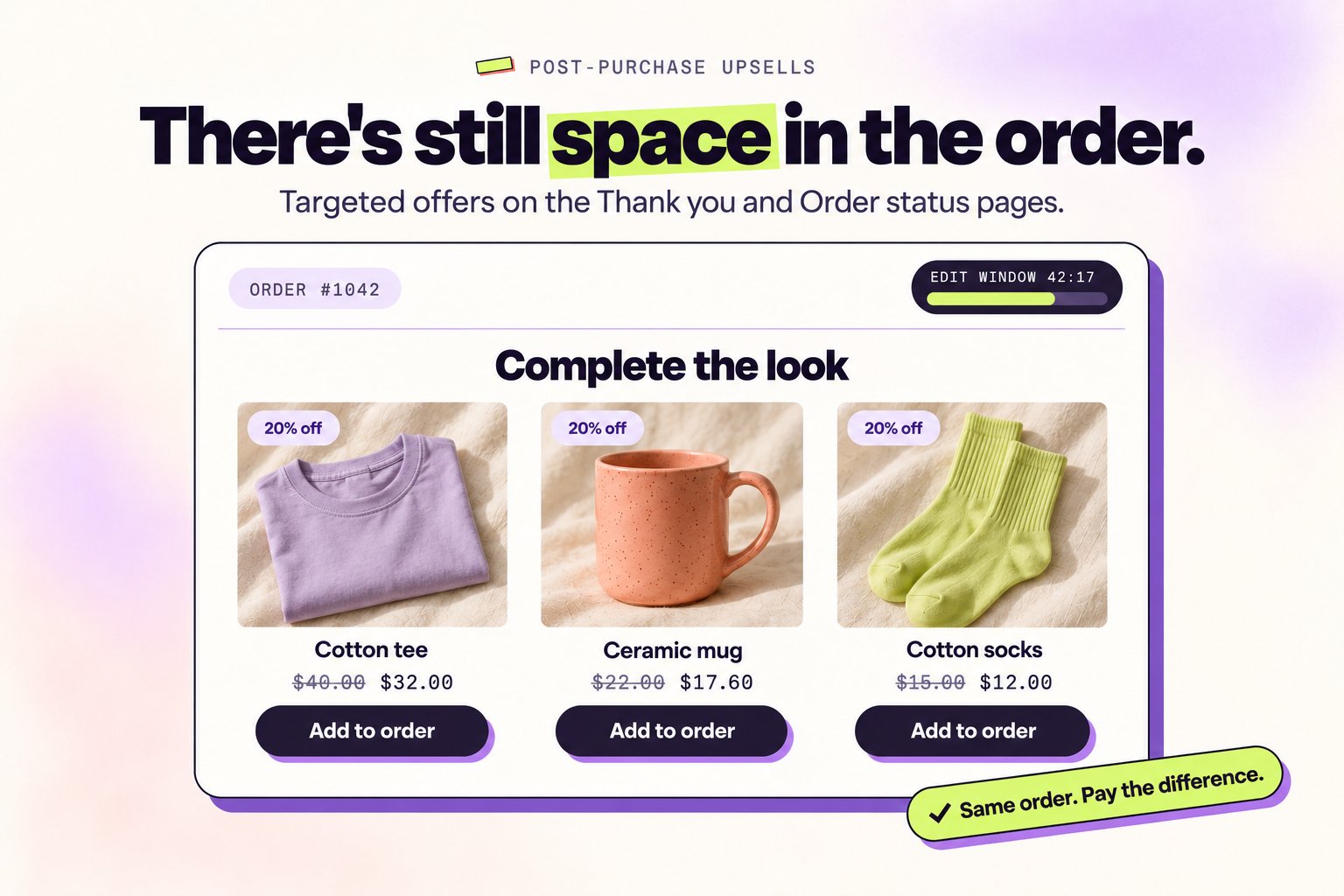
What’s new
- 🧠 Six product sources: Hand-pick products or use collections, bestsellers, Shopify related and complementary recommendations, or the shopper’s recently viewed products.
- 🎯 Precise targeting: Match offers using 11 order and customer conditions, with server-side checks when the customer accepts.
- 🎨 Complete offer control: Add a discount, choose List, Slider, Grid, or Spotlight, bind the countdown to the real editing deadline, and set scheduling, priority, and acceptance limits.
- 💳 One Shopify payment flow: Accepted products go into the same order. Shopify recalculates the difference, and Revize holds the addition until payment is captured.
- 📈 Captured revenue only: Track impressions, accepts, conversion, AOV uplift, and revenue that has actually been paid and reconciled with Shopify.
How to enable it
- Open Upsell → Create offer
- Choose the products, targeting, discount, layout, and pages
- Change the offer from Draft to Active, then save
See the full setup in Post-purchase Upsells.
↩️ Unpaid Edits, Reversed Automatically
Unpaid post-purchase changes no longer need to leave orders stuck on hold. After a grace period you choose, Revize restores the latest state the customer actually paid for and releases fulfillment only when Shopify reports no balance due.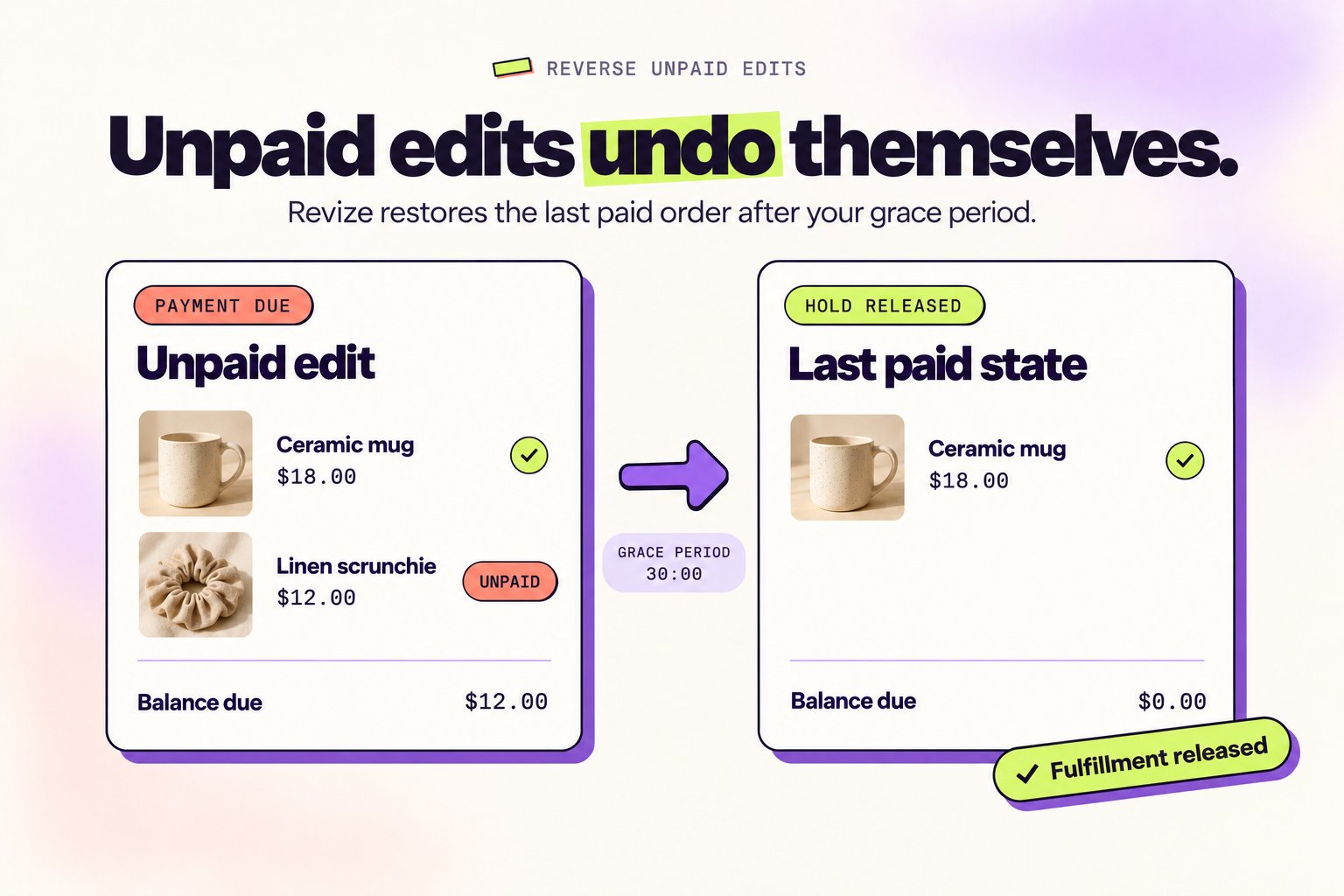
What’s new
- ↩️ Minimal rollback: Only the unpaid difference is removed. Earlier edits the customer paid for stay on the order.
- ⏱️ Timing that follows your editing window: Fixed windows start the grace period after the editing deadline. Until-fulfillment windows restart it after each newer unpaid edit.
- 🛡️ Safe fulfillment release: Revize checks the live Shopify balance again and never releases an order while money is still owed.
- 💸 Edge cases covered: Overpayments are refunded automatically, manual and cash-on-delivery orders are skipped, and order tags can exclude individual orders.
How to enable it
- Go to Settings → General → Reverse unpaid edits
- Turn on Reverse automatically
- Choose a wait time in minutes or hours, add optional do-not-reverse tags, and save
Reverse Unpaid Edits is available on the Pro plan and is off by default. Successful reversals add the
revize:reverse_unpaid order tag. See Reverse Unpaid Edits for details.⚙️ Rules Engine
One store-wide editing window forces compromises. The new rules engine lets you set a different editing policy for each kind of order, so pre-orders stay open for weeks, in-stock orders lock in minutes, VIPs get more time, and high-risk destinations are locked down.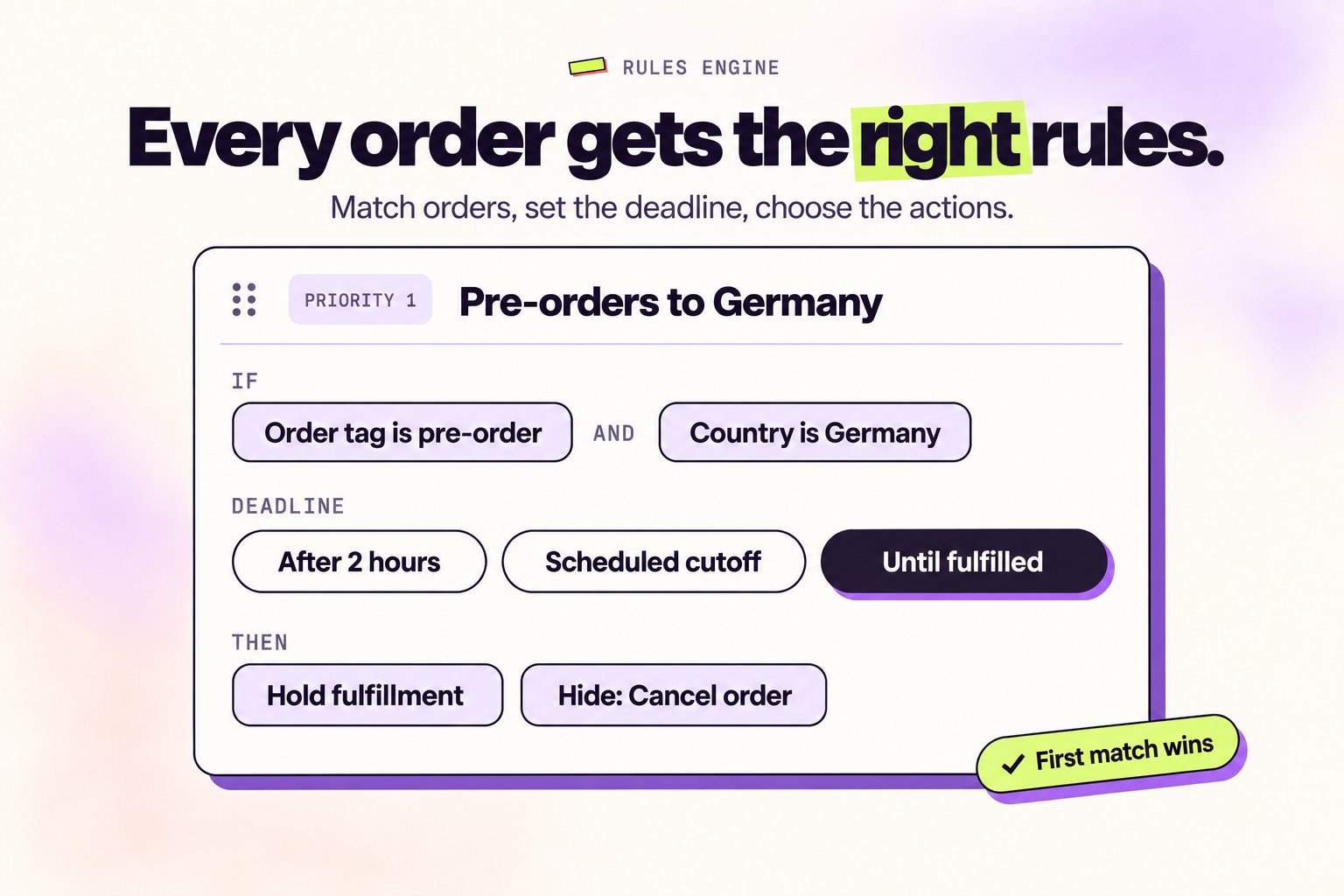
What’s new
- 🧩 Rich conditions: Match orders on order tags, customer tags, metafields, order value, destination country, shipping method, B2B, subscription, pickup, sales channel, days of week, or time window. Combine with AND/OR groups.
- ⏰ Six deadline modes: Store default, after a duration, scheduled cutoff, specific time, from a metafield date, or until fulfilled. Scheduled, specific-time, and metafield-date deadlines support a buffer.
- 🛠️ Actions per rule: Hold fulfillment, hide specific edit modules, apply tags, or disable editing entirely for matched orders.
- 🥇 Priority and fallback: Rules run in priority order, first match wins. Drag to reorder. Anything that matches no rule falls back to your store-wide editing window, so adoption is incremental with zero migration.
- 🔁 Dynamic where it counts: Metafield-date deadlines shift if the date changes, and tag-based rules re-match if an order’s tags change after checkout.
How to enable it
Open Order Editing → Rules in the Revize app, then click Create rule to set the conditions, editing deadline, and actions. Available on the Pro plan and above.See the full setup in the Rules Engine guide.
🇪🇺 EU Withdrawal Requests
From June 19, 2026, merchants selling to EU consumers need an online withdrawal function for eligible distance contracts. Revize adds a dedicated EU withdrawal flow to the Shopify order status page and as a theme app block you can drop anywhere on your storefront, with the operational automation built in.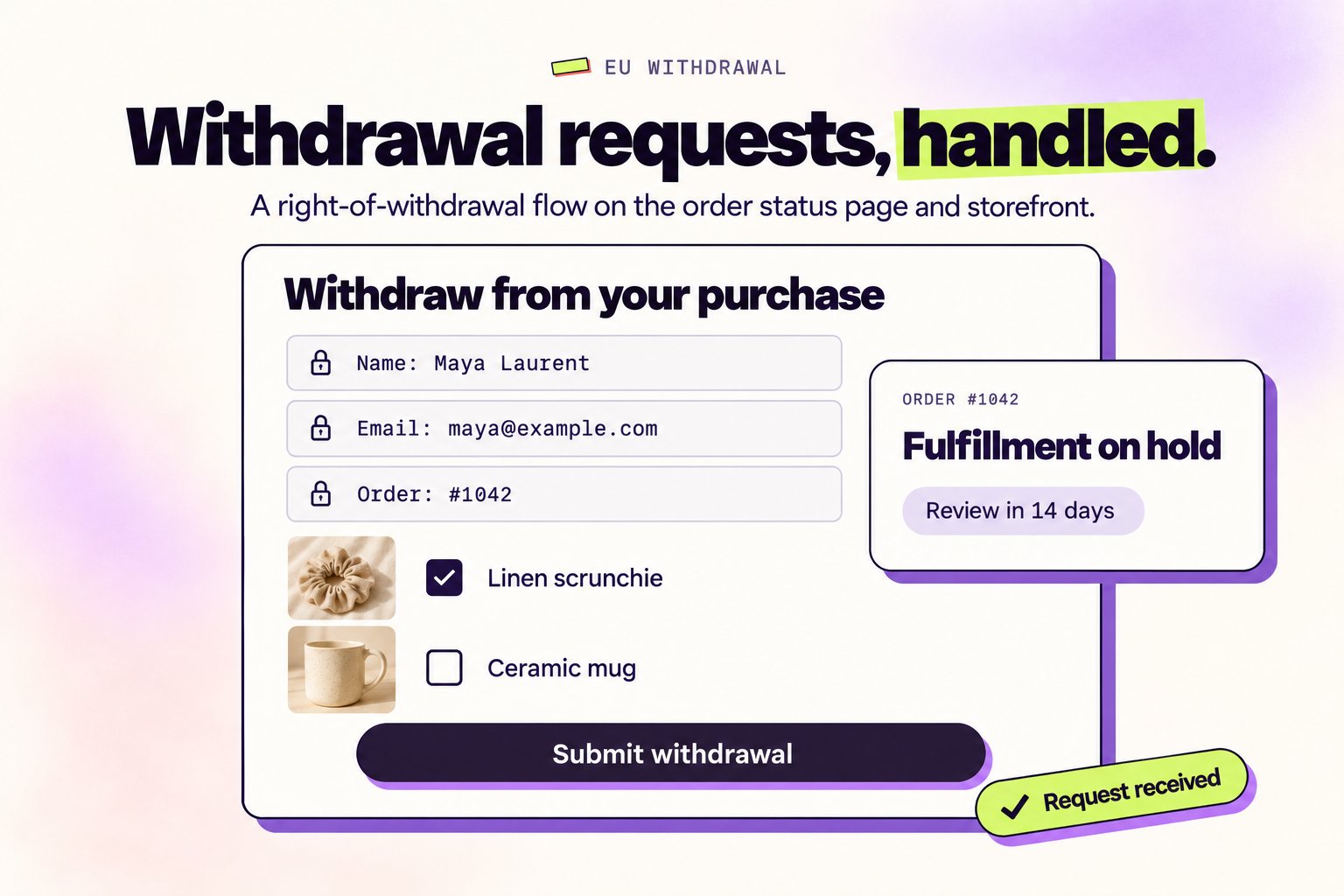
What’s new
- 📝 Two-step request flow: Customers select items, confirm, and submit. Name, email, and order number are pre-filled and locked. The confirm step can appear inline or in a popup.
- 🇪🇺 EU-only by default: Pre-filled with the 27 EU member states. Eligibility is re-checked server-side, so the front-end is not the only gate.
- 🪧 Two placements on the order status page: Show the withdrawal as its own section (recommended) or as an accordion inside the Revize customer portal. Top or bottom of the page, outlined or soft-fill card.
- 🧩 Anywhere on your storefront: Drop the form into a header, footer, or any page section via a theme app block. Inline, hybrid, or popup display modes. No login required: shoppers just need their order number and email.
- 🛠️ Pre-fulfillment automation: Place a Shopify fulfillment hold on submission, then auto-release or auto-cancel after a configurable review window (1 to 14 days). Partial-fulfillment protection prevents mid-shipping cancellations.
- 📦 Delivered-order handling: For shipped or delivered orders, pick notify-only, automatic Shopify return creation, or notify-now-and-remind-later.
- ⏳ Always-on withdrawal window: The request stays available even after the normal edit window closes. 14 days after delivery by default, with an estimated transit buffer when carrier data is missing.
- 🌐 Pre-translated defaults: Customer copy ships pre-translated in every supported language and is legally compliant. No translation work required. You can still tweak per language under Translations → Customer Portal → EU withdrawal if you want to match your brand voice.
- 🗂️ Audit-ready: Each request is tagged
revize:withdrawal_requested, mirrored to a Shopify metaobject, and tracked separately from regular cancellations in analytics.
How to enable it
Open Settings → Advanced → EU withdrawal in the Revize app, turn on Show on the order status page and Allow the storefront theme app block, choose the eligible countries, then configure placement, hold-and-review, and delivered-order behavior. Add the theme block from your theme editor under Add block → Apps → EU Withdrawal. Customize copy in Translations → Customer Portal → EU withdrawal.Why it matters: The EU withdrawal function is not just a form. Revize handles eligibility, holds, emails, returns, reminders, and audit records, so your team is not manually chasing each request before the June 19, 2026 deadline.
📝 Custom Note Section
Customers can now leave a free-form note when they edit an order. A size change, a custom engraving, or an instruction for your fulfilment team, all saved right on the order.Before, a customer who remembered a change after checkout had to email support. Now they type it on the order edit page, and your team reads it with the order.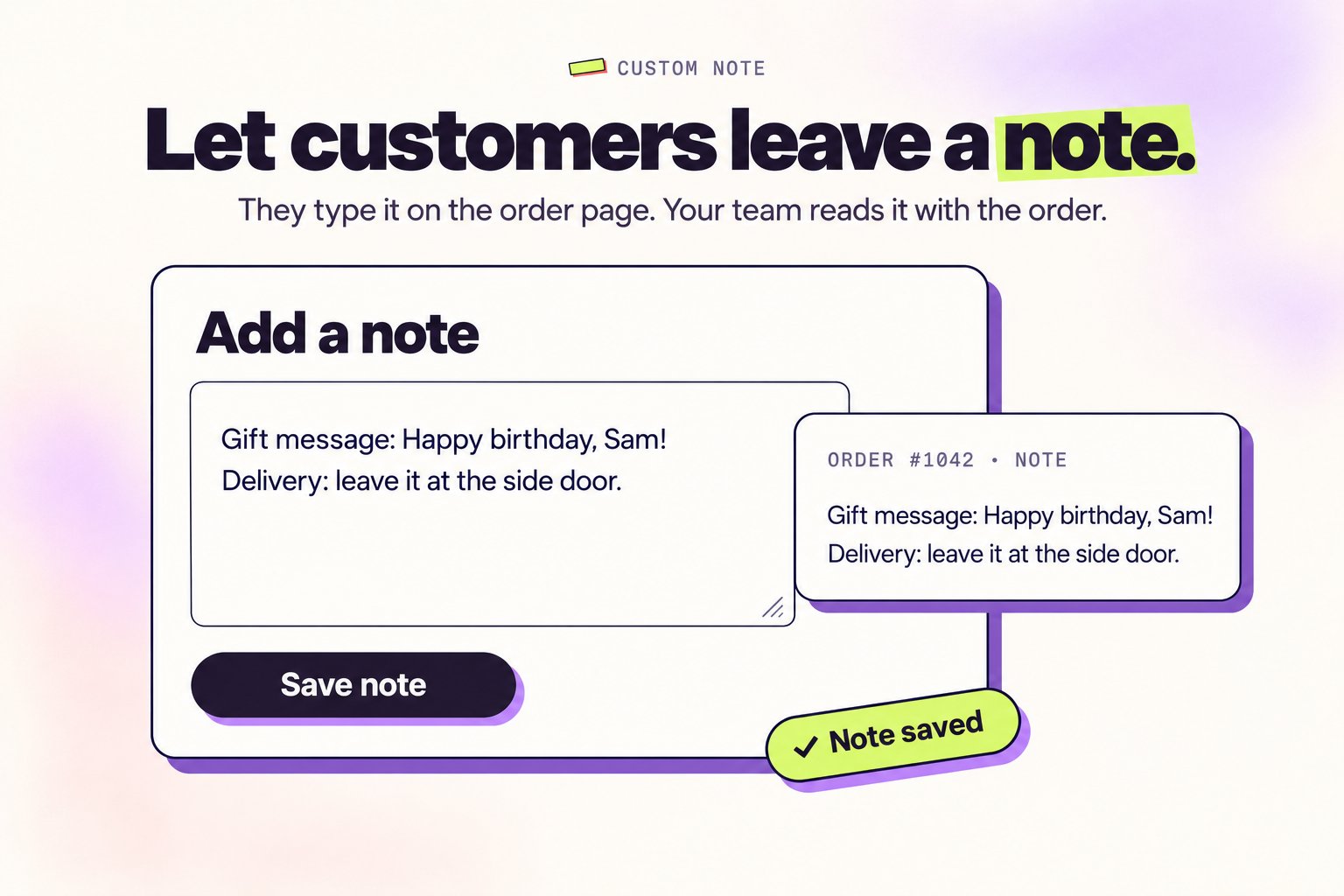
What’s new
- 📝 Pre-filled template: Set a starting template in Translations so customers see structure, not a blank box
- ✨ Highlight mode: Show the note as its own card above or below the order edit section, or keep it inline as an accordion item
- 🔁 Review prompt before payment: After a change, the next Pay Now click shows a review modal so customers can update the note or continue. No forced fields
- 💾 Saved as an order custom attribute: The note appears in Shopify admin under the order’s Additional details, parseable by Flow, Recharge, and 3PL exports
- 🌐 Fully translatable: Section title, prompt, template, and modal copy all live in Translations, customizable per locale
Example use cases
- Apparel and accessories: capture size, colour, or fit preferences when customers swap products
- Gift orders: add personal messages, recipient names, or delivery instructions after checkout
- Made-to-order and custom products: collect material, engraving, or finish details per item
- B2B and wholesale: PO numbers, account references, or shipping instructions tied to the order
How to enable it
Go to Order Editing → Add custom note → Manage to set it up. Customize every word in Translations.Why it matters: Customers capture the details they’d otherwise email about, and your team gets them saved on the order, with fewer “can you change…” tickets.
New Feature
🚀 Partial Cancellation is Live
Customers can now cancel specific items in an order instead of the entire order, with refunds processed automatically.Order cancellation used to be all-or-nothing. If a customer ordered five items and only wanted to drop one, they had to cancel the whole thing. Partial cancellation fixes that — pick the items, pick the quantities, get a refund for just those.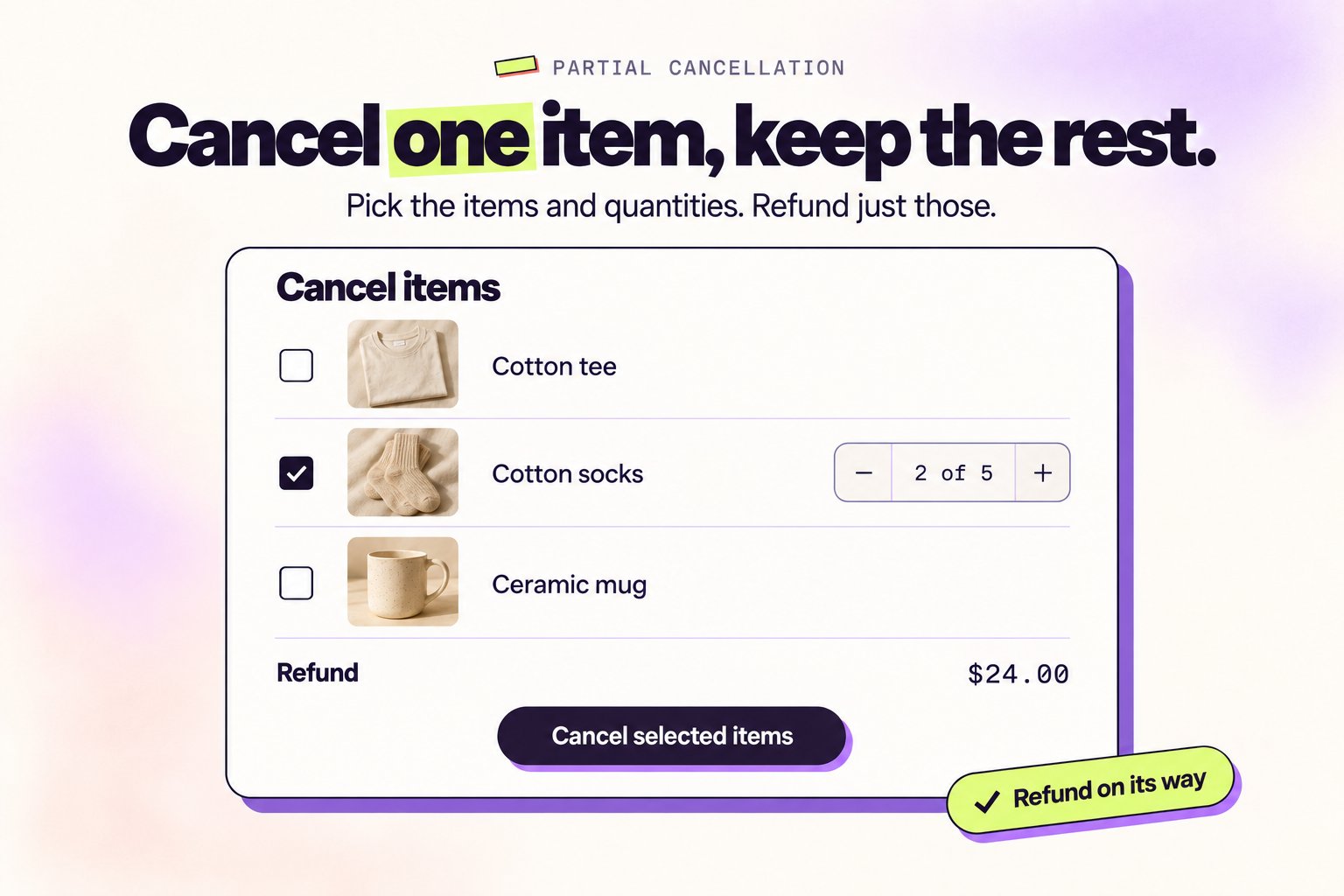
What’s new
- 🛒 Item-level cancellation — Customers select which line items to remove instead of cancelling the full order
- 🔢 Optional partial quantities — Let customers cancel some units of an item (e.g. 2 of 5)
- 💸 Automatic refunds — Refunds are processed using your configured refund method, just like full cancellations
- 🪟 Improved confirmation modal — Clearer flow for selecting items and choosing a cancellation reason
- 🏷️ Order tags — Cancellation tags continue to apply so your existing automations keep working
Order metafield
Every partial cancellation writes a JSON record to the order so you can build downstream logic — reporting, alerts, Flow automations.- Namespace:
revize_app - Key:
partial_cancellation - Contains: Cancelled line items, quantities, reasons, and timestamps
How to enable it
- Go to Settings → Order editing → Cancel order
- Toggle on Enable partial cancellation
- Optionally enable Allow partial quantities to let customers cancel specific unit counts
Why it matters: Customers get the flexibility they actually want, support handles fewer “can you just remove this one item” tickets, and refunds happen on their own.
Improvement
🛠️ Performance, Fixes & Dashboard Refresh
A faster, cleaner dashboard — rebuilt from the ground up based on how you actually use it.We’ve been quietly watching how merchants use Revize and used that data to rethink the dashboard. The result: a cleaner layout, smarter defaults, and a much better experience across the board.What’s improved
- 📱 Mobile-friendly dashboard — Manage settings on the go without things breaking
- ⚡ Faster load times — The order editing page and settings load noticeably quicker
- 🎨 Refreshed UI — Cleaner layout on the Orders page, Settings, and all tabs
- 🐛 Bug fixes — A round of stability and edge case fixes across multiple modules
- 🧠 Smarter defaults — Settings now reflect what most merchants actually want out of the box
No action needed on your end — it’s all live.
New Feature
🚫 Editing Restrictions by Customer Tag
Block specific customers from editing orders entirely, based on their Shopify customer tags.Some customers shouldn’t be able to edit orders at all. Now you can block them silently — no portal, no editing — based on a customer tag in Shopify.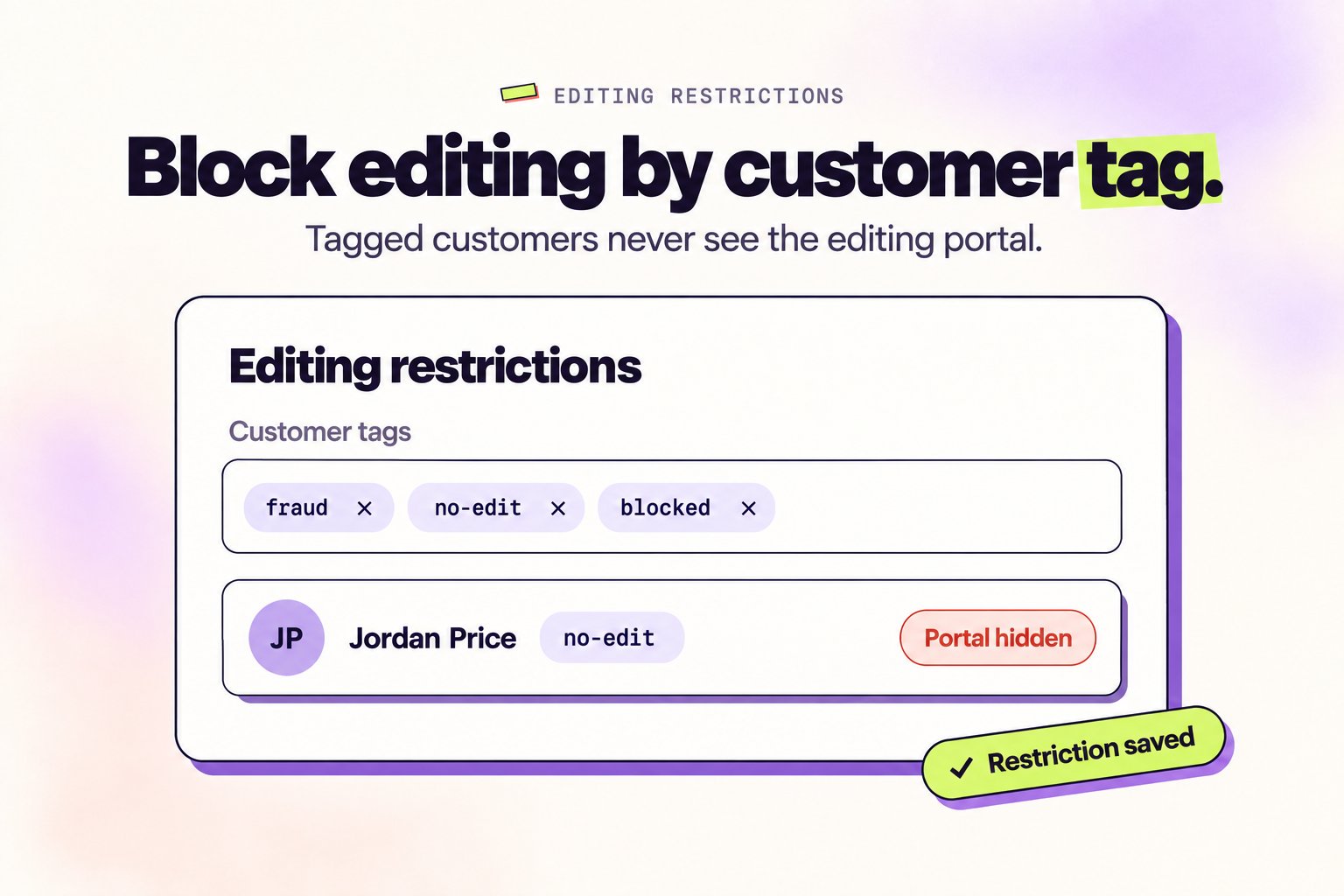
How to use it
- Go to Settings → Order editing → Editing restrictions
- Add a customer tag (e.g.
fraud,no-edit,blocked) - Any customer tagged with that value won’t see the order editing portal
Works great alongside Feature Visibility Rules for full control over who edits what.
New Feature
🎛️ Feature Visibility Rules
Show or hide editing features for specific orders or customers using tags.Not every customer or order should have access to every feature. Feature Visibility Rules give you fine-grained control — show or hide specific capabilities based on order and customer tags.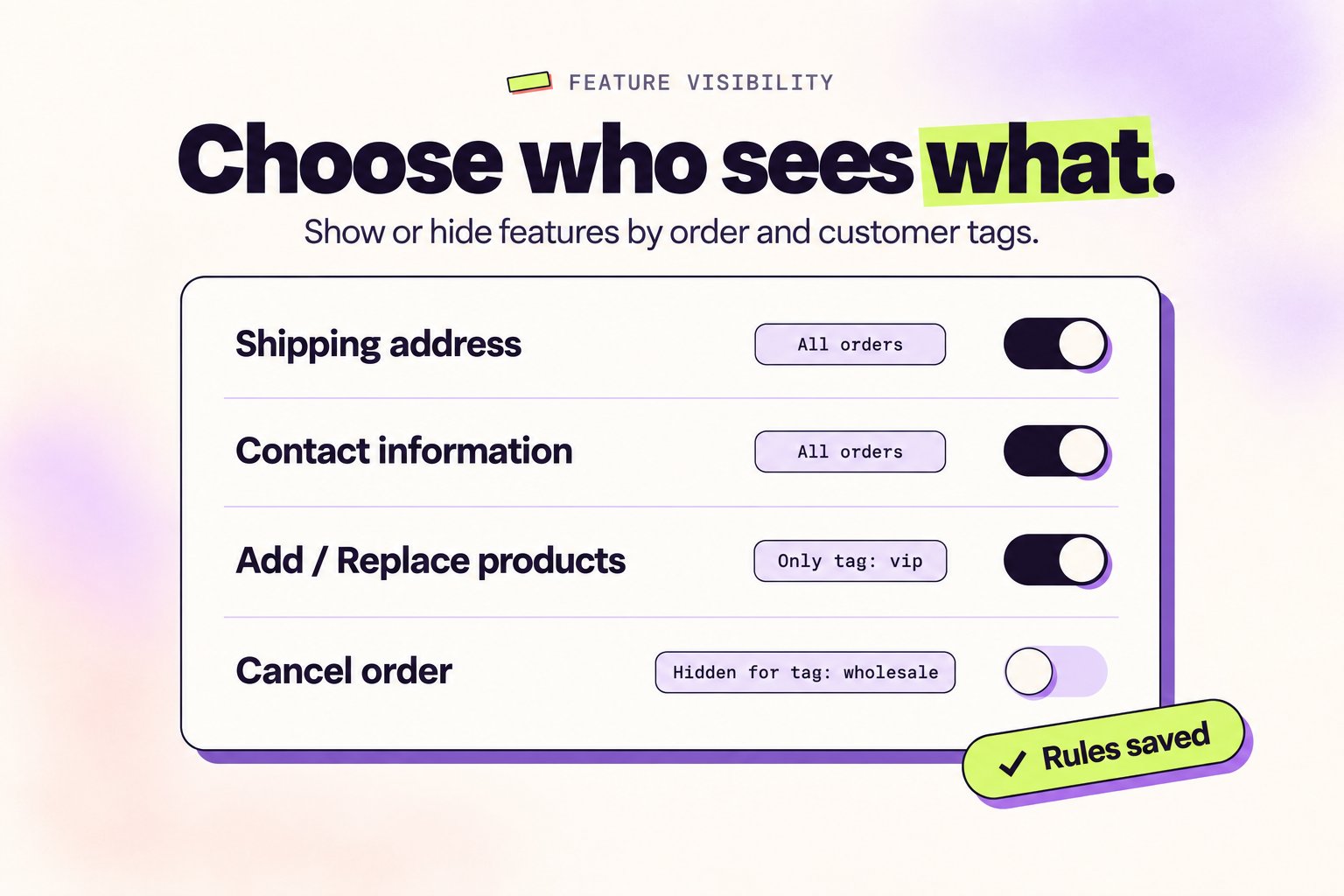
What you can control
- Shipping address
- Contact information
- Add / Replace products
- Edit product details
- Cancel order
- Apply discounts
- Tax invoice, Support ticket, Shipping method, Delivery date
Example use cases
- Fraud prevention — If a fraud app tags an order, hide product additions and address changes
- B2B orders — Restrict cancellations for wholesale customers
- Pre-orders — Lock product swaps for pre-order tagged orders
- VIP customers — Unlock features like free shipping upgrades for loyalty-tagged customers
New Feature
🔒 Test Mode
Verify your setup before going live — only tagged customers can see the editing portal.Installing a new app and enabling it for everyone on day one is risky. Test Mode lets you verify everything looks right first — then flip it on for the world.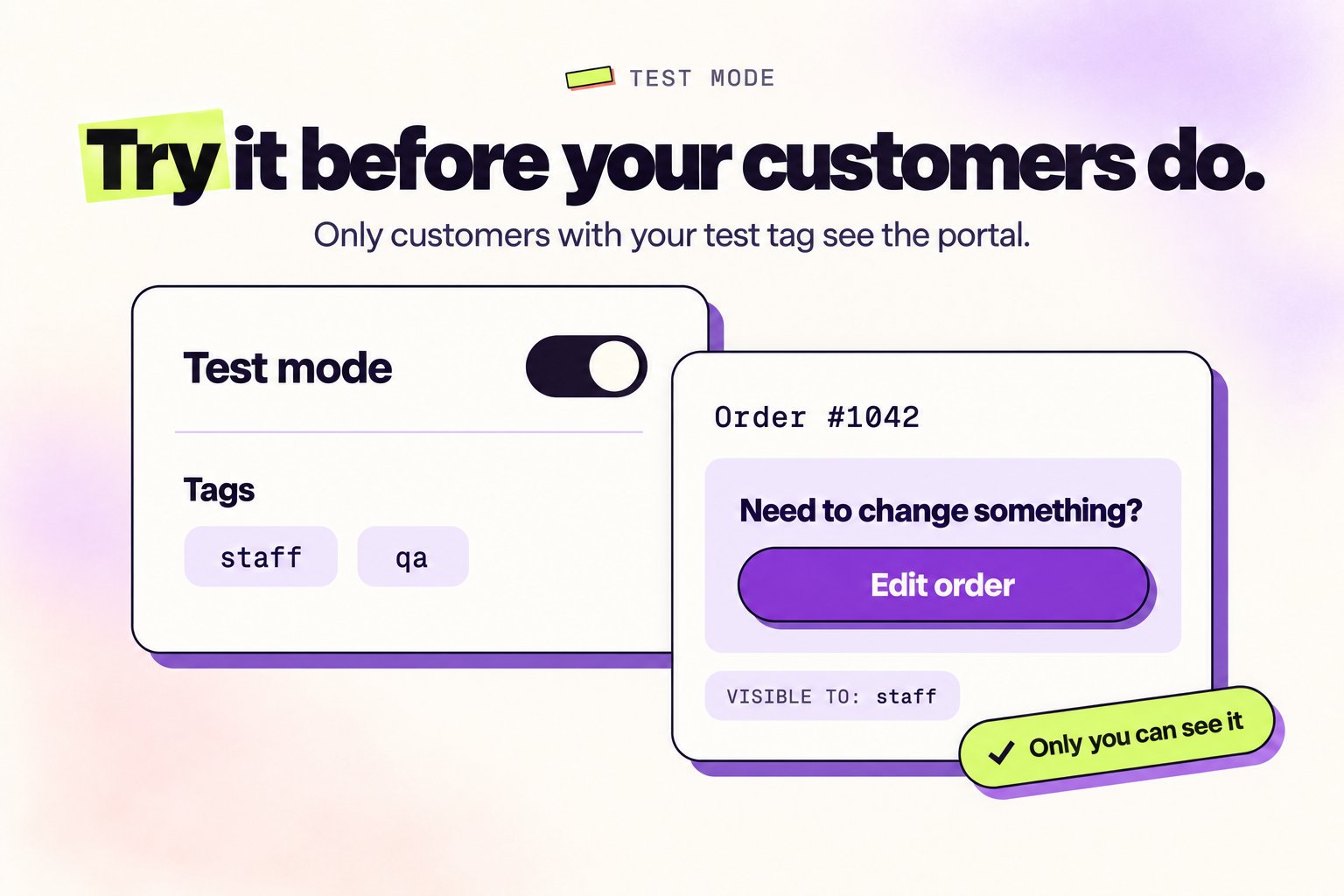
How it works
- 🔒 Turn it on with the Test mode button in the Revize top bar
- 🏷️ Tag-based access — Pre-filled with a
stafftag. Add more tags as needed. Works as an OR condition - 👤 Tag yourself in Shopify as a customer with that tag — the portal becomes visible only to you
Why it matters: No more “oops, customers saw a half-configured portal.” Ship with confidence.
New Feature
Shopify Flow Integration
Order edits now trigger Shopify Flow. Build automations that respond the moment a customer makes a change.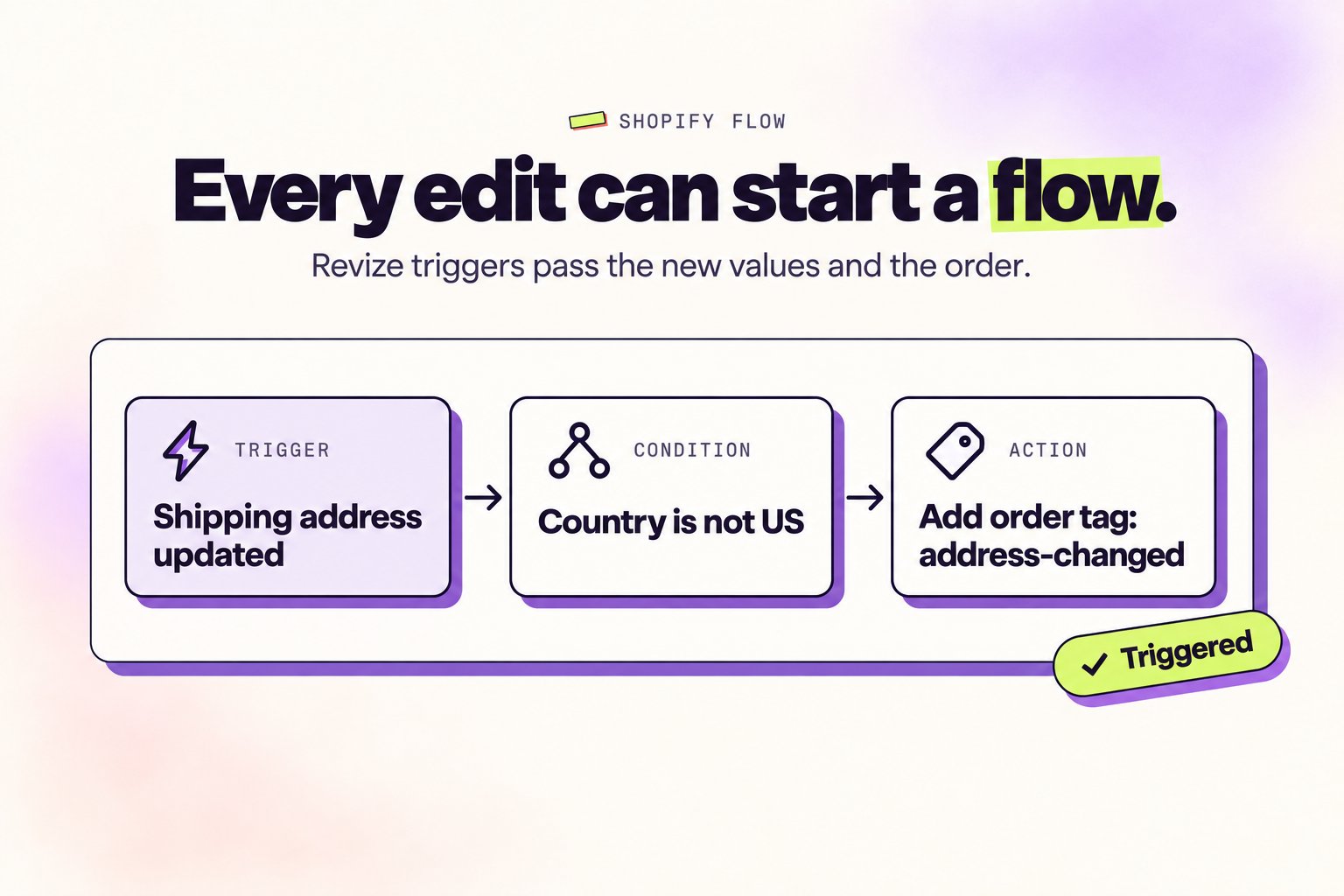
Available triggers
- 📍 Shipping address updated — Fires when a customer changes their delivery address
- 📞 Phone number updated — Fires when a customer updates their contact number
- 📧 Email address updated — Fires when a customer changes their email
- 📅 Delivery date updated — Fires when a customer selects a new delivery date
- ❌ Order cancelled — Fires when a customer cancels their order
- 🎫 Support ticket created — Fires when a customer submits a support request
- 🧾 Tax invoice generated — Fires when a tax invoice is created
- 🛒 Order edited — Fires on any order edit, including discount code changes
What you can build
- Notify your warehouse via Slack or email when a shipping address changes
- Alert fulfillment when a customer updates their delivery date
- Create a support ticket in Gorgias or Zendesk when a customer submits a request
- Tag orders or customers based on specific edit types
Rich data included
Each trigger passes the updated values and order details—so you can build precise conditions and actions.Why this matters: Order edits used to be a black box. Now every change can kick off the exact workflow your operations need.
🚀 Coming soon: Transactional edit triggers—line items added, replaced, variants changed, and more.
New Feature
Email Upsells via Klaviyo
Turn post-purchase emails into revenue. Customers click “Add to Order” in your Klaviyo emails and land on the order status page with the product already added.How it works
- One-click upsells — Customer clicks product in email, lands on order page with item pre-added
- Seamless checkout — They just confirm and pay. No re-entering details.
- Works with Klaviyo flows — Integrate with your existing post-purchase email sequences
Not on Klaviyo? This works with any email platform that supports custom links—Omnisend, Mailchimp, or even custom-built emails. The magic is in the URL structure, not the email provider.
New Feature
Run on Past Orders
Enable order editing for orders placed before you installed Revize. Perfect for stores with existing order backlogs.Previously, Revize only worked on new orders created after installation. Now you can extend order editing to your historical orders too.What’s new
- Date range filters — Select specific time periods to enable
- Status filters — Filter by financial status, fulfillment status, or tags
- Selective enablement — Choose exactly which past orders get editing capabilities
This is an advanced feature. Contact us to enable past order support for your store.
New Feature
Digital Product Edit Controls
Control whether customers can edit digital products in their orders—all, none, or just the ones you choose.Selling digital products? Now you decide exactly which ones customers can edit after purchase.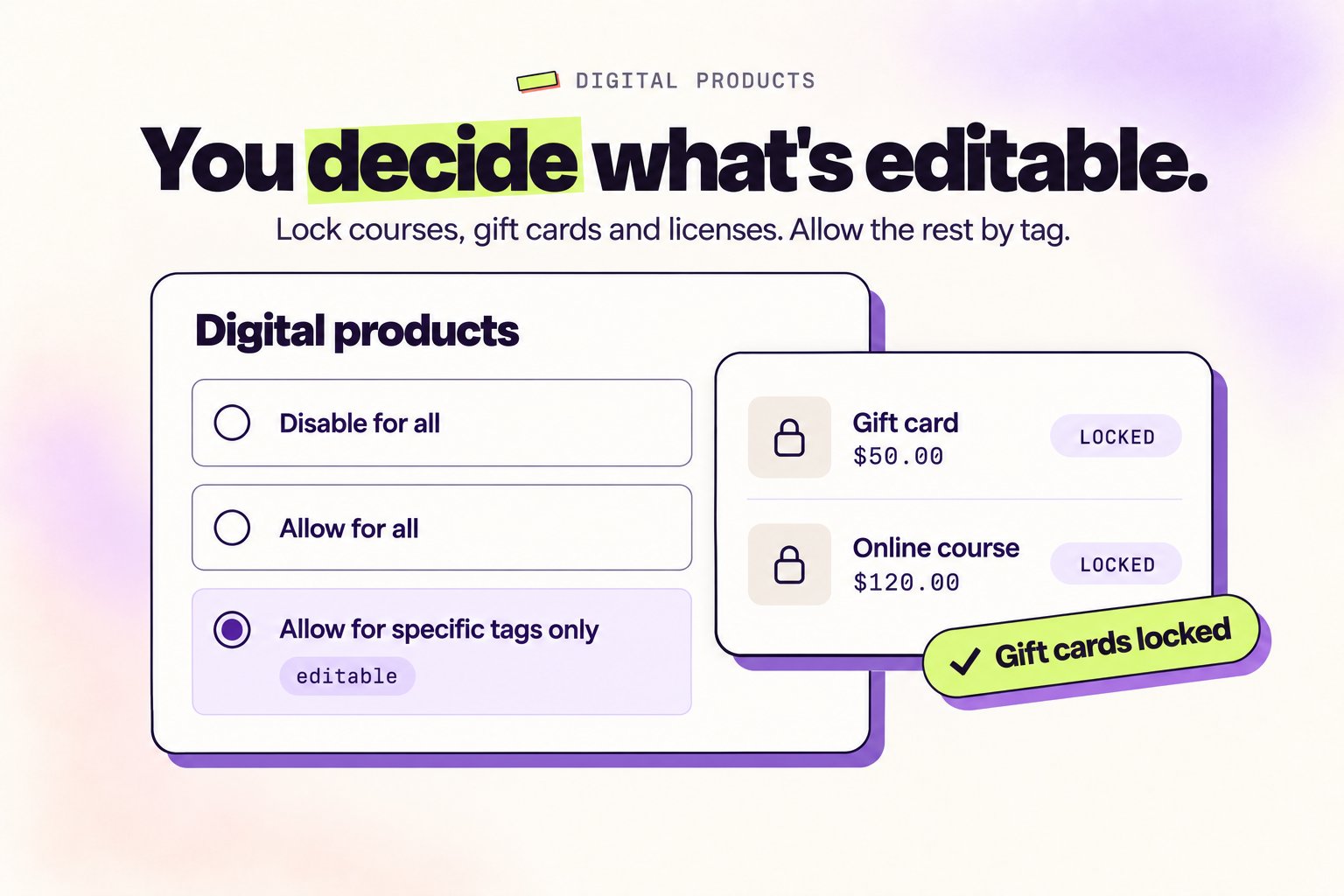
Three options
- Disable for all — Customers can’t remove or change quantity on any digital product. Best for courses, gift cards, licenses, or one-time downloads.
- Allow for all — All digital products become editable—just like physical items.
- Allow for specific tags only — Keep editing disabled by default, but enable it for products with specific tags.
How to set it up
- Go to Settings tab
- Find Digital products section
- Choose your preference
- If using tags, add the product tags you want to allow editing for
New Feature
Custom Sender Email
Send order update emails from your own email address instead of ours.Order update emails should look like they’re coming from your store—because now they are.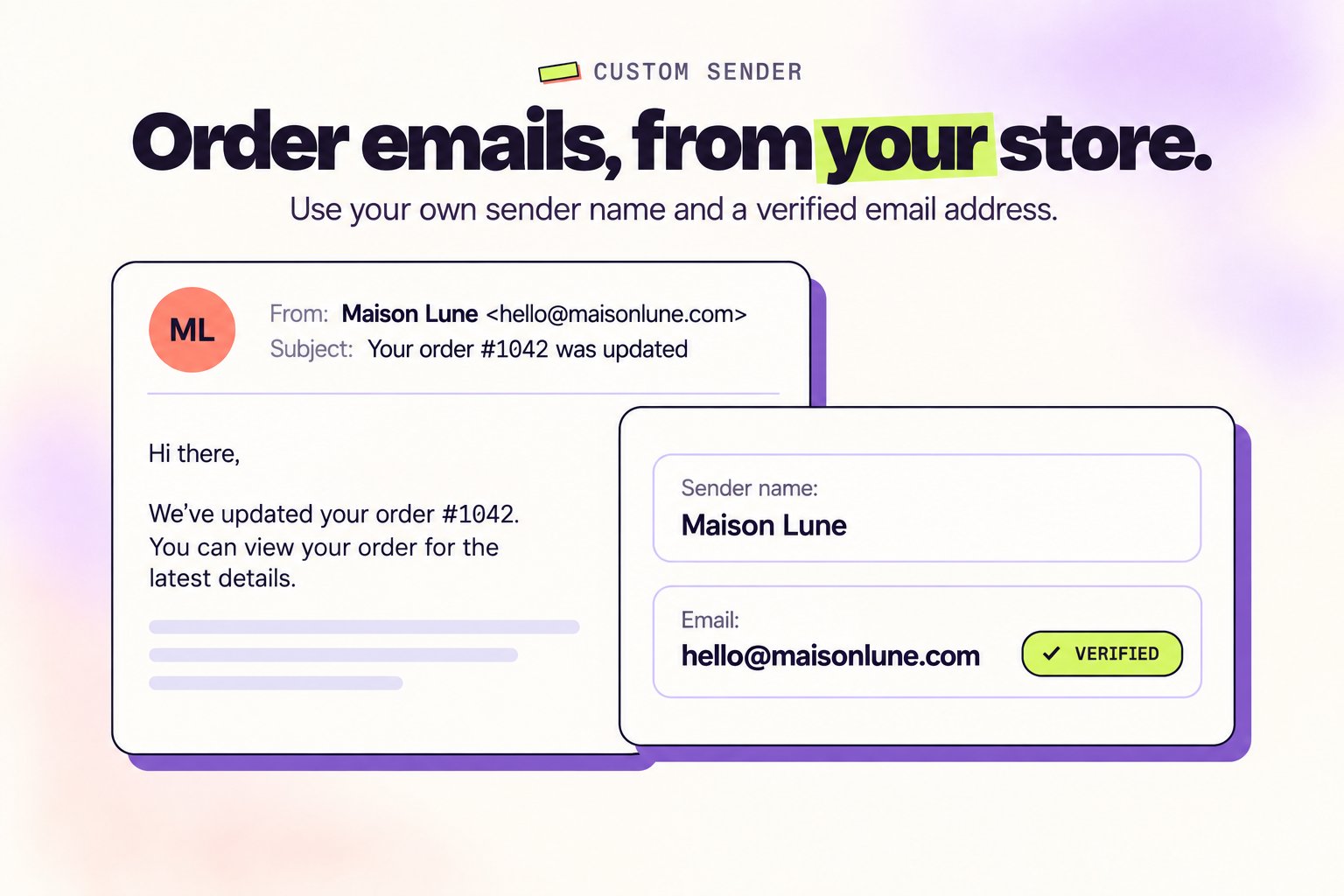
What’s new
- Your Sender Name — Choose the name that appears in the ‘From’ field. Customers see your brand, not Revize.
- Your Email Address — Verify any email address you own, and all order updates will be sent from it.
- One-Time Setup — Verify once, and you’re done. No ongoing configuration needed.
Emails this applies to
- Shipping address update confirmations
- Preferred delivery date confirmations
- Support request acknowledgements
- More coming soon
How to set it up
- Go to Settings tab
- Enter your sender name and email address
- Click Verify email and confirm via the link we send you
Want full domain authentication? Removes the “via” label in Gmail and improves deliverability. Contact us and we’ll set it up.
Enhancement
Preferred Delivery Date Upgrades
Set date ranges, add time slots, and give customers delivery options that match your fulfillment.Delivery scheduling that actually fits how you operate. Set boundaries, offer time slots, and stop fulfillment headaches before they start.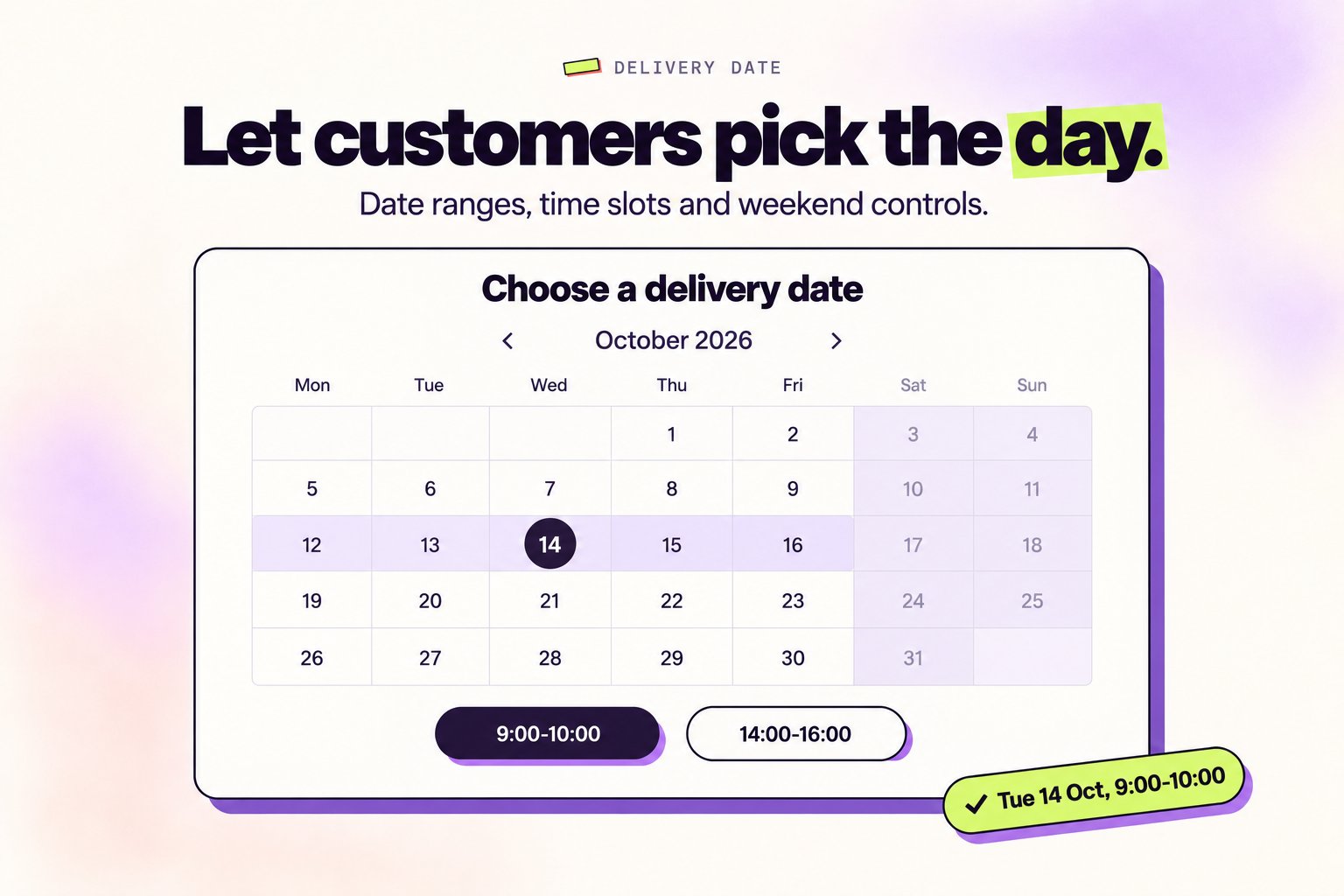
What’s new
- Min/Max Date Range — Control the earliest and latest selectable dates. No more “deliver tomorrow” surprises.
- Time Slots — Let customers pick a specific delivery window—like 9:00–10:00 AM or 2:00–4:00 PM.
- Weekend Controls — Include or exclude weekends with a single toggle.
- Custom Date Format — Display dates your way—
DD/MM/YYYY,MM-DD-YYYY, or whatever fits your brand. - Shopify Flow Trigger — Automate workflows when customers select a delivery date.
New Feature
Third-Party Checkout Support
Orders from TikTok Shop, Facebook, Instagram, and other sales channels are now editable.Sell on TikTok, Instagram, or Facebook? Your customers can finally edit those orders too.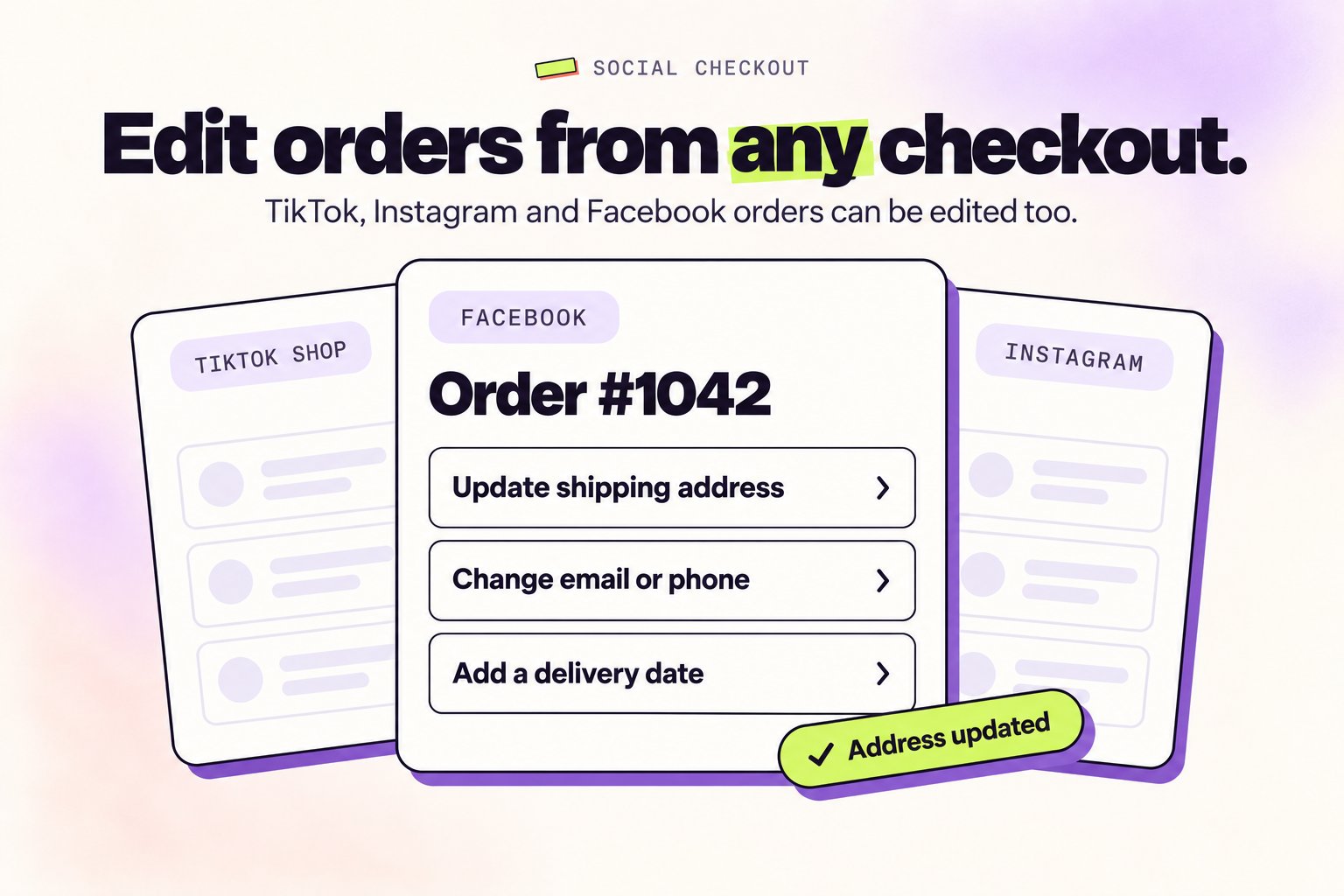
What customers can now do
- Update shipping address
- Change email or phone
- Add preferred delivery date
- Cancel eligible orders
- Contact support directly from the edit portal
Supported channels
- TikTok Shop
- Facebook & Instagram Shopping
- GoKwik, Shopflo, Razorpay Magic, Shiprocket
- Pinterest, Snapchat & other Shopify sales channels
Live now. No setup required.
New Feature
Public Order Cancellation API
Add a cancel button anywhere—emails, support pages, chatbots, or custom forms.Build cancellation into your customer journey—exactly where it makes sense for your store.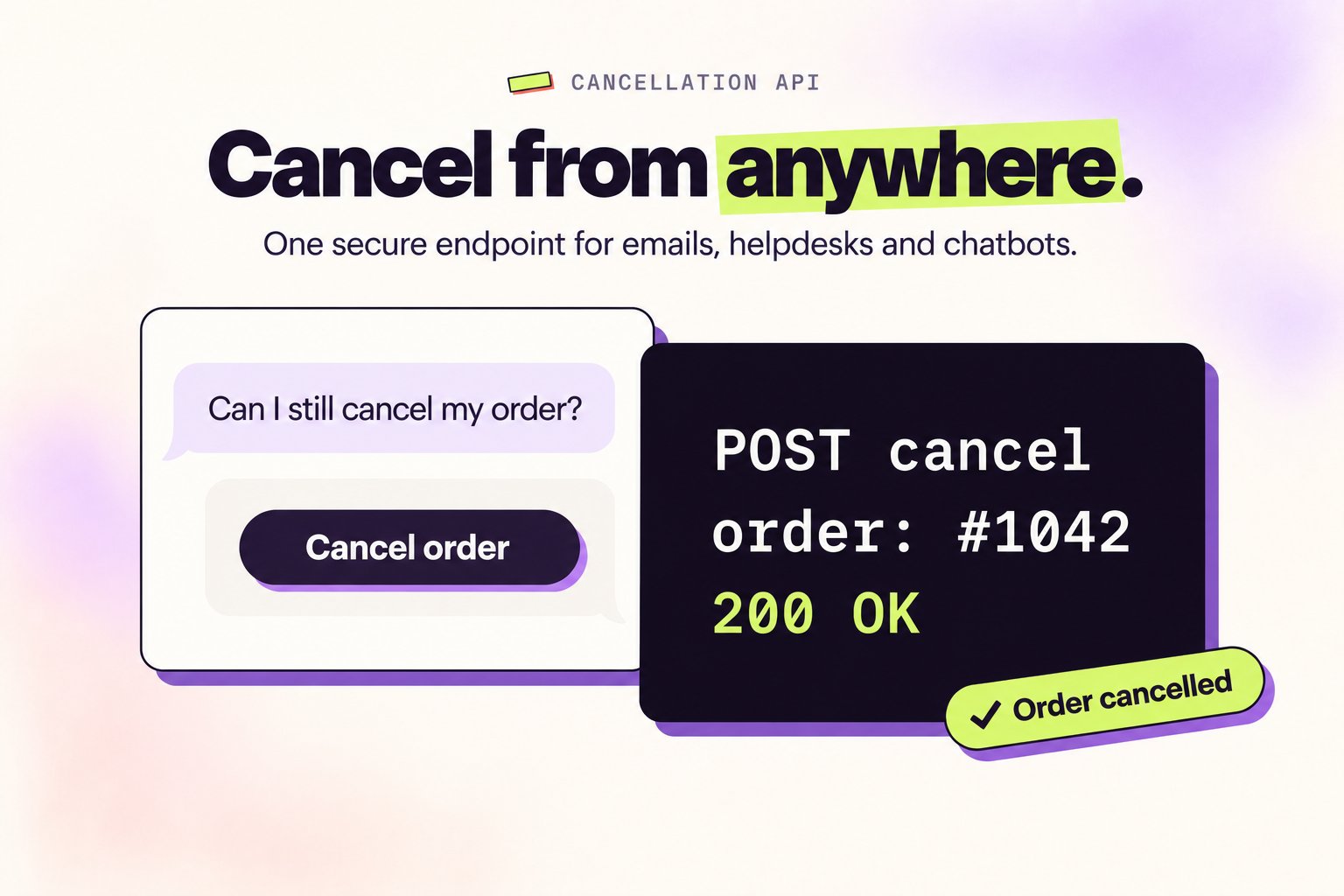
What’s new
- One Simple Endpoint — A secure public API that cancels eligible orders. No app embed needed.
- Build It Your Way — Power cancel buttons in post-purchase emails, Gorgias, Zendesk, or chatbots.
- Your Rules Apply — The API respects your cancellation time windows and eligibility rules automatically.
Where merchants are using it
- Self-service forms on support/FAQ pages
- Chatbot integrations for instant cancellations
New Feature
AI-Powered Product Recommendations
Drive more sales with intelligent product suggestions—powered by Shopify AI or your curated picks.Show customers what they actually want. Product recommendations are now powered by Shopify AI and your strategic picks.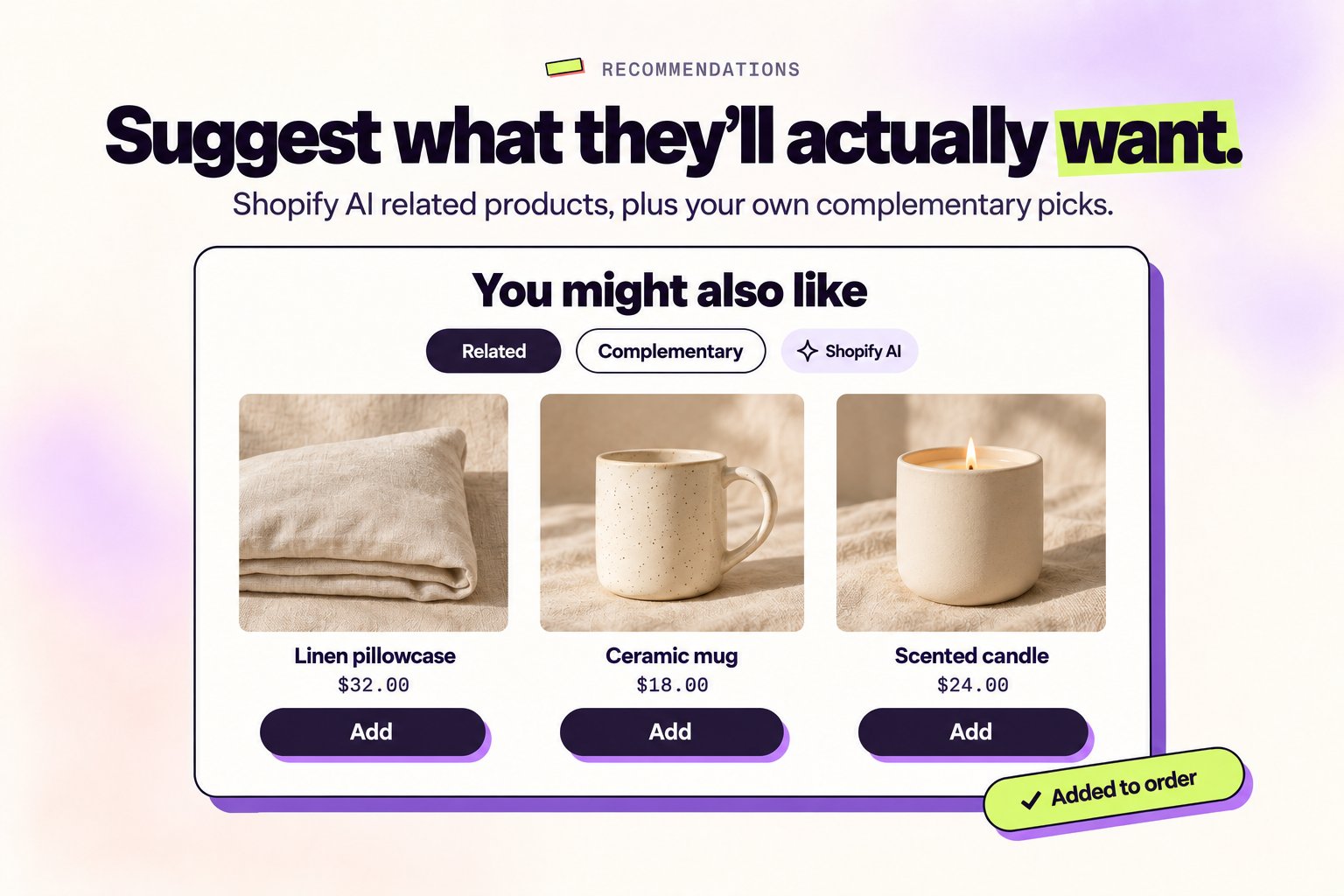
What’s new
- Related Products (Shopify AI) — Auto-generated suggestions based on purchase patterns and product similarity. Learn how it works.
- Complementary Products — Hand-pick exactly what to show using Shopify’s Search & Discovery app.
Coming soon: Full upsell engine with advanced targeting and analytics.
New Feature
Apply Discounts
Let customers add discount codes after checkout to reduce order cancellations.Forgot to add a discount code? It happens. Now customers can fix it without canceling or contacting support.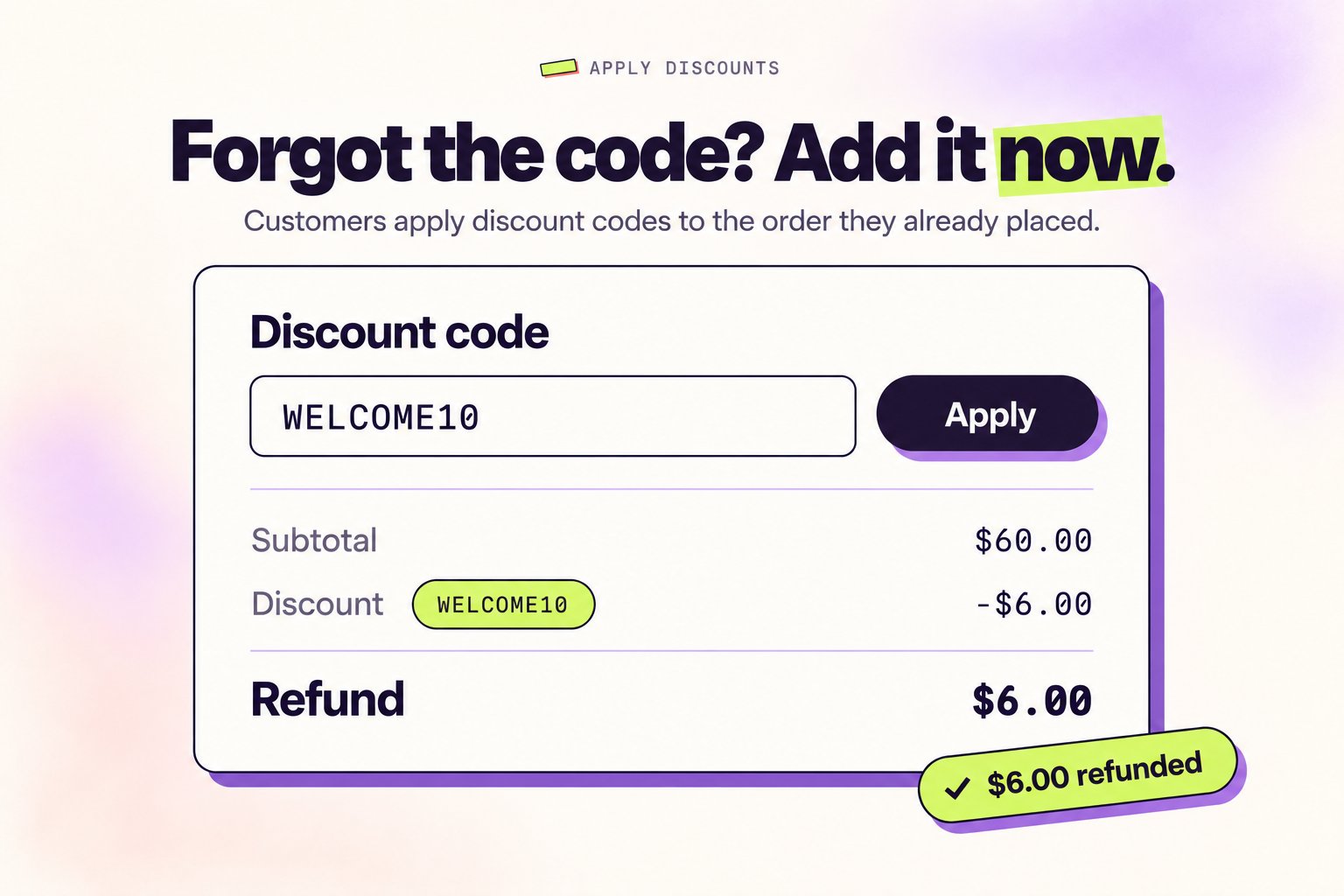
What you can do now
- Post-Purchase Discounts — Customers can apply discount codes to their existing orders in the order editing portal.
- Fewer Cancellations — Shoppers keep their original order, no need to reorder.
- Less Support Load — Customers handle it themselves in seconds.
Live now. You’re all set.
New Feature
Grid View for Product Upsells
Display products in a visual grid layout that makes browsing feel natural and boosts conversions.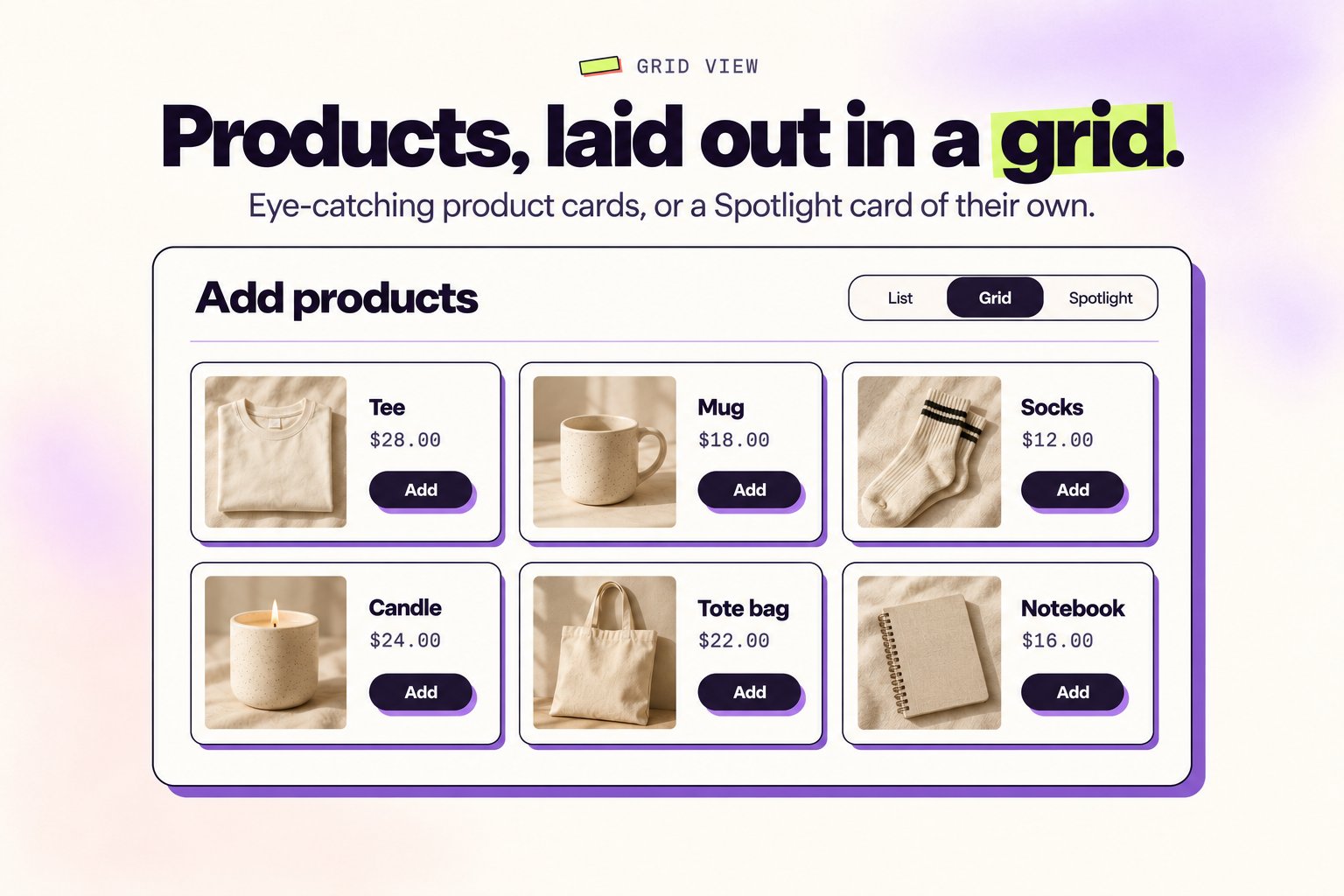
What’s new
- Grid View — Display products in eye-catching cards with a modern layout.
- Spotlight Upsells — Display Add Products in its own card instead of an accordion.
How to enable
- Go to Order Editing tab
- Under Customer edit options → Add products, select Grid
- Toggle “Highlight the Add products section” for maximum visibility
Improvement
All-New Revamped Helpdesk
A redesigned, user-friendly app documentation hub with better navigation and comprehensive guides.We’ve completely rebuilt our documentation from the ground up to make finding answers faster and easier than ever.What’s enhanced
- Intuitive navigation — Find what you need instantly with improved search and organization
- Cleaner design — Enjoy a smoother reading experience with better formatting
- Expanded knowledge base — Access in-depth guides and proven best practices
New Feature
Order Editing Restrictions
Block editing on specific orders or products through tags.We’ve introduced Order Editing Restrictions to give you complete control over which orders and products can be edited.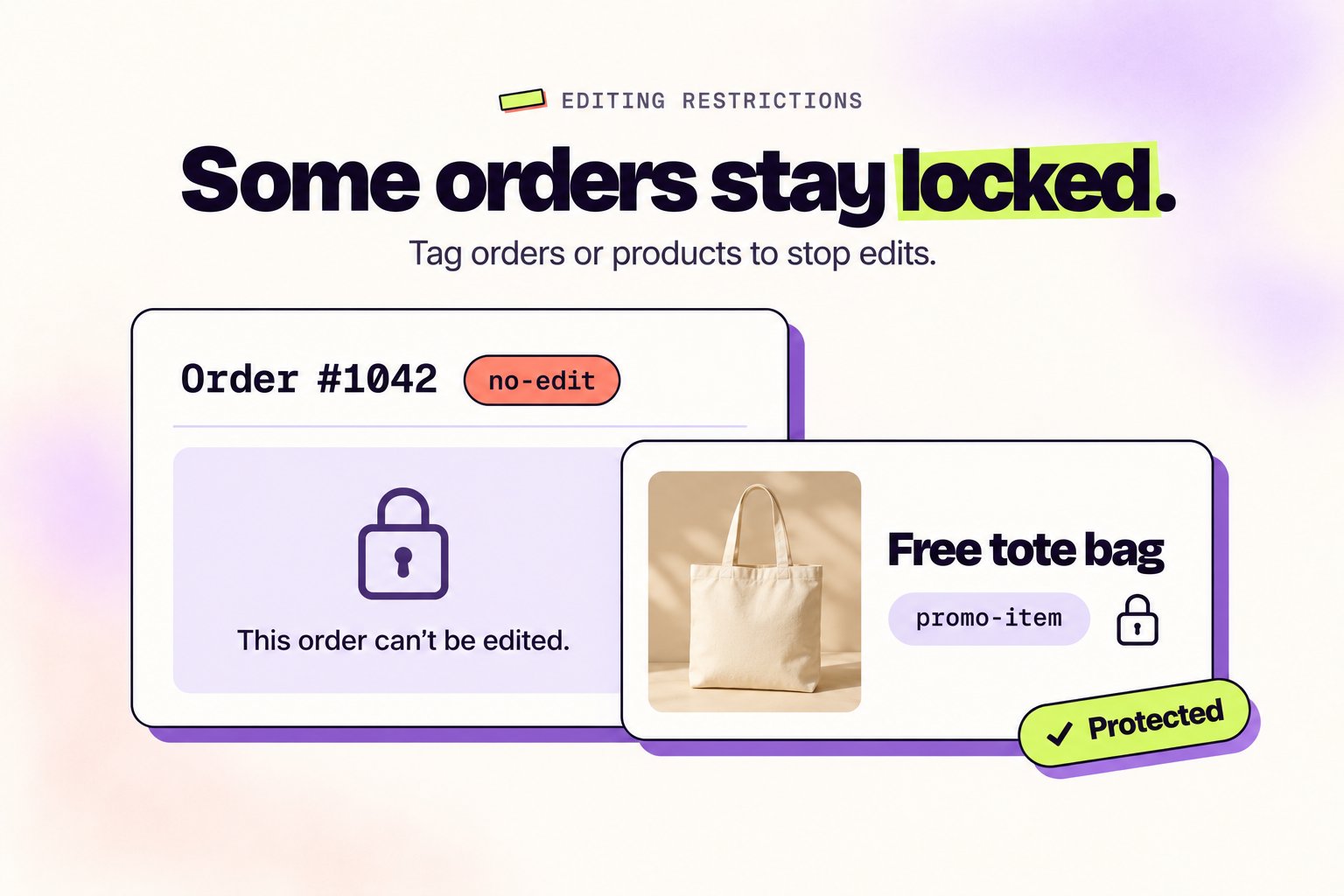
How it works
- Define tags in the app dashboard under settings (e.g.,
no-editorpromo-item) - Apply those tags to orders or products in Shopify
- The app will automatically block edits on tagged items
Examples
- Tag high-risk orders with
no-editto protect flagged transactions - Tag free gifts with
promo-itemto prevent changes to promotional items
Order Edit Restrictions Guide
Learn more about setting up restrictions
New Feature
Subscription Order Editing
You can now edit subscription orders with the same flexibility as regular one-time purchases.We’ve extended our order editing capabilities to work seamlessly with subscription orders, regardless of which subscription app you use.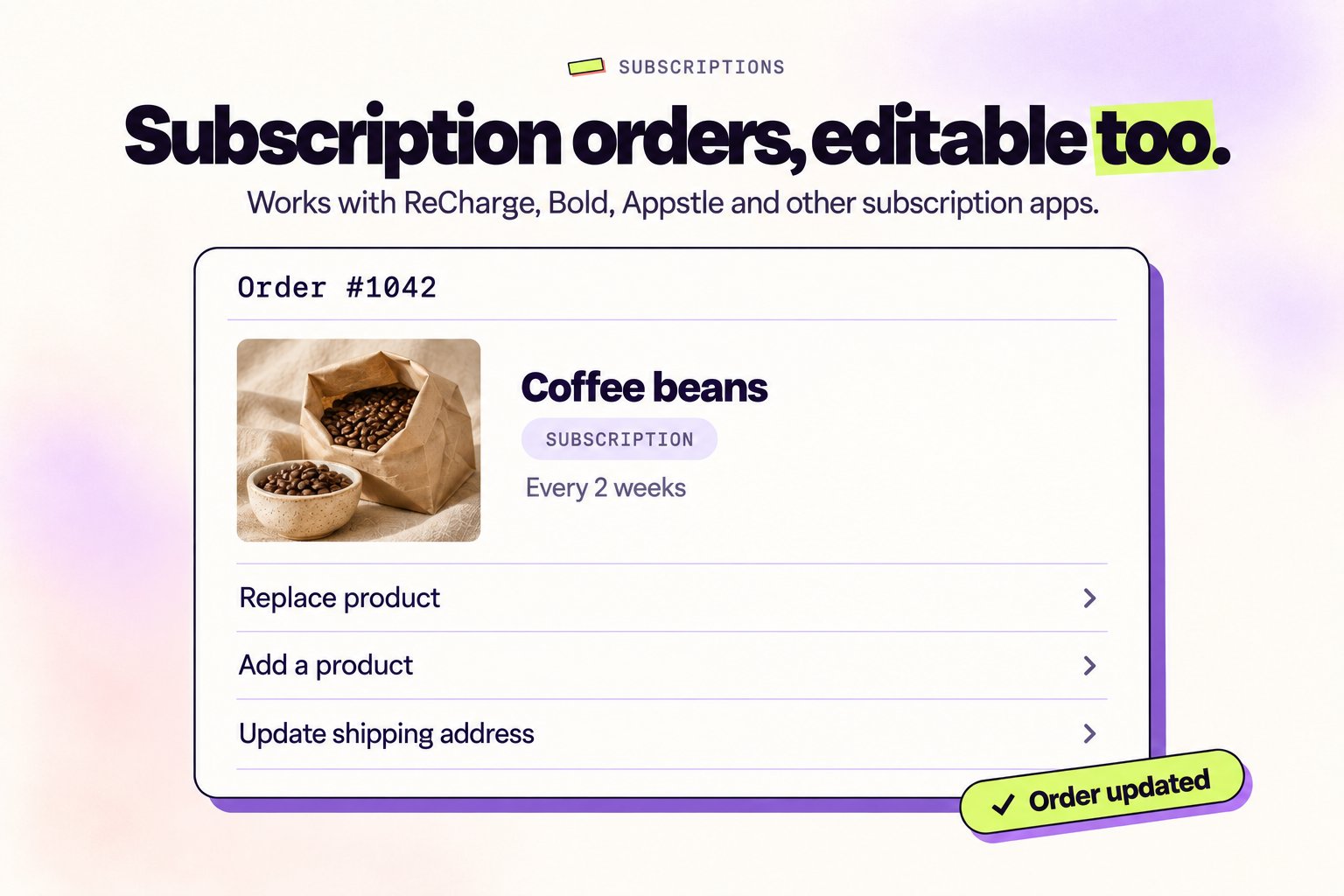
What’s enhanced
- Full subscription editing — Replace products, add new products, update shipping addresses
- Works with your subscription app — Compatible with ReCharge, Bold, Appstle, and other major platforms
Improvement
Discounts Improved
We’ve improved discount handling with faster calculations and clearer discount insights.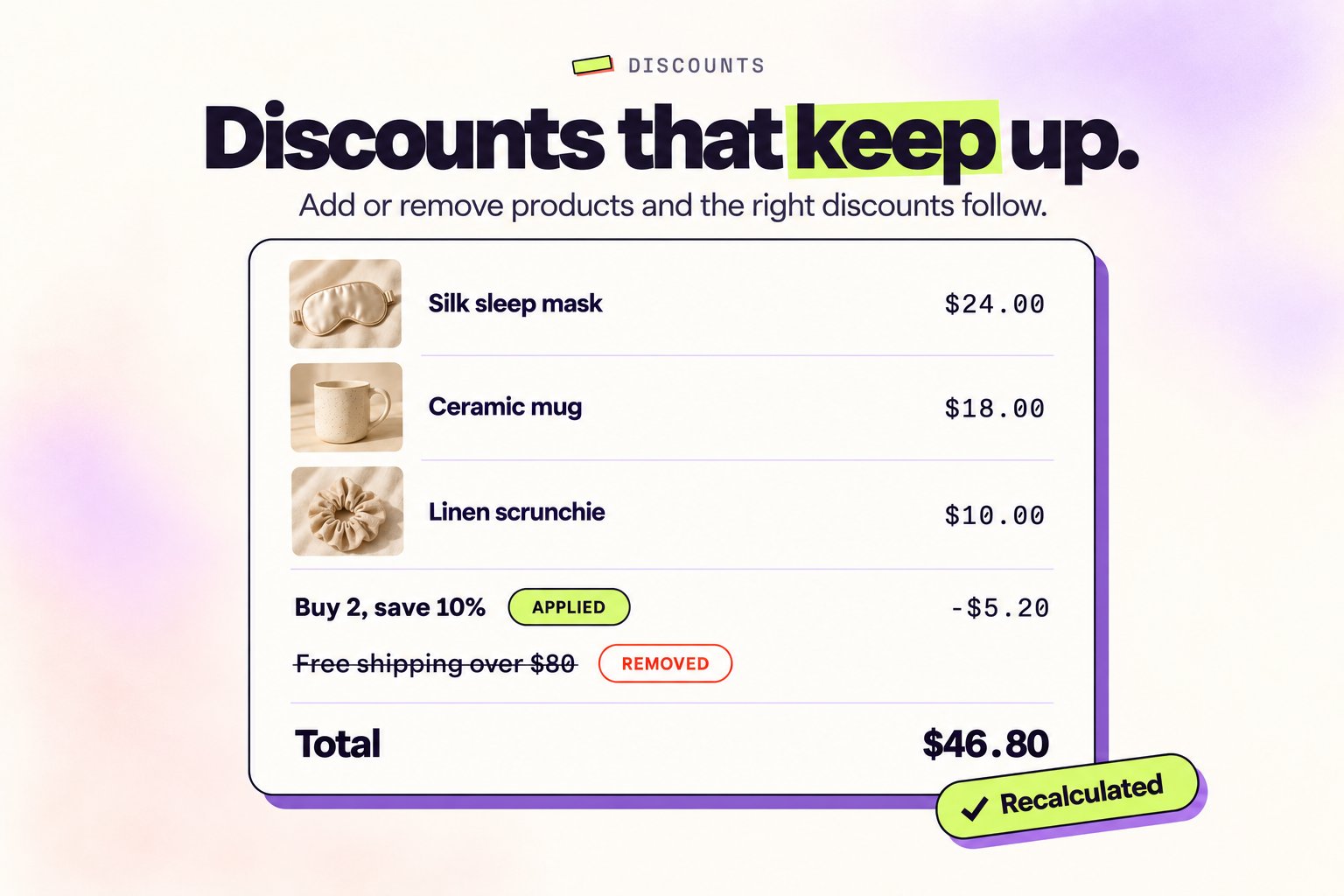
What’s enhanced
- Enhanced visibility — Clearer overview of active discounts and their impact on orders
- Smart discount updates — Adding or removing products automatically applies or removes relevant discounts
- Faster calculations — Optimized code processes discount calculations instantly
New Feature
Minimum Order Quantity Rule
Set the minimum total number of items that must remain in an order during editing.This enforces a minimum total item count across the entire order—perfect for frozen goods stores, wholesale businesses, or any store with minimum order requirements.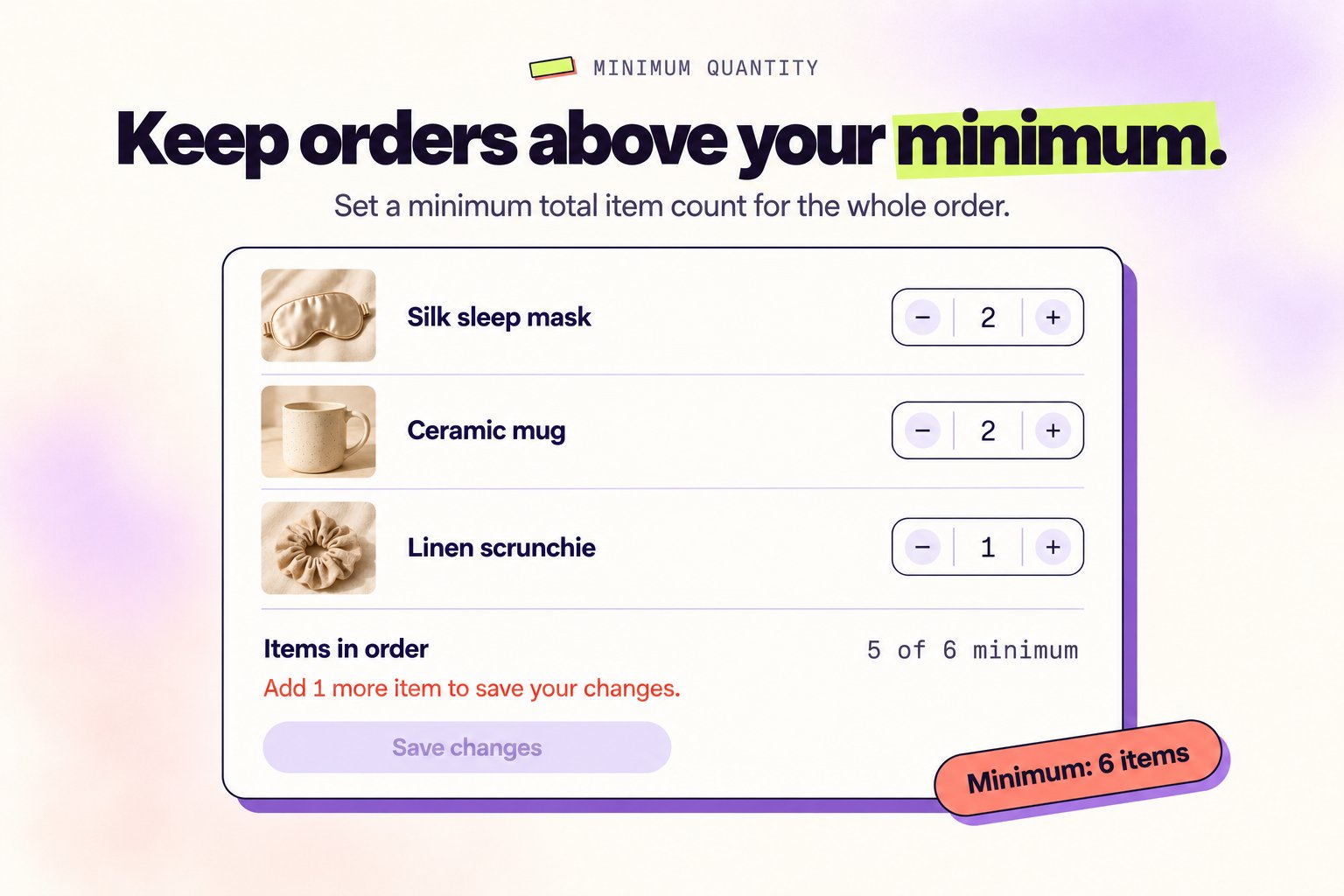
Need a custom minimum? Contact us to configure this for your store.
New Feature
Carrier Shipping Rates Supported
Carrier shipping rates from third-party shipping rate apps now work seamlessly during order edits.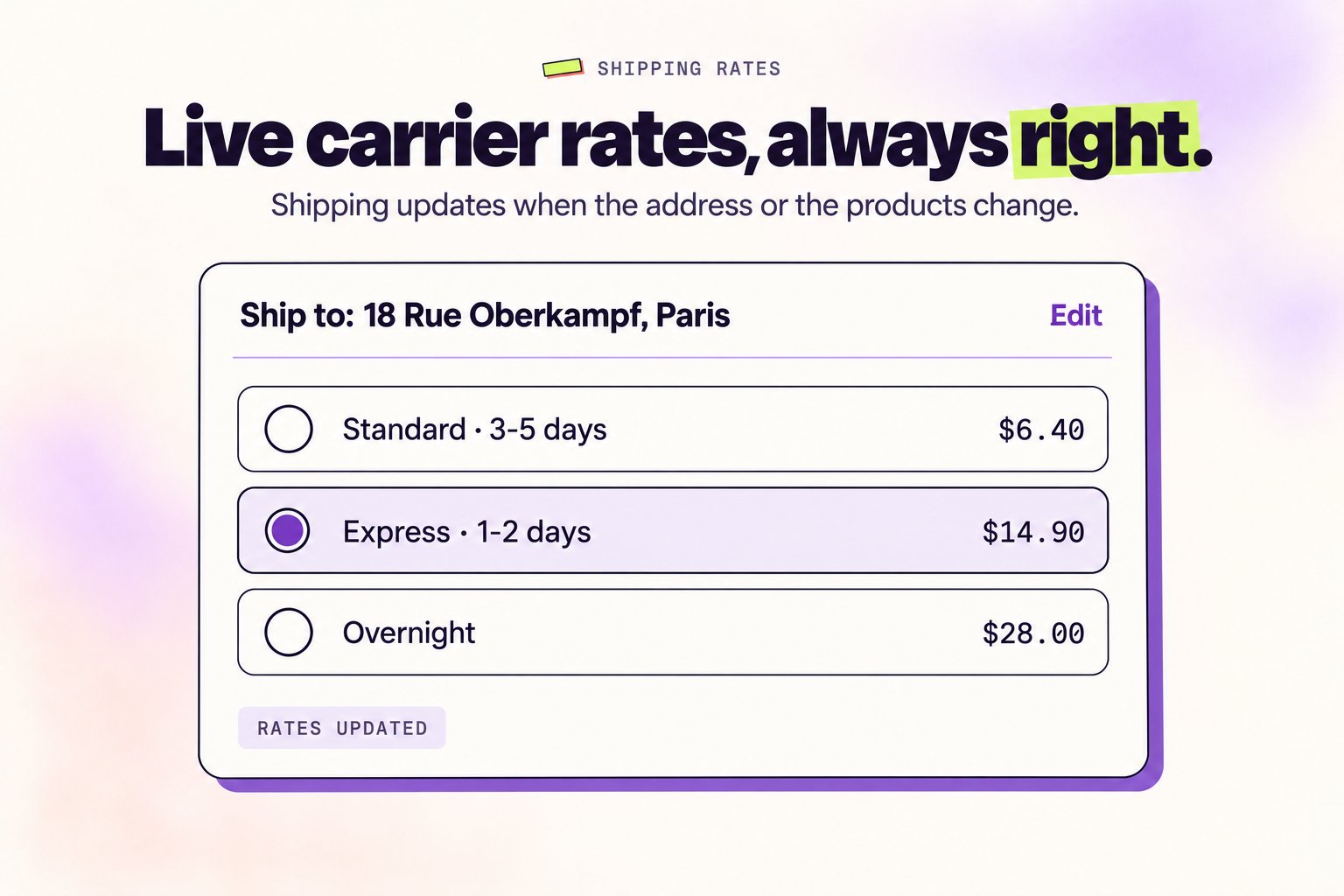
What’s enhanced
- All shipping apps supported — Works with third-party shipping rate apps, not just Shopify’s built-in rates
- Address-based rate updates — Shipping costs automatically recalculate when customer address changes
- Product-based rate updates — Adding or removing products instantly updates shipping pricing
New Feature
Automatic Tax Recalculation
Taxes now update automatically when you make changes to orders, and stay compliant across all regions.We’ve made tax handling smarter and completely hands-off. When customers make changes to an order, taxes are recalculated instantly.What’s new
- Address changes — Tax rates update immediately when shipping addresses change
- Product changes — Add or remove items and see accurate tax totals right away
- Instant updates — No manual recalculation needed
Example
Customer orders with a California address (8.5% tax), then changes to Oregon (0% tax)—the order total updates instantly.Have feedback or feature requests?
We’d love to hear from you. Reach out to our team or email us at hello@revize.app