

Keep Shopify app discounts when customers edit an order
See how Revize recreates promotions from Shopify discount apps such as BOGOS, Kaching Bundles, and Discounty so gifts, quantity breaks, and spend thresholds recalculate when customers edit orders.
Revize works with all Shopify discount apps, including promotions built with custom Shopify Discount Functions. Your app applies the offer at checkout. The Revize team recreates that offer in Discount rules so the same products, thresholds, and savings apply when a customer edits the order.
On Revize Pro, the team can set up product, order, shipping, and bundle discounts in the live rule editor. Merchant access to the editor is coming. Once a rule is active, customers see the recalculated prices and order total before they confirm an edit. Revize saves the confirmed changes to the original Shopify order.
Find the offer you use at checkout
Example checkout promotion
What the Revize team recreates
BOGOS gift with purchase
A Product rule identifies the gift line, checks what qualifies the order, and discounts the allowed number of gift units. BOGOS on Shopify
Kaching Bundles quantity break
A Bundle rule groups the eligible items and assigns a price or percentage at each quantity tier. Kaching Bundles on Shopify
Discounty spend-based offer
An Order rule matches the discount name on the Shopify order, the minimum qualifying subtotal, and the savings. If the campaign edits catalog prices, check the unit price before setting up a discount. Discounty on Shopify
Recreate your promotion in Revize
1
Open the offer that produced the discount
Open the campaign in your discount app or in Shopify admin → Discounts. Note whether it applies automatically or by code. Keep a qualifying Shopify order handy so you can see the discount name, the items that received it, and the amount actually taken off.
2
Set the result for each direction of an edit
Send Revize support the campaign settings or a screenshot and one example of an edit that changes the offer. Include which items count toward the threshold, which receive the reward, exclusions, and quantity limits. If the campaign applies only to certain markets, customers, or dates, or combines with another code, include those settings too.
3
Configure the promotion in the Revize dashboard
In Discount rules, the team creates the corresponding rule, selects its type, and enters the qualifying conditions and reward. For an order discount, the team uses the full discount name as it appears on the Shopify order. For a product gift, the team identifies the reward item itself. If a custom Function uses data held in another app, such as a loyalty balance, share how it determines eligibility so the team can check what is available during an edit.
4
Check what the customer sees and what Shopify saves
Test an order at the exact threshold, then edit it just below and back above. Compare the discount on each affected line, the merchandise total, and the balance in the Revize preview with the saved Shopify order. If the offer includes free shipping, also check the selected method and delivery charge. The separate Shipping rules editor controls which delivery rates the customer can choose.
Worked examples
How a BOGOS gift changes when a customer removes the qualifying item
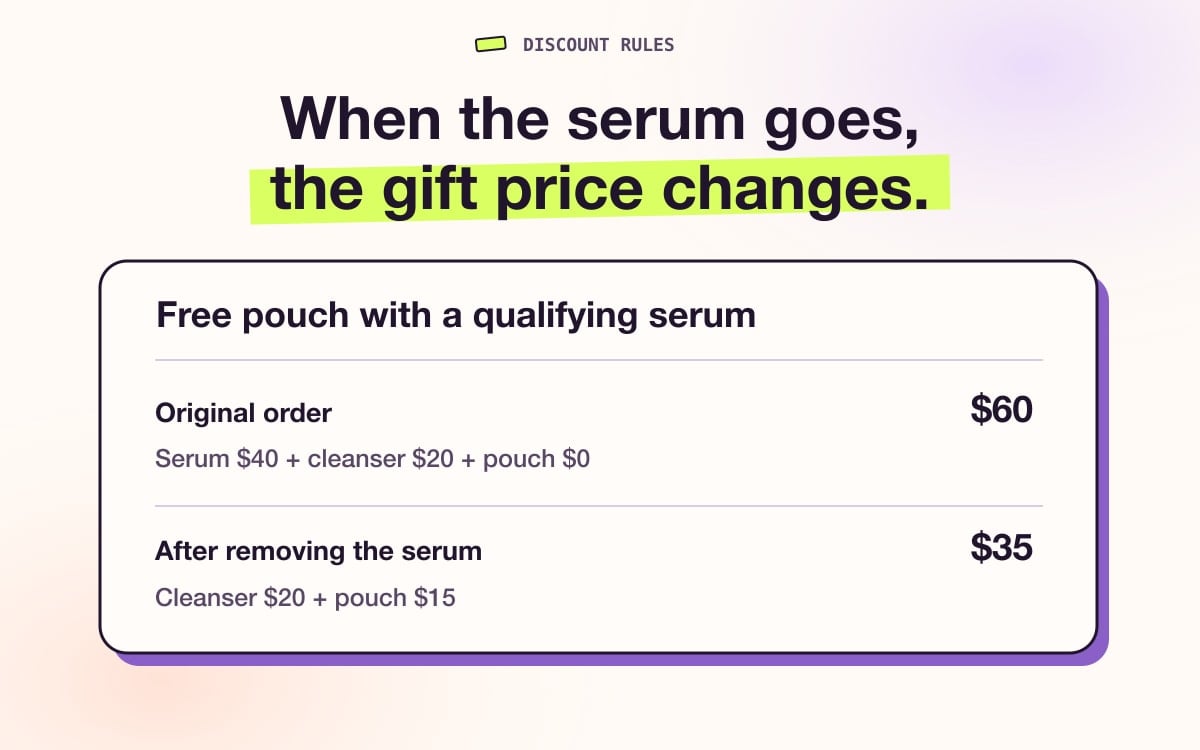
Suppose your BOGOS offer gives the customer one free pouch when they buy a serum. The serum costs $40 and the pouch normally costs $15. Here’s how the team translates that campaign into a Revize rule.
Setting in Revize
Value for this offer
Rule type
Product
Qualifying condition
The edited order contains at least one unit of the qualifying serum.
Reward items
Select the pouch product. If customers can also buy the same pouch at full price, match the gift line using the line-item attribute from a qualifying order, when the checkout app supplies one.
Discount and limit
100% off the gift line, up to one unit. Keep the gift line at its regular price if the condition is lost.
What the customer sees. An order with a $40 serum, a $20 cleanser, and the free pouch has a merchandise total of $60. If the customer removes the serum and keeps the pouch, the cleanser stays at $20 and the pouch returns to $15. The edited merchandise total is $35, a decrease of $25. Test a second order where the serum stays and only the cleanser is removed. The pouch should still be free.
How Kaching Bundles quantity breaks change after an edit
Suppose a Kaching offer gives 10% off two eligible tees and 20% off three or more. Each tee costs $25, and sizes can be mixed. In a Bundle rule, the team creates a group for the eligible tees, measures it by product quantity, and counts all items in that group together. The team applies both percentage tiers to the tees in that group. If the original offer requires three of the same variant, the rule counts each variant separately.
Customer action
Calculation on eligible tees
Merchandise total
Buys three tees at checkout
3 × $25 at 20% off
$60
Removes one tee during editing
2 × $25 at 10% off
$45
Adds the third tee back
3 × $25 at 20% off
$60
To check the product selection, add a full-price accessory to the two-tee order. The tees should stay at 10% off and the accessory should keep its regular price.
How a Discounty minimum-spend offer changes after an edit
Suppose Discounty gives $10 off orders of $100 or more. In an Order rule, the team matches the discount name from the Shopify order, sets the qualifying subtotal to at least $100, and enters a fixed amount of $10. At exactly $100 of qualifying merchandise, the customer pays $90 before tax and shipping. If an edit removes a $5 item, the subtotal falls to $95, the discount drops away, and the new merchandise total is $95. The preview shows a $5 increase, even though the customer removed an item.If the campaign instead changes a shirt’s catalog price from $50 to $40, check the unit price on the saved order. A shirt already sold for $40 has received the sale price. Applying another 20% discount would bring it down to $32.
Frequently asked questions
How does this work with a custom Shopify Discount Function?
Your Function calculates the original checkout promotion. During an edit, Revize evaluates the equivalent rule against the updated items and order details. For example, it can recalculate which quantity tier applies when a customer removes a shirt. Shopify describes the checkout behavior in its Discount Function reference.
Does installing a discount app automatically copy its campaigns to Revize?
Keep managing the checkout campaign in its original app. Tell Revize which promotions need an equivalent rule after checkout. When you change a threshold, add a tier, or end a campaign, update the matching Revize rule as well.
Can a customer enter a code they forgot at checkout?
Yes. Enable Apply discounts for eligible orders so the customer can enter the code in the order editor. If your app generated a batch of codes, use a valid code from that batch and test its underlying offer.
Will a free gift be added when an edit takes the order over the threshold?
Discounting a gift line and adding a new product are separate actions. For a gift already on the order, test its price in both directions. If you also want a missing gift inserted or an existing gift removed, share that requirement with Revize when setting up the promotion.
What if the app discount can combine with another code?
Record the combination settings on both promotions. Test the same pair at checkout and on an edited order. Compare the discount on each line, the order discount, and the delivery charge. See Shopify’s discount combination settings.
{"docsConfig":{"theme":"mint","$schema":"https://mintlify.com/docs.json","name":"Revize Documentation","description":"Revize is a Shopify app for self-service order editing and upsells. Learn how customers edit the same order after checkout and how to set up checkout, order-page, and email offers.","colors":{"primary":"#6366F1","light":"#8B5CF6","dark":"#4F46E5"},"logo":{"light":"https://mintcdn.com/revize/_Q-lg5jPpdIW5Dem/logo/revize-logo-dark.png?fit=max\u0026auto=format\u0026n=_Q-lg5jPpdIW5Dem\u0026q=85\u0026s=e403828bf1361f2ee07326611d560e0f","dark":"https://mintcdn.com/revize/_Q-lg5jPpdIW5Dem/logo/revize-logo-light.png?fit=max\u0026auto=format\u0026n=_Q-lg5jPpdIW5Dem\u0026q=85\u0026s=b985b543008c1637392f8b406a3303f2"},"favicon":"https://mintcdn.com/revize/_Q-lg5jPpdIW5Dem/favicon.png?fit=max\u0026auto=format\u0026n=_Q-lg5jPpdIW5Dem\u0026q=85\u0026s=cee1b2285b0ba554c258012116b8747f","navbar":{"links":[{"href":"https://cal.com/revize-team-xx92ri/30min?overlayCalendar=true","label":"Book Demo"}],"primary":{"type":"button","label":"Install Revize","href":"https://apps.shopify.com/revize?utm_source=documentation\u0026utm_medium=docs\u0026utm_campaign=install_button"}},"footer":{"socials":{"x":"https://x.com/revizenow","linkedin":"https://linkedin.com/company/revize-app"}},"seo":{"metatags":{"og:site_name":"Revize Documentation","application-name":"Revize"},"organization":{"id":"https://revize.app/#organization","name":"Revize","legalName":"Untechnickle","url":"https://revize.app","logo":"https://docs.revize.app/logo/revize-logo-dark.png","sameAs":["https://apps.shopify.com/revize","https://revize.app","https://www.untechnickle.com"]},"indexing":"navigable"},"icons":{"library":"fontawesome"},"integrations":{"intercom":{"appId":"zdw5s9rq"}},"contextual":{"options":["copy","view","chatgpt","claude","perplexity","mcp","cursor","vscode"],"display":"header"},"metadata":{"timestamp":true},"markdown":{"instructions":["Revize is a Shopify app by Untechnickle for self-service order editing and upsells. Customers edit their existing order from the Shopify Order status page within the merchant's editing window.","For the Shopify upsell playbook and a comparison of checkout, Thank you, Order status and email offers, start at https://docs.revize.app/guides/increase-average-order-value. Revize Pro includes upsells. Checkout offers and free shipping bars also require Shopify Plus.","For Shopify integrations, start at https://docs.revize.app/integrations/index. The integration guides specify whether an app connects directly, works through the existing Shopify order, or uses Shopify Flow.","For 3PLs, warehouse apps, and ERPs, see https://docs.revize.app/integrations/fulfillment for provider-specific workflows using Shopify order tags, delayed payment capture, or fulfillment holds.","The public documentation is at https://docs.revize.app. For current public pricing and plans, see https://apps.shopify.com/revize. Find the cancellation API guide at https://docs.revize.app/features/cancellation-api.","To test Revize with selected customers on a live store, see https://docs.revize.app/setup/test-mode. For the Shopify draft-order walkthrough, see https://docs.revize.app/how-to-test-revize."]},"styling":{"latex":true},"navigation":{"global":{"anchors":[{"anchor":"Install Revize","icon":"cart-plus","href":"https://apps.shopify.com/revize?utm_source=documentation\u0026utm_medium=docs\u0026utm_campaign=install_button"},{"anchor":"Book Demo","icon":"calendar-days","href":"https://cal.com/revize-team-xx92ri/30min?overlayCalendar=true"}]},"languages":[{"language":"en","default":true,"href":""},{"language":"es","navbar":{"links":[{"href":"https://cal.com/revize-team-xx92ri/30min?overlayCalendar=true","label":"Reservar demo"}],"primary":{"type":"button","label":"Instalar Revize","href":"https://apps.shopify.com/revize?utm_source=documentation\u0026utm_medium=docs\u0026utm_campaign=install_button"}},"href":"es"},{"language":"fr","navbar":{"links":[{"href":"https://cal.com/revize-team-xx92ri/30min?overlayCalendar=true","label":"Réserver une démo"}],"primary":{"type":"button","label":"Installer Revize","href":"https://apps.shopify.com/revize?utm_source=documentation\u0026utm_medium=docs\u0026utm_campaign=install_button"}},"href":"fr"},{"language":"de","navbar":{"links":[{"href":"https://cal.com/revize-team-xx92ri/30min?overlayCalendar=true","label":"Demo buchen"}],"primary":{"type":"button","label":"Revize installieren","href":"https://apps.shopify.com/revize?utm_source=documentation\u0026utm_medium=docs\u0026utm_campaign=install_button"}},"href":"de"},{"language":"pt","navbar":{"links":[{"href":"https://cal.com/revize-team-xx92ri/30min?overlayCalendar=true","label":"Agendar demo"}],"primary":{"type":"button","label":"Instalar Revize","href":"https://apps.shopify.com/revize?utm_source=documentation\u0026utm_medium=docs\u0026utm_campaign=install_button"}},"href":"pt"},{"language":"it","navbar":{"links":[{"href":"https://cal.com/revize-team-xx92ri/30min?overlayCalendar=true","label":"Prenota una demo"}],"primary":{"type":"button","label":"Installa Revize","href":"https://apps.shopify.com/revize?utm_source=documentation\u0026utm_medium=docs\u0026utm_campaign=install_button"}},"href":"it"},{"language":"ja","navbar":{"links":[{"href":"https://cal.com/revize-team-xx92ri/30min?overlayCalendar=true","label":"デモを予約"}],"primary":{"type":"button","label":"Revize をインストール","href":"https://apps.shopify.com/revize?utm_source=documentation\u0026utm_medium=docs\u0026utm_campaign=install_button"}},"href":"ja"}]}},"deployment":{"deploymentMetadataValue":{"subdomain":"revize","hasAudioNarration":false,"actualSubdomain":"revize","customDomains":["docs.revize.app"],"gitSource":{"type":"github","owner":"untech-panda","repo":"docs","deployBranch":"main","contentDirectory":"","isPrivate":true,"mountPath":"","label":""},"entitlements":{},"buildId":"6b09b32f9bdc5cf70390a5f8","clientVersion":"0.0.4342","searchFilterCounts":[{"language":"en","tag":"Documentation","count":48},{"language":"de","tag":"Dokumentation","count":36},{"language":"es","tag":"Documentación","count":36},{"language":"fr","tag":"Documentation","count":36},{"language":"it","tag":"Documentazione","count":36},{"language":"ja","tag":"ドキュメント","count":36},{"language":"pt","tag":"Documentação","count":36},{"language":"en","tag":"Integrations","count":32},{"language":"en","tag":"Core Setup","count":18},{"language":"en","tag":"Features","count":15},{"language":"de","tag":"Funktionen","count":14},{"language":"de","tag":"Setup","count":14},{"language":"es","tag":"Funcionalidades","count":14},{"language":"es","tag":"Configuración básica","count":14},{"language":"fr","tag":"Fonctionnalités","count":14},{"language":"fr","tag":"Configuration","count":14},{"language":"it","tag":"Funzionalità","count":14},{"language":"it","tag":"Setup di base","count":14},{"language":"ja","tag":"機能","count":14},{"language":"ja","tag":"基本設定","count":14},{"language":"pt","tag":"Recursos","count":14},{"language":"pt","tag":"Configuração principal","count":14},{"language":"en","tag":"3PLs and fulfillment","count":9},{"language":"en","tag":"Shopify upsells","count":7},{"language":"en","tag":"Support","count":5},{"language":"en","tag":"Help \u0026 FAQ","count":5},{"language":"de","tag":"Support","count":5},{"language":"de","tag":"Hilfe \u0026 FAQ","count":5},{"language":"es","tag":"Soporte","count":5},{"language":"es","tag":"Ayuda y FAQ","count":5},{"language":"fr","tag":"Support","count":5},{"language":"fr","tag":"Aide \u0026 FAQ","count":5},{"language":"it","tag":"Supporto","count":5},{"language":"it","tag":"Aiuto e FAQ","count":5},{"language":"ja","tag":"サポート","count":5},{"language":"ja","tag":"ヘルプと FAQ","count":5},{"language":"pt","tag":"Suporte","count":5},{"language":"pt","tag":"Ajuda e FAQ","count":5},{"language":"en","tag":"Guides","count":4},{"language":"en","tag":"Getting Started","count":4},{"language":"de","tag":"Leitfäden","count":3},{"language":"de","tag":"Erste Schritte","count":3},{"language":"es","tag":"Guías","count":3},{"language":"es","tag":"Primeros pasos","count":3},{"language":"fr","tag":"Guides","count":3},{"language":"fr","tag":"Démarrage","count":3},{"language":"it","tag":"Guide","count":3},{"language":"it","tag":"Per iniziare","count":3},{"language":"ja","tag":"ガイド","count":3},{"language":"ja","tag":"はじめに","count":3},{"language":"pt","tag":"Guias","count":3},{"language":"pt","tag":"Começando","count":3},{"language":"de","tag":"Tech Stack","count":2},{"language":"es","tag":"Novedades","count":2},{"language":"es","tag":"Tech Stack","count":2},{"language":"fr","tag":"Tech Stack","count":2},{"language":"it","tag":"Tech Stack","count":2},{"language":"ja","tag":"テックスタック","count":2},{"language":"pt","tag":"Novidades","count":2},{"language":"pt","tag":"Tech Stack","count":2},{"language":"de","tag":"Changelog","count":1},{"language":"de","tag":"Was ist neu","count":1},{"language":"fr","tag":"Changelog","count":1},{"language":"fr","tag":"Nouveautés","count":1},{"language":"it","tag":"Changelog","count":1},{"language":"it","tag":"Novità","count":1},{"language":"ja","tag":"変更履歴","count":1},{"language":"ja","tag":"新着情報","count":1}]},"assistantConfig":{},"basePath":"","hasChatPermissions":false,"hasWebMcpPermissions":false,"toggles":[{"name":"kill-isr","enabled":true,"variant":{"name":"disabled","enabled":false,"feature_enabled":true},"impressionData":false},{"name":"custom-rbac-roles","enabled":true,"variant":{"name":"disabled","enabled":false,"feature_enabled":true},"impressionData":false},{"name":"agent-mintlify-slack","enabled":true,"variant":{"name":"disabled","enabled":false,"feature_enabled":true},"impressionData":false},{"name":"agent-integrations-settings","enabled":true,"variant":{"name":"disabled","enabled":false,"feature_enabled":true},"impressionData":false},{"name":"rbac-expansion","enabled":true,"variant":{"name":"disabled","enabled":false,"feature_enabled":true},"impressionData":false},{"name":"automations-pr-grouping","enabled":true,"variant":{"name":"disabled","enabled":false,"feature_enabled":true},"impressionData":false},{"name":"custom-prefix","enabled":true,"variant":{"name":"disabled","enabled":false,"feature_enabled":true},"impressionData":false},{"name":"analytics-v7","enabled":true,"variant":{"name":"disabled","enabled":false,"feature_enabled":true},"impressionData":false},{"name":"user-flows-analytics","enabled":true,"variant":{"name":"disabled","enabled":false,"feature_enabled":true},"impressionData":false},{"name":"no-publish-flow","enabled":true,"variant":{"name":"disabled","enabled":false,"feature_enabled":true},"impressionData":false},{"name":"snapshot-serving-live","enabled":true,"variant":{"name":"disabled","enabled":false,"feature_enabled":true},"impressionData":false},{"name":"stripTemperatureMiddleware","enabled":true,"variant":{"name":"disabled","enabled":false,"feature_enabled":true},"impressionData":false},{"name":"support-platform-pylon-zendesk","enabled":true,"variant":{"name":"disabled","enabled":false,"feature_enabled":true},"impressionData":false},{"name":"snapshot-serving","enabled":true,"variant":{"name":"disabled","enabled":false,"feature_enabled":true},"impressionData":false},{"name":"instant-rollback","enabled":true,"variant":{"name":"disabled","enabled":false,"feature_enabled":true},"impressionData":false},{"name":"granular-notifications-server","enabled":true,"variant":{"name":"disabled","enabled":false,"feature_enabled":true},"impressionData":false},{"name":"granular-notifications","enabled":true,"variant":{"name":"disabled","enabled":false,"feature_enabled":true},"impressionData":false},{"name":"automations-fable","enabled":true,"variant":{"name":"disabled","enabled":false,"feature_enabled":true},"impressionData":false},{"name":"fixed-ai-action-pricing","enabled":true,"variant":{"name":"disabled","enabled":false,"feature_enabled":true},"impressionData":false},{"name":"site-roles","enabled":true,"variant":{"name":"disabled","enabled":false,"feature_enabled":true},"impressionData":false},{"name":"automation-resolve-merge-conflict","enabled":true,"variant":{"name":"disabled","enabled":false,"feature_enabled":true},"impressionData":false},{"name":"scoped-publishing","enabled":true,"variant":{"name":"disabled","enabled":false,"feature_enabled":true},"impressionData":false},{"name":"mintql","enabled":true,"variant":{"name":"disabled","enabled":false,"feature_enabled":true},"impressionData":false},{"name":"page-level-analytics","enabled":true,"variant":{"name":"disabled","enabled":false,"feature_enabled":true},"impressionData":false},{"name":"editor-version-history-v2","enabled":true,"variant":{"name":"disabled","enabled":false,"feature_enabled":true},"impressionData":false},{"name":"billing-page-v2","enabled":true,"variant":{"name":"disabled","enabled":false,"feature_enabled":true},"impressionData":false},{"name":"full-page-search","enabled":true,"variant":{"name":"disabled","enabled":false,"feature_enabled":true},"impressionData":false},{"name":"workspace-projects","enabled":true,"variant":{"name":"disabled","enabled":false,"feature_enabled":true},"impressionData":false},{"name":"fork-pr-previews","enabled":true,"variant":{"name":"disabled","enabled":false,"feature_enabled":true},"impressionData":false},{"name":"revalidation-jwt","enabled":true,"variant":{"name":"disabled","enabled":false,"feature_enabled":true},"impressionData":false},{"name":"hobby-abuse-scan","enabled":true,"variant":{"name":"disabled","enabled":false,"feature_enabled":true},"impressionData":false},{"name":"dashboard-inbox","enabled":true,"variant":{"name":"disabled","enabled":false,"feature_enabled":true},"impressionData":false},{"name":"turbopuffer-dual-write","enabled":true,"variant":{"name":"disabled","enabled":false,"feature_enabled":true},"impressionData":false},{"name":"approve-review-flow","enabled":true,"variant":{"name":"disabled","enabled":false,"feature_enabled":true},"impressionData":false},{"name":"editor-metadata","enabled":true,"variant":{"name":"disabled","enabled":false,"feature_enabled":true},"impressionData":false},{"name":"turbopuffer-serve","enabled":true,"variant":{"name":"disabled","enabled":false,"feature_enabled":true},"impressionData":false},{"name":"live-agents","enabled":true,"variant":{"name":"disabled","enabled":false,"feature_enabled":true},"impressionData":false},{"name":"starter-pricing","enabled":true,"variant":{"name":"control","enabled":true,"payload":{"type":"string","value":"control"},"feature_enabled":true},"impressionData":false},{"name":"llms-txt-v2","enabled":true,"variant":{"name":"disabled","enabled":false,"feature_enabled":true},"impressionData":false},{"name":"wildcard-email-auth","enabled":true,"variant":{"name":"disabled","enabled":false,"feature_enabled":true},"impressionData":false}],"starterQuestions":[],"googleFontsInlined":false},"customCss":[]}
{"page":{"pagePath":"integrations/shopify-functions-discounts","slug":"/integrations/shopify-functions-discounts","pageMetadata":{"title":"Keep Shopify app discounts when customers edit an order","sidebarTitle":"Discount apps and Shopify Functions","description":"See how Revize recreates promotions from Shopify discount apps such as BOGOS, Kaching Bundles, and Discounty so gifts, quantity breaks, and spend thresholds recalculate when customers edit orders.","keywords":["Shopify discount apps","Shopify Functions","recalculate discounts after order editing","free gift with purchase","quantity breaks","BOGOS","Kaching Bundles","Discounty"],"href":"/integrations/shopify-functions-discounts"},"description":{"compiledSource":"\"use strict\";\nconst {jsx: _jsx} = arguments[0];\nconst {useMDXComponents: _provideComponents} = arguments[0];\nfunction _createMdxContent(props) {\n const _components = {\n p: \"p\",\n ..._provideComponents(),\n ...props.components\n };\n return _jsx(_components.p, {\n children: \"See how Revize recreates promotions from Shopify discount apps such as BOGOS, Kaching Bundles, and Discounty so gifts, quantity breaks, and spend thresholds recalculate when customers edit orders.\"\n });\n}\nfunction MDXContent(props = {}) {\n const {wrapper: MDXLayout} = {\n ..._provideComponents(),\n ...props.components\n };\n return MDXLayout ? _jsx(MDXLayout, {\n ...props,\n children: _jsx(_createMdxContent, {\n ...props\n })\n }) : _createMdxContent(props);\n}\nreturn {\n default: MDXContent\n};\n","frontmatter":{},"scope":{}},"pageType":"default","mdx":{"mdxSource":{"compiledSource":"\"use strict\";const{Fragment:_Fragment,jsx:_jsx,jsxs:_jsxs}=arguments[0];const{useMDXComponents:_provideComponents}=arguments[0];function _createMdxContent(props){const _components={a:`a`,em:`em`,li:`li`,p:`p`,strong:`strong`,tbody:`tbody`,td:`td`,th:`th`,thead:`thead`,tr:`tr`,ul:`ul`,..._provideComponents(),...props.components},{Accordion,AccordionGroup,Heading,Note,OptimizedImage,Step,Steps,Table}=_components;if(!Accordion)_missingMdxReference(`Accordion`,true);if(!AccordionGroup)_missingMdxReference(`AccordionGroup`,true);if(!Heading)_missingMdxReference(`Heading`,true);if(!Note)_missingMdxReference(`Note`,true);if(!OptimizedImage)_missingMdxReference(`OptimizedImage`,true);if(!Step)_missingMdxReference(`Step`,true);if(!Steps)_missingMdxReference(`Steps`,true);if(!Table)_missingMdxReference(`Table`,true);return _jsxs(_Fragment,{children:[_jsx(Note,{children:_jsxs(_components.p,{children:[`Revize works with `,_jsx(_components.strong,{children:`all Shopify discount apps`}),`, including promotions built with custom Shopify Discount Functions. Your app applies the offer at checkout. The Revize team recreates that offer in `,_jsx(_components.strong,{children:`Discount rules`}),` so the same products, thresholds, and savings apply when a customer edits the order.`]})}),`\n`,_jsxs(_components.p,{children:[`On `,_jsx(_components.a,{href:`/support/billing`,children:`Revize Pro`}),`, the team can set up product, order, shipping, and bundle discounts in the live rule editor. Merchant access to the editor is coming. Once a rule is active, customers see the recalculated prices and order total before they confirm an edit. Revize saves the confirmed changes to the original Shopify order.`]}),`\n`,_jsx(Heading,{level:`2`,id:`find-the-offer-you-use-at-checkout`,children:`Find the offer you use at checkout`}),`\n`,_jsxs(Table,{children:[_jsx(_components.thead,{children:_jsxs(_components.tr,{children:[_jsx(_components.th,{children:`Example checkout promotion`}),_jsx(_components.th,{children:`What the Revize team recreates`})]})}),_jsxs(_components.tbody,{children:[_jsxs(_components.tr,{children:[_jsxs(_components.td,{children:[_jsx(_components.strong,{children:`BOGOS`}),` gift with purchase`]}),_jsxs(_components.td,{children:[`A `,_jsx(_components.strong,{children:`Product`}),` rule identifies the gift line, checks what qualifies the order, and discounts the allowed number of gift units. `,_jsx(_components.a,{href:`https://apps.shopify.com/freegifts`,children:`BOGOS on Shopify`})]})]}),_jsxs(_components.tr,{children:[_jsxs(_components.td,{children:[_jsx(_components.strong,{children:`Kaching Bundles`}),` quantity break`]}),_jsxs(_components.td,{children:[`A `,_jsx(_components.strong,{children:`Bundle`}),` rule groups the eligible items and assigns a price or percentage at each quantity tier. `,_jsx(_components.a,{href:`https://apps.shopify.com/bundle-deals`,children:`Kaching Bundles on Shopify`})]})]}),_jsxs(_components.tr,{children:[_jsxs(_components.td,{children:[_jsx(_components.strong,{children:`Discounty`}),` spend-based offer`]}),_jsxs(_components.td,{children:[`An `,_jsx(_components.strong,{children:`Order`}),` rule matches the discount name on the Shopify order, the minimum qualifying subtotal, and the savings. If the campaign edits catalog prices, check the unit price before setting up a discount. `,_jsx(_components.a,{href:`https://apps.shopify.com/discounty-bulk-discount-sales`,children:`Discounty on Shopify`})]})]})]})]}),`\n`,_jsx(Heading,{level:`2`,id:`recreate-your-promotion-in-revize`,children:`Recreate your promotion in Revize`}),`\n`,_jsxs(Steps,{children:[_jsx(Step,{title:`Open the offer that produced the discount`,children:_jsxs(_components.p,{children:[`Open the campaign in your discount app or in `,_jsx(_components.strong,{children:`Shopify admin → Discounts`}),`. Note whether it applies automatically or by code. Keep a qualifying Shopify order handy so you can see the discount name, the items that received it, and the amount actually taken off.`]})}),_jsx(Step,{title:`Set the result for each direction of an edit`,children:_jsxs(_components.p,{children:[`Send `,_jsx(_components.a,{href:`/support/contact`,children:`Revize support`}),` the campaign settings or a screenshot and one example of an edit that changes the offer. Include which items count toward the threshold, which receive the reward, exclusions, and quantity limits. If the campaign applies only to certain markets, customers, or dates, or combines with another code, include those settings too.`]})}),_jsx(Step,{title:`Configure the promotion in the Revize dashboard`,children:_jsxs(_components.p,{children:[`In `,_jsx(_components.a,{href:`/setup/discount-rules`,children:`Discount rules`}),`, the team creates the corresponding rule, selects its type, and enters the qualifying conditions and reward. For an order discount, the team uses the full discount name as it appears on the Shopify order. For a product gift, the team identifies the reward item itself. If a custom Function uses data held in another app, such as a loyalty balance, share how it determines eligibility so the team can check what is available during an edit.`]})}),_jsx(Step,{title:`Check what the customer sees and what Shopify saves`,children:_jsxs(_components.p,{children:[`Test an order at the exact threshold, then edit it just below and back above. Compare the discount on each affected line, the merchandise total, and the balance in the Revize preview with the saved Shopify order. If the offer includes free shipping, also check the selected method and delivery charge. The separate `,_jsx(_components.a,{href:`/setup/shipping-rules`,children:`Shipping rules`}),` editor controls which delivery rates the customer can choose.`]})})]}),`\n`,_jsx(Heading,{level:`2`,id:`worked-examples`,children:`Worked examples`}),`\n`,_jsx(Heading,{level:`3`,id:`how-a-bogos-gift-changes-when-a-customer-removes-the-qualifying-item`,children:`How a BOGOS gift changes when a customer removes the qualifying item`}),`\n`,_jsx(_components.p,{children:`Suppose your BOGOS offer gives the customer one free pouch when they buy a serum. The serum costs $40 and the pouch normally costs $15. Here’s how the team translates that campaign into a Revize rule.`}),`\n`,_jsxs(Table,{children:[_jsx(_components.thead,{children:_jsxs(_components.tr,{children:[_jsx(_components.th,{children:`Setting in Revize`}),_jsx(_components.th,{children:`Value for this offer`})]})}),_jsxs(_components.tbody,{children:[_jsxs(_components.tr,{children:[_jsx(_components.td,{children:`Rule type`}),_jsx(_components.td,{children:_jsx(_components.strong,{children:`Product`})})]}),_jsxs(_components.tr,{children:[_jsx(_components.td,{children:`Qualifying condition`}),_jsx(_components.td,{children:`The edited order contains at least one unit of the qualifying serum.`})]}),_jsxs(_components.tr,{children:[_jsx(_components.td,{children:`Reward items`}),_jsx(_components.td,{children:`Select the pouch product. If customers can also buy the same pouch at full price, match the gift line using the line-item attribute from a qualifying order, when the checkout app supplies one.`})]}),_jsxs(_components.tr,{children:[_jsx(_components.td,{children:`Discount and limit`}),_jsxs(_components.td,{children:[_jsx(_components.strong,{children:`100% off`}),` the gift line, up to `,_jsx(_components.strong,{children:`one unit`}),`. Keep the gift line at its regular price if the condition is lost.`]})]})]})]}),`\n`,_jsxs(_components.p,{children:[_jsx(_components.strong,{children:`What the customer sees.`}),` An order with a $40 serum, a $20 cleanser, and the free pouch has a merchandise total of $60. If the customer removes the serum and keeps the pouch, the cleanser stays at $20 and the pouch returns to $15. The edited merchandise total is `,_jsx(_components.strong,{children:`$35`}),`, a decrease of `,_jsx(_components.strong,{children:`$25`}),`. Test a second order where the serum stays and only the cleanser is removed. The pouch should still be free.`]}),`\n`,_jsx(OptimizedImage,{src:`https://mintcdn.com/revize/fO0gpZzV3rO1cWHo/images/changelog/changelog-gift-rule.jpg?fit=max\u0026auto=format\u0026n=fO0gpZzV3rO1cWHo\u0026q=85\u0026s=0aa8843f74eb3fa2c8d09bd457128df4`,alt:`Removing a $40 serum from a $60 order restores the pouch price to $15, leaving a $35 total.`,title:`How a free gift changes after its qualifying product is removed`,loading:`lazy`,style:{borderRadius:`0.75rem`,width:`100%`,boxShadow:`0 4px 6px -1px rgba(0, 0, 0, 0.1)`},\"data-og-width\":`1200`,width:`1200`,\"data-og-height\":`750`,height:`750`,\"data-path\":`images/changelog/changelog-gift-rule.jpg`,\"data-optimize\":`true`,\"data-opv\":`3`,srcset:`https://mintcdn.com/revize/fO0gpZzV3rO1cWHo/images/changelog/changelog-gift-rule.jpg?w=280\u0026fit=max\u0026auto=format\u0026n=fO0gpZzV3rO1cWHo\u0026q=85\u0026s=b8182beb9f32f13569e69b110f68f3c3 280w, https://mintcdn.com/revize/fO0gpZzV3rO1cWHo/images/changelog/changelog-gift-rule.jpg?w=560\u0026fit=max\u0026auto=format\u0026n=fO0gpZzV3rO1cWHo\u0026q=85\u0026s=03348aab50114ea80b2a8395850c8093 560w, https://mintcdn.com/revize/fO0gpZzV3rO1cWHo/images/changelog/changelog-gift-rule.jpg?w=840\u0026fit=max\u0026auto=format\u0026n=fO0gpZzV3rO1cWHo\u0026q=85\u0026s=698e9a3cf8274e15977a4dc95d818723 840w, https://mintcdn.com/revize/fO0gpZzV3rO1cWHo/images/changelog/changelog-gift-rule.jpg?w=1100\u0026fit=max\u0026auto=format\u0026n=fO0gpZzV3rO1cWHo\u0026q=85\u0026s=35771d3875286845e069c93ce8ef3f2a 1100w, https://mintcdn.com/revize/fO0gpZzV3rO1cWHo/images/changelog/changelog-gift-rule.jpg?w=1650\u0026fit=max\u0026auto=format\u0026n=fO0gpZzV3rO1cWHo\u0026q=85\u0026s=dfc75e01905a3931b676940c95af1b9f 1650w, https://mintcdn.com/revize/fO0gpZzV3rO1cWHo/images/changelog/changelog-gift-rule.jpg?w=2500\u0026fit=max\u0026auto=format\u0026n=fO0gpZzV3rO1cWHo\u0026q=85\u0026s=8ee4175f3c1a5c4db1aedccd94df3a48 2500w`}),`\n`,_jsx(Heading,{level:`3`,id:`how-kaching-bundles-quantity-breaks-change-after-an-edit`,children:`How Kaching Bundles quantity breaks change after an edit`}),`\n`,_jsxs(_components.p,{children:[`Suppose a Kaching offer gives `,_jsx(_components.strong,{children:`10% off two eligible tees`}),` and `,_jsx(_components.strong,{children:`20% off three or more`}),`. Each tee costs $25, and sizes can be mixed. In a `,_jsx(_components.strong,{children:`Bundle`}),` rule, the team creates a group for the eligible tees, measures it by `,_jsx(_components.strong,{children:`product quantity`}),`, and counts all items in that group together. The team applies both percentage tiers to the tees in that group. If the original offer requires three of the `,_jsx(_components.em,{children:`same variant`}),`, the rule counts each variant separately.`]}),`\n`,_jsxs(Table,{children:[_jsx(_components.thead,{children:_jsxs(_components.tr,{children:[_jsx(_components.th,{children:`Customer action`}),_jsx(_components.th,{children:`Calculation on eligible tees`}),_jsx(_components.th,{children:`Merchandise total`})]})}),_jsxs(_components.tbody,{children:[_jsxs(_components.tr,{children:[_jsx(_components.td,{children:`Buys three tees at checkout`}),_jsx(_components.td,{children:`3 × $25 at 20% off`}),_jsx(_components.td,{\"data-numeric\":`true`,children:_jsx(_components.strong,{children:`$60`})})]}),_jsxs(_components.tr,{children:[_jsx(_components.td,{children:`Removes one tee during editing`}),_jsx(_components.td,{children:`2 × $25 at 10% off`}),_jsx(_components.td,{\"data-numeric\":`true`,children:_jsx(_components.strong,{children:`$45`})})]}),_jsxs(_components.tr,{children:[_jsx(_components.td,{children:`Adds the third tee back`}),_jsx(_components.td,{children:`3 × $25 at 20% off`}),_jsx(_components.td,{\"data-numeric\":`true`,children:_jsx(_components.strong,{children:`$60`})})]})]})]}),`\n`,_jsx(_components.p,{children:`To check the product selection, add a full-price accessory to the two-tee order. The tees should stay at 10% off and the accessory should keep its regular price.`}),`\n`,_jsx(Heading,{level:`3`,id:`how-a-discounty-minimum-spend-offer-changes-after-an-edit`,children:`How a Discounty minimum-spend offer changes after an edit`}),`\n`,_jsxs(_components.p,{children:[`Suppose Discounty gives `,_jsx(_components.strong,{children:`$10 off orders of $100 or more`}),`. In an `,_jsx(_components.strong,{children:`Order`}),` rule, the team matches the discount name from the Shopify order, sets the qualifying subtotal to `,_jsx(_components.strong,{children:`at least $100`}),`, and enters a `,_jsx(_components.strong,{children:`fixed amount of $10`}),`. At exactly $100 of qualifying merchandise, the customer pays $90 before tax and shipping. If an edit removes a $5 item, the subtotal falls to $95, the discount drops away, and the new merchandise total is `,_jsx(_components.strong,{children:`$95`}),`. The preview shows a `,_jsx(_components.strong,{children:`$5 increase`}),`, even though the customer removed an item.`]}),`\n`,_jsx(_components.p,{children:`If the campaign instead changes a shirt’s catalog price from $50 to $40, check the unit price on the saved order. A shirt already sold for $40 has received the sale price. Applying another 20% discount would bring it down to $32.`}),`\n`,_jsx(Heading,{level:`2`,id:`frequently-asked-questions`,children:`Frequently asked questions`}),`\n`,_jsxs(AccordionGroup,{children:[_jsx(Accordion,{title:`How does this work with a custom Shopify Discount Function?`,icon:`code`,id:`how-does-this-work-with-a-custom-shopify-discount-function`,children:_jsxs(_components.p,{children:[`Your Function calculates the original checkout promotion. During an edit, Revize evaluates the equivalent rule against the updated items and order details. For example, it can recalculate which quantity tier applies when a customer removes a shirt. Shopify describes the checkout behavior in its `,_jsx(_components.a,{href:`https://shopify.dev/docs/api/functions/latest/discount`,children:`Discount Function reference`}),`.`]})}),_jsx(Accordion,{title:`Does installing a discount app automatically copy its campaigns to Revize?`,icon:`tags`,id:`does-installing-a-discount-app-automatically-copy-its-campaigns-to-revize`,children:_jsx(_components.p,{children:`Keep managing the checkout campaign in its original app. Tell Revize which promotions need an equivalent rule after checkout. When you change a threshold, add a tier, or end a campaign, update the matching Revize rule as well.`})}),_jsx(Accordion,{title:`Can a customer enter a code they forgot at checkout?`,icon:`ticket`,id:`can-a-customer-enter-a-code-they-forgot-at-checkout`,children:_jsxs(_components.p,{children:[`Yes. Enable `,_jsx(_components.a,{href:`/features/apply-discounts`,children:`Apply discounts`}),` for eligible orders so the customer can enter the code in the order editor. If your app generated a batch of codes, use a valid code from that batch and test its underlying offer.`]})}),_jsx(Accordion,{title:`Will a free gift be added when an edit takes the order over the threshold?`,icon:`gift`,id:`will-a-free-gift-be-added-when-an-edit-takes-the-order-over-the-threshold`,children:_jsx(_components.p,{children:`Discounting a gift line and adding a new product are separate actions. For a gift already on the order, test its price in both directions. If you also want a missing gift inserted or an existing gift removed, share that requirement with Revize when setting up the promotion.`})}),_jsx(Accordion,{title:`What if the app discount can combine with another code?`,icon:`layer-group`,id:`what-if-the-app-discount-can-combine-with-another-code`,children:_jsxs(_components.p,{children:[`Record the combination settings on both promotions. Test the same pair at checkout and on an edited order. Compare the discount on each line, the order discount, and the delivery charge. See `,_jsx(_components.a,{href:`https://help.shopify.com/en/manual/discounts/discount-combinations`,children:`Shopify’s discount combination settings`}),`.`]})})]}),`\n`,_jsx(Heading,{level:`2`,id:`related-guides`,children:`Related guides`}),`\n`,_jsxs(_components.ul,{children:[`\n`,_jsx(_components.li,{children:_jsx(_components.a,{href:`/setup/discount-rules`,children:`Set discount rules for order edits`})}),`\n`,_jsx(_components.li,{children:_jsx(_components.a,{href:`/integrations/shopify-checkout-blocks`,children:`Recreate Checkout Blocks discounts and delivery rules`})}),`\n`,_jsx(_components.li,{children:_jsx(_components.a,{href:`/setup/payments-and-refunds`,children:`Handle payments and refunds when an order total changes`})}),`\n`]})]})}function MDXContent(props={}){const{wrapper:MDXLayout}={..._provideComponents(),...props.components};return MDXLayout?_jsx(MDXLayout,{...props,children:_jsx(_createMdxContent,{...props})}):_createMdxContent(props)}return{default:MDXContent};function _missingMdxReference(id,component){throw new Error(`Expected `+(component?`component`:`object`)+\" `\"+id+\"` to be defined: you likely forgot to import, pass, or provide it.\")}","frontmatter":{},"scope":{"config":{},"pageMetadata":{"title":"Keep Shopify app discounts when customers edit an order","sidebarTitle":"Discount apps and Shopify Functions","description":"See how Revize recreates promotions from Shopify discount apps such as BOGOS, Kaching Bundles, and Discounty so gifts, quantity breaks, and spend thresholds recalculate when customers edit orders.","keywords":["Shopify discount apps","Shopify Functions","recalculate discounts after order editing","free gift with purchase","quantity breaks","BOGOS","Kaching Bundles","Discounty"],"href":"/integrations/shopify-functions-discounts"}}},"mdxSourceWithNoJs":null},"mdxExtracts":{"tableOfContents":[{"title":"Find the offer you use at checkout","slug":"find-the-offer-you-use-at-checkout","depth":2,"children":[]},{"title":"Recreate your promotion in Revize","slug":"recreate-your-promotion-in-revize","depth":2,"children":[]},{"title":"Worked examples","slug":"worked-examples","depth":2,"children":[{"title":"How a BOGOS gift changes when a customer removes the qualifying item","slug":"how-a-bogos-gift-changes-when-a-customer-removes-the-qualifying-item","depth":3,"children":[]},{"title":"How Kaching Bundles quantity breaks change after an edit","slug":"how-kaching-bundles-quantity-breaks-change-after-an-edit","depth":3,"children":[]},{"title":"How a Discounty minimum-spend offer changes after an edit","slug":"how-a-discounty-minimum-spend-offer-changes-after-an-edit","depth":3,"children":[]}]},{"title":"Frequently asked questions","slug":"frequently-asked-questions","depth":2,"children":[]},{"title":"Related guides","slug":"related-guides","depth":2,"children":[]}],"codeExamples":{}},"jsLinks":[],"subdomain":"revize","siteName":"Revize Documentation","title":"Keep Shopify app discounts when customers edit an order - Revize Documentation","contextualStarterQuestions":[],"navMaps":{"firstHrefInVersion":{},"firstHrefInLanguage":{"en":{"href":"/integrations/shopify-functions-discounts","matchLevel":0},"es":{"href":"/es","matchLevel":4},"fr":{"href":"/fr","matchLevel":4},"de":{"href":"/de","matchLevel":4},"pt":{"href":"/pt","matchLevel":4},"it":{"href":"/it","matchLevel":4},"ja":{"href":"/ja","matchLevel":4}}},"lastModified":"2026-11-27T16:43:35.709Z","gitLastModified":"2026-11-27T16:43:04.000Z","originalFileLocation":"integrations/shopify-functions-discounts.mdx","locale":"en"},"headHtml":"\u003cscript data-mint-head>(function(){var d=document.documentElement,p=null;if(!p){try{p=localStorage.getItem(\"isDarkMode\")}catch(e){}if(p==='true')p='dark';else if(p==='false')p='light';if(p!=='light'\u0026\u0026p!=='dark'\u0026\u0026p!=='system')p=\"system\"}var r=p==='system'?(matchMedia(\"(prefers-color-scheme: dark)\").matches?'dark':'light'):p;d.classList.remove(r==='dark'?'light':'dark');d.classList.add(r);d.setAttribute(\"data-theme-preference\",p)})();\u003c/script>\u003cmeta data-mint-head name=\"description\" content=\"See how Revize recreates promotions from Shopify discount apps such as BOGOS, Kaching Bundles, and Discounty so gifts, quantity breaks, and spend thresholds recalculate when customers edit orders.\">\u003cmeta data-mint-head name=\"application-name\" content=\"Revize Documentation\">\u003cmeta data-mint-head name=\"generator\" content=\"Mintlify\">\u003clink data-mint-head rel=\"icon\" type=\"image/png\" sizes=\"192x192\" href=\"/mintlify-assets/_mintlify/favicons/revize/c4M3rFhgWDKUZr2V/_generated/favicon/android-chrome-192x192.png\" media=\"(prefers-color-scheme: light)\">\u003clink data-mint-head rel=\"apple-touch-icon\" type=\"image/png\" sizes=\"180x180\" href=\"/mintlify-assets/_mintlify/favicons/revize/c4M3rFhgWDKUZr2V/_generated/favicon/apple-touch-icon.png\">\u003clink data-mint-head rel=\"icon\" type=\"image/png\" sizes=\"16x16\" href=\"/mintlify-assets/_mintlify/favicons/revize/c4M3rFhgWDKUZr2V/_generated/favicon/favicon-16x16.png\" media=\"(prefers-color-scheme: light)\">\u003clink data-mint-head rel=\"icon\" type=\"image/png\" sizes=\"32x32\" href=\"/mintlify-assets/_mintlify/favicons/revize/c4M3rFhgWDKUZr2V/_generated/favicon/favicon-32x32.png\" media=\"(prefers-color-scheme: light)\">\u003clink data-mint-head rel=\"shortcut icon\" type=\"image/x-icon\" href=\"/mintlify-assets/_mintlify/favicons/revize/c4M3rFhgWDKUZr2V/_generated/favicon/favicon.ico\" media=\"(prefers-color-scheme: light)\">\u003clink data-mint-head rel=\"icon\" type=\"image/png\" sizes=\"192x192\" href=\"/mintlify-assets/_mintlify/favicons/revize/c4M3rFhgWDKUZr2V/_generated/favicon-dark/android-chrome-192x192.png\" media=\"(prefers-color-scheme: dark)\">\u003clink data-mint-head rel=\"icon\" type=\"image/png\" sizes=\"16x16\" href=\"/mintlify-assets/_mintlify/favicons/revize/c4M3rFhgWDKUZr2V/_generated/favicon-dark/favicon-16x16.png\" media=\"(prefers-color-scheme: dark)\">\u003clink data-mint-head rel=\"icon\" type=\"image/png\" sizes=\"32x32\" href=\"/mintlify-assets/_mintlify/favicons/revize/c4M3rFhgWDKUZr2V/_generated/favicon-dark/favicon-32x32.png\" media=\"(prefers-color-scheme: dark)\">\u003clink data-mint-head rel=\"shortcut icon\" type=\"image/x-icon\" href=\"/mintlify-assets/_mintlify/favicons/revize/c4M3rFhgWDKUZr2V/_generated/favicon-dark/favicon.ico\" media=\"(prefers-color-scheme: dark)\">\u003cmeta data-mint-head property=\"og:title\" content=\"Keep Shopify app discounts when customers edit an order - Revize Documentation\">\u003cmeta data-mint-head property=\"og:description\" content=\"See how Revize recreates promotions from Shopify discount apps such as BOGOS, Kaching Bundles, and Discounty so gifts, quantity breaks, and spend thresholds recalculate when customers edit orders.\">\u003cmeta data-mint-head property=\"og:site_name\" content=\"Revize Documentation\">\u003cmeta data-mint-head property=\"og:url\" content=\"https://docs.revize.app/integrations/shopify-functions-discounts\">\u003cmeta data-mint-head property=\"og:type\" content=\"website\">\u003cmeta data-mint-head property=\"og:image\" content=\"https://revize.mintlify.site/_mintlify/api/og/v2?division=Discounts+and+shipping\u0026amp;title=Keep+Shopify+app+discounts+when+customers+edit+an+order\u0026amp;description=See+how+Revize+recreates+promotions+from+Shopify+discount+apps+such+as+BOGOS%2C+Kaching+Bundles%2C+and+Discounty+so+gifts%2C+quantity+breaks%2C+and+spend+thresholds+rec\u0026amp;theme=c70b9afd18d41f5c63438d60\u0026amp;signature=8af52e79fcfdb58abf6c502b367ef0ba0022a7ac1e5d00da9cace7f16c92ff9b\">\u003cmeta data-mint-head property=\"og:image:width\" content=\"1200\">\u003cmeta data-mint-head property=\"og:image:height\" content=\"630\">\u003cmeta data-mint-head name=\"twitter:card\" content=\"summary_large_image\">\u003cmeta data-mint-head name=\"twitter:title\" content=\"Keep Shopify app discounts when customers edit an order - Revize Documentation\">\u003cmeta data-mint-head name=\"twitter:description\" content=\"See how Revize recreates promotions from Shopify discount apps such as BOGOS, Kaching Bundles, and Discounty so gifts, quantity breaks, and spend thresholds recalculate when customers edit orders.\">\u003cmeta data-mint-head name=\"twitter:image\" content=\"https://revize.mintlify.site/_mintlify/api/og/v2?division=Discounts+and+shipping\u0026amp;title=Keep+Shopify+app+discounts+when+customers+edit+an+order\u0026amp;description=See+how+Revize+recreates+promotions+from+Shopify+discount+apps+such+as+BOGOS%2C+Kaching+Bundles%2C+and+Discounty+so+gifts%2C+quantity+breaks%2C+and+spend+thresholds+rec\u0026amp;theme=c70b9afd18d41f5c63438d60\u0026amp;signature=8af52e79fcfdb58abf6c502b367ef0ba0022a7ac1e5d00da9cace7f16c92ff9b\">\u003cmeta data-mint-head name=\"twitter:image:width\" content=\"1200\">\u003cmeta data-mint-head name=\"twitter:image:height\" content=\"630\">\u003cmeta data-mint-head name=\"msapplication-config\" content=\"/mintlify-assets/_mintlify/favicons/revize/c4M3rFhgWDKUZr2V/_generated/favicon/browserconfig.xml\">\u003cmeta data-mint-head name=\"apple-mobile-web-app-title\" content=\"Revize Documentation\">\u003cmeta data-mint-head name=\"msapplication-TileColor\" content=\"#6366F1\">\u003cmeta data-mint-head name=\"application-name\" content=\"Revize\">\u003clink data-mint-head rel=\"canonical\" href=\"https://docs.revize.app/integrations/shopify-functions-discounts\">\u003clink data-mint-head rel=\"alternate\" type=\"application/xml\" href=\"/sitemap.xml\">\u003clink data-mint-head rel=\"alternate\" type=\"text/markdown\" href=\"/integrations/shopify-functions-discounts.md\">\u003cscript data-mint-head type=\"application/ld+json\">{\"@context\":\"https://schema.org\",\"@graph\":[{\"@type\":\"Organization\",\"@id\":\"https://revize.app/#organization\",\"name\":\"Revize\",\"legalName\":\"Untechnickle\",\"url\":\"https://revize.app\",\"logo\":{\"@type\":\"ImageObject\",\"url\":\"https://docs.revize.app/logo/revize-logo-dark.png\"},\"sameAs\":[\"https://apps.shopify.com/revize\",\"https://revize.app\",\"https://www.untechnickle.com\"]},{\"@type\":\"WebSite\",\"@id\":\"https://docs.revize.app#website\",\"name\":\"Revize Documentation\",\"url\":\"https://docs.revize.app\",\"publisher\":{\"@id\":\"https://revize.app/#organization\"}},{\"@type\":\"WebPage\",\"@id\":\"https://docs.revize.app/integrations/shopify-functions-discounts#webpage\",\"url\":\"https://docs.revize.app/integrations/shopify-functions-discounts\",\"name\":\"Keep Shopify app discounts when customers edit an order\",\"description\":\"See how Revize recreates promotions from Shopify discount apps such as BOGOS, Kaching Bundles, and Discounty so gifts, quantity breaks, and spend thresholds recalculate when customers edit orders.\",\"dateModified\":\"2026-11-27T16:43:04.000Z\",\"isPartOf\":{\"@id\":\"https://docs.revize.app#website\"},\"breadcrumb\":{\"@id\":\"https://docs.revize.app/integrations/shopify-functions-discounts#breadcrumb\"}},{\"@type\":\"BreadcrumbList\",\"@id\":\"https://docs.revize.app/integrations/shopify-functions-discounts#breadcrumb\",\"itemListElement\":[{\"@type\":\"ListItem\",\"position\":1,\"name\":\"Revize Documentation\",\"item\":\"https://docs.revize.app\"},{\"@type\":\"ListItem\",\"position\":2,\"name\":\"Keep Shopify app discounts when customers edit an order\",\"item\":\"https://docs.revize.app/integrations/shopify-functions-discounts\"}]},{\"@type\":[\"Article\",\"TechArticle\"],\"@id\":\"https://docs.revize.app/integrations/shopify-functions-discounts#article\",\"headline\":\"Keep Shopify app discounts when customers edit an order\",\"name\":\"Keep Shopify app discounts when customers edit an order\",\"description\":\"See how Revize recreates promotions from Shopify discount apps such as BOGOS, Kaching Bundles, and Discounty so gifts, quantity breaks, and spend thresholds recalculate when customers edit orders.\",\"url\":\"https://docs.revize.app/integrations/shopify-functions-discounts\",\"mainEntityOfPage\":{\"@id\":\"https://docs.revize.app/integrations/shopify-functions-discounts#webpage\"},\"dateModified\":\"2026-11-27T16:43:04.000Z\",\"keywords\":\"Shopify discount apps, Shopify Functions, recalculate discounts after order editing, free gift with purchase, quantity breaks, BOGOS, Kaching Bundles, Discounty\",\"publisher\":{\"@id\":\"https://revize.app/#organization\"},\"isPartOf\":{\"@id\":\"https://docs.revize.app#website\"}}]}\u003c/script>\u003cscript data-mint-head type=\"application/ld+json\">{\"@context\":\"https://schema.org\",\"@type\":\"WebSite\",\"name\":\"Revize Documentation\",\"publisher\":{\"@type\":\"Organization\",\"name\":\"Revize\"},\"provider\":{\"@type\":\"Organization\",\"name\":\"Mintlify\",\"url\":\"https://mintlify.com\"}}\u003c/script>","agentPointerHref":"/integrations/shopify-functions-discounts.md","siteName":"Revize Documentation","nav":{"global":{"anchors":[{"anchor":"Install Revize","icon":"cart-plus","href":"https://apps.shopify.com/revize?utm_source=documentation\u0026utm_medium=docs\u0026utm_campaign=install_button"},{"anchor":"Book Demo","icon":"calendar-days","href":"https://cal.com/revize-team-xx92ri/30min?overlayCalendar=true"}]},"languages":[{"language":"en","default":true,"tabs":[{"tab":"Documentation","icon":"book","pages":[{"title":"Documentation","href":""}]},{"tab":"Integrations","icon":"puzzle-piece","groups":[{"group":"Overview","icon":"puzzle-piece","pages":[{"title":"Revize integrations for Shopify order editing","sidebarTitle":"Integrations","href":"/integrations"}]},{"group":"3PLs and fulfillment","icon":"warehouse","pages":[{"title":"Shopify 3PL, warehouse, and ERP integrations for order editing","sidebarTitle":"Fulfillment overview","href":"/integrations/fulfillment"},{"title":"Set up ShipBob for Shopify order editing","sidebarTitle":"ShipBob","href":"/integrations/shipbob"},{"title":"Use Revize order editing with Shopify and ShipHero","sidebarTitle":"ShipHero","href":"/integrations/shiphero"},{"title":"Set up ShipMonk for Shopify order editing","sidebarTitle":"ShipMonk","href":"/integrations/shipmonk"},{"title":"Use Shopify order editing with ShipStation and Revize","sidebarTitle":"ShipStation","href":"/integrations/shipstation"},{"title":"Set up Mintsoft for Shopify order editing","sidebarTitle":"Mintsoft","href":"/integrations/mintsoft"},{"title":"Use Shopify order editing with Linnworks and Revize","sidebarTitle":"Linnworks","href":"/integrations/linnworks"},{"title":"Use Revize with Cin7 Core (DEAR) for Shopify order editing","sidebarTitle":"Cin7 Core (DEAR)","href":"/integrations/cin7-core"},{"title":"Set up RetailOps (ROPS) for Shopify order editing","sidebarTitle":"RetailOps (ROPS)","href":"/integrations/retailops"}]},{"group":"Returns and exchanges","icon":"rotate-left","pages":[{"title":"Manage Shopify returns and exchanges after order edits","sidebarTitle":"Returns and exchanges","href":"/integrations/returns"},{"title":"Create Narvar returns from EU e-withdrawal requests","sidebarTitle":"Narvar","href":"/integrations/narvar"},{"title":"Use Loop Returns after a Shopify order edit","sidebarTitle":"Loop Returns","href":"/integrations/loop-returns"}]},{"group":"Fraud and risk","icon":"shield-halved","pages":[{"title":"Review fraud risk on editable Shopify orders","sidebarTitle":"Shopify fraud review","href":"/integrations/fraud"},{"title":"Use Kount fraud screening with Shopify order editing","sidebarTitle":"Kount","description":"Use Kount 360 with Revize. Flag Shopify orders for manual fraud review, restrict customer edits, and coordinate payment capture and fulfillment in Shopify Flow.","href":"/integrations/kount"}]},{"group":"Discounts and shipping","icon":"tags","pages":[{"title":"Keep Shopify app discounts when customers edit an order","sidebarTitle":"Discount apps and Shopify Functions","href":"/integrations/shopify-functions-discounts"},{"title":"Keep Shopify Checkout Blocks discounts and shipping rules after checkout","sidebarTitle":"Shopify Checkout Blocks","description":"Recreate Shopify Checkout Blocks order discounts, free shipping, and delivery rules for edited orders with Revize Discount rules and Shipping rules.","href":"/integrations/shopify-checkout-blocks"}]},{"group":"Email providers","icon":"envelope","pages":[{"title":"Connect Shopify email providers to Revize","sidebarTitle":"Email overview","href":"/integrations/email"},{"title":"Send Klaviyo emails when Shopify orders are edited","sidebarTitle":"Klaviyo","href":"/integrations/klaviyo"},{"title":"Add Revize upsells to Shopify Email and order confirmations","sidebarTitle":"Shopify Email","href":"/integrations/shopify-email"},{"title":"Add Revize order upsells to Omnisend emails","sidebarTitle":"Omnisend","href":"/integrations/omnisend"}]},{"group":"Subscription apps","icon":"repeat","pages":[{"title":"Use Revize with Shopify subscription apps","sidebarTitle":"Subscriptions overview","href":"/integrations/subscriptions"},{"title":"Sync supported Shopify order edits to Recharge subscriptions","sidebarTitle":"Recharge","href":"/integrations/recharge"},{"title":"Use Revize with the Shopify Subscriptions app","sidebarTitle":"Shopify Subscriptions","href":"/integrations/shopify-subscriptions"}]},{"group":"Pre-order apps","icon":"calendar","pages":[{"title":"Edit Shopify preorders from STOQ with Revize","sidebarTitle":"STOQ","href":"/integrations/stoq"},{"title":"Edit Shopify preorders from PreProduct with Revize","sidebarTitle":"PreProduct","href":"/integrations/preproduct"}]},{"group":"Review apps","icon":"star","pages":[{"title":"Show Shopify product reviews and star ratings in upsells and order editing","sidebarTitle":"Product reviews and star ratings","href":"/integrations/reviews"}]},{"group":"Support tools","icon":"headset","pages":[{"title":"Connect Shopify order support requests to your helpdesk","sidebarTitle":"Support tools overview","href":"/integrations/support-tools"},{"title":"Create Gorgias tickets from Shopify order support requests","sidebarTitle":"Gorgias","href":"/integrations/gorgias"},{"title":"Create Freshdesk tickets from Shopify order support requests","sidebarTitle":"Freshdesk","href":"/integrations/freshdesk"},{"title":"Create Zendesk tickets from Shopify order support requests","sidebarTitle":"Zendesk","href":"/integrations/zendesk"}]},{"group":"Automation","icon":"bolt","pages":[{"title":"Connect Revize order editing to other apps with Shopify Flow","sidebarTitle":"Shopify Flow","href":"/integrations/shopify-flow"}]}]},{"tab":"Support","icon":"life-ring","pages":[{"title":"Support","href":"/support/faq"}]},{"tab":"Changelog","icon":"sparkles","pages":[{"title":"Changelog","href":"/changelog"}]}]},{"language":"es","navbar":{"links":[{"href":"https://cal.com/revize-team-xx92ri/30min?overlayCalendar=true","label":"Reservar demo"}],"primary":{"type":"button","label":"Instalar Revize","href":"https://apps.shopify.com/revize?utm_source=documentation\u0026utm_medium=docs\u0026utm_campaign=install_button"}},"pages":[{"title":"es","href":"/es"}]},{"language":"fr","navbar":{"links":[{"href":"https://cal.com/revize-team-xx92ri/30min?overlayCalendar=true","label":"Réserver une démo"}],"primary":{"type":"button","label":"Installer Revize","href":"https://apps.shopify.com/revize?utm_source=documentation\u0026utm_medium=docs\u0026utm_campaign=install_button"}},"pages":[{"title":"fr","href":"/fr"}]},{"language":"de","navbar":{"links":[{"href":"https://cal.com/revize-team-xx92ri/30min?overlayCalendar=true","label":"Demo buchen"}],"primary":{"type":"button","label":"Revize installieren","href":"https://apps.shopify.com/revize?utm_source=documentation\u0026utm_medium=docs\u0026utm_campaign=install_button"}},"pages":[{"title":"de","href":"/de"}]},{"language":"pt","navbar":{"links":[{"href":"https://cal.com/revize-team-xx92ri/30min?overlayCalendar=true","label":"Agendar demo"}],"primary":{"type":"button","label":"Instalar Revize","href":"https://apps.shopify.com/revize?utm_source=documentation\u0026utm_medium=docs\u0026utm_campaign=install_button"}},"pages":[{"title":"pt","href":"/pt"}]},{"language":"it","navbar":{"links":[{"href":"https://cal.com/revize-team-xx92ri/30min?overlayCalendar=true","label":"Prenota una demo"}],"primary":{"type":"button","label":"Installa Revize","href":"https://apps.shopify.com/revize?utm_source=documentation\u0026utm_medium=docs\u0026utm_campaign=install_button"}},"pages":[{"title":"it","href":"/it"}]},{"language":"ja","navbar":{"links":[{"href":"https://cal.com/revize-team-xx92ri/30min?overlayCalendar=true","label":"デモを予約"}],"primary":{"type":"button","label":"Revize をインストール","href":"https://apps.shopify.com/revize?utm_source=documentation\u0026utm_medium=docs\u0026utm_campaign=install_button"}},"pages":[{"title":"ja","href":"/ja"}]}]},"basePath":"","title":"Keep Shopify app discounts when customers edit an order - Revize Documentation","deploymentId":"dpl_QQ3G2kinQNQFFK6Sh8dmX2teK74w","buildId":"dpl_QQ3G2kinQNQFFK6Sh8dmX2teK74w","dynamics":["a74be98ba7"],"chunks":["zoom-image-lightbox-lceUjs6n.js","lightbox-handle-r17bVUz3.js"]}