

The Customer Portal appears right on the Shopify order status page. No separate login, no confusion. Customers fix mistakes where they already are.
What it looks like
The portal shows up on the order status page after checkout. Customers see their current order details and can make changes with a few clicks.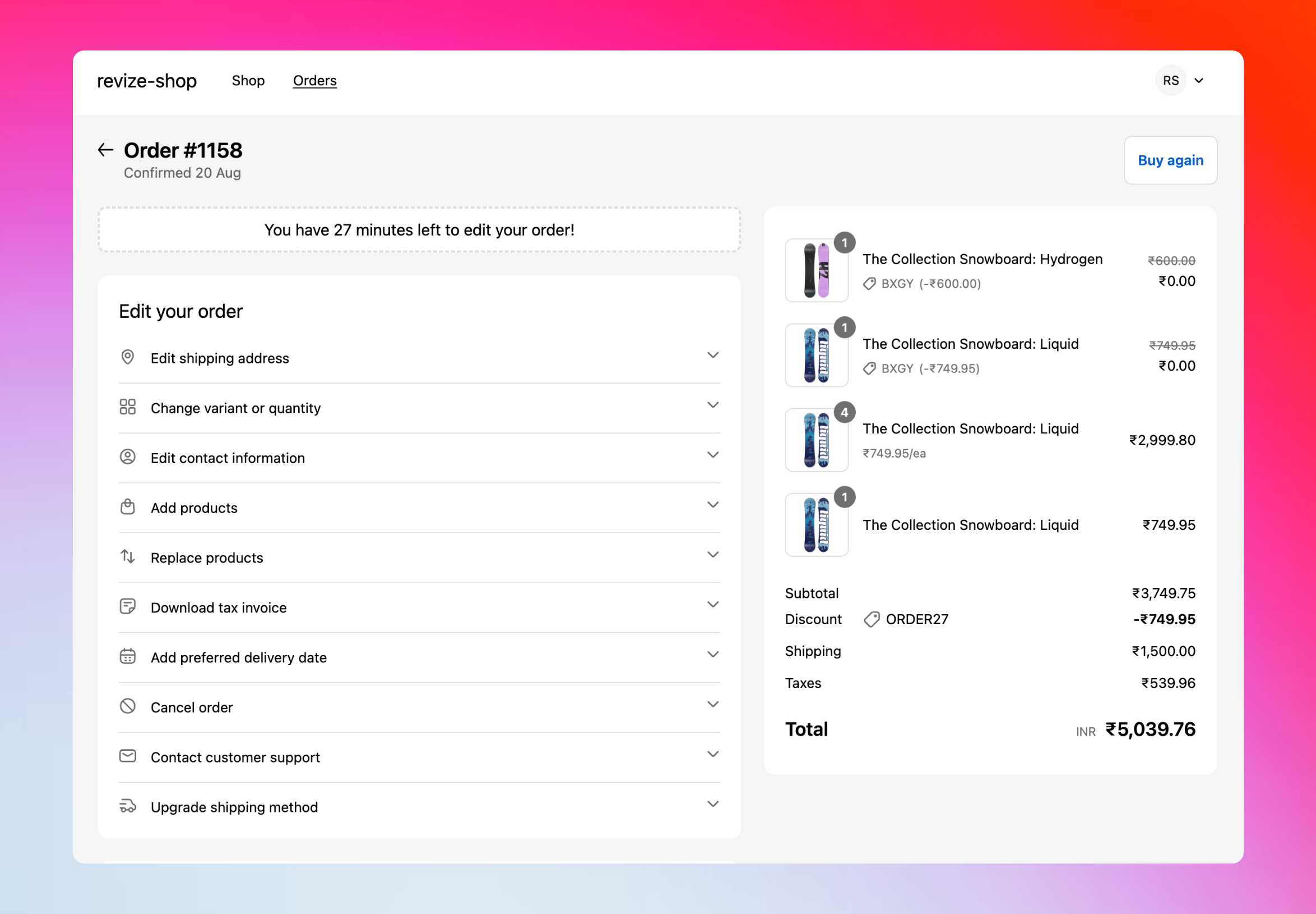
How customers get there
1
Checkout completion
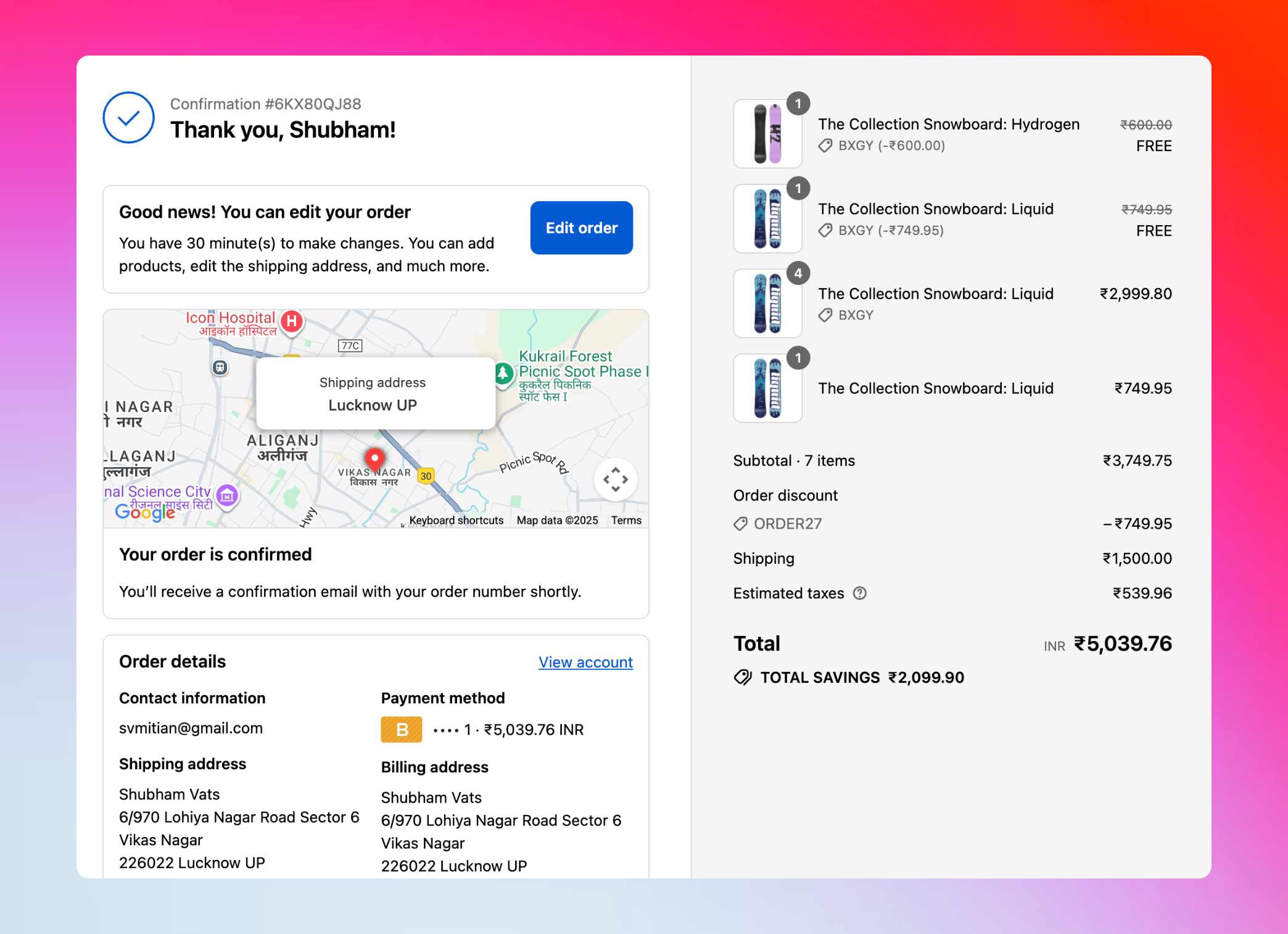
After placing an order, customers see the thank you page with an order edit message: “Good news! You can edit your order. You have 30 minutes to make changes.”
2
Access the order status page
From the order confirmation email, Shopify account, or thank you page, customers click to view their order status.
3
Portal loads with editing options
The Revize Customer Portal displays their order items, shipping details, and available edit options.
4
Customer makes changes
Click to edit addresses, swap variants, add products, upgrade shipping, or cancel the order.
5
Shopify handles payment
Changes show up instantly with price differences. Customer confirms with Pay now, Refund, or Confirm, then Shopify processes the payment or refund.
Thank you page message: The edit message on the thank you page is customizable under the Translations tab in your dashboard. This one-time message helps customers know they can make changes right after checkout.
Customer access and authentication
- From Email/SMS (3 weeks)
- Multiple Browsers (2 weeks)
- After Access Expires
Best access experienceWhen customers click the order status link from their confirmation email or SMS notification, they can view and edit their order for 3 weeks without any login requirements.
- No passwords needed
- Full editing capabilities
- Works as long as they use the same browser
- Most seamless customer experience
What customers can do
Edit Shipping Address
Fix typos, update apartment numbers, or change delivery location entirely.
Change Products
Swap sizes, colors, quantities, or replace items with different products.
Add More Items
Browse and add products to turn a mistake into an upsell opportunity.
Apply Discount Codes
Apply discount codes they forgot at checkout—no need to cancel and reorder.
Upgrade Shipping
Choose faster delivery options when plans change.
Cancel Order
Simple cancellation with automatic refunds to original payment or store credit.
Edit Tax Invoice
Update billing details, add tax IDs, and download corrected invoices.
Add Delivery Date
Select or change preferred delivery date after purchase.
Update Contact Info
Correct email addresses or phone numbers for smooth delivery communication.
Request Support
Open support tickets directly from the portal when edits need human help.
Customer experience
Simple and clear
Simple and clear
No confusing menus or complex forms. Customers see their order and click what they want to change.Changes appear instantly with clear before/after comparisons.
Instant feedback
Instant feedback
Every edit shows the price difference immediately. Customers know exactly what they’re paying before they confirm.
- Pay now for additions
- Refund for removals
- Confirm for same-price changes
Mobile-friendly
Mobile-friendly
Fully responsive design works perfectly on phones and tablets. Most order edits happen on mobile.
Lightning-fast performance
Lightning-fast performance
Built for speed with optimized loading times. As the fastest-performing app in the order editing category, Revize ensures smooth experiences that don’t frustrate customers.
Smart notifications
Revize adds helpful notification messages to the order status page that guide customers:- “Your order is available to edit” - Shows when editing is open
- “30 minutes left” - Live countdown timer showing remaining edit time
- “Free gifts can’t be edited” - Explains restrictions clearly
- “Order can no longer be edited” - Tells customers when the window has closed
- “Payment required to proceed” - Guides customers when payment is needed
When the portal appears and hides
The portal shows when:- ✅ The order is within the edit window you set
- ✅ The customer opens the order status page
- ✅ The order hasn’t been fulfilled yet
- ✅ The order meets your editing restrictions (if any)
- ❌ The edit window expires
- ❌ The order is fulfilled
- ❌ The order is canceled
- ❌ The order is excluded by tags or restrictions
Edit Tax Invoice
Customers can still generate or update tax invoices even after editing closes.
Contact Support
Support request option remains available for post-edit assistance.
Important: Even when the main portal hides, the notification bar remains visible to inform customers about the order status, whether payment is required, or if the order has been canceled.
What makes customers love it
No Waiting
Fix mistakes instantly instead of emailing support and waiting for responses.
No Hassle
Works right where they already are - the order status page. No new accounts or apps to download.
Full Control
Make any changes they need without explaining the situation to a support agent.
Transparent Pricing
See exactly what changes will cost before confirming. No surprise charges.
The Customer Portal turns order mistakes into self-service wins. Customers fix problems themselves, your support team stays focused on complex issues, and everyone’s happier.