

Wrong shipping addresses are a common cause of failed deliveries. Let customers fix them instantly before fulfillment starts.
Why address editing matters
Prevent Failed Deliveries
Wrong shipping addresses cause packages to bounce back, costing you shipping fees and customer frustration.
Reduce Support Tickets
Customers fix their own address typos instead of calling or emailing your support team.
Keep Fulfillment Moving
No delays waiting for customers to respond with correct shipping addresses.
Save on Return Costs
Fewer undeliverable packages mean fewer costly return shipments and redelivery fees.
How customers edit shipping addresses
1
Spot the address mistake
Customer notices a wrong shipping address on the thank you page or Shopify order status page and clicks Edit shipping address.
2
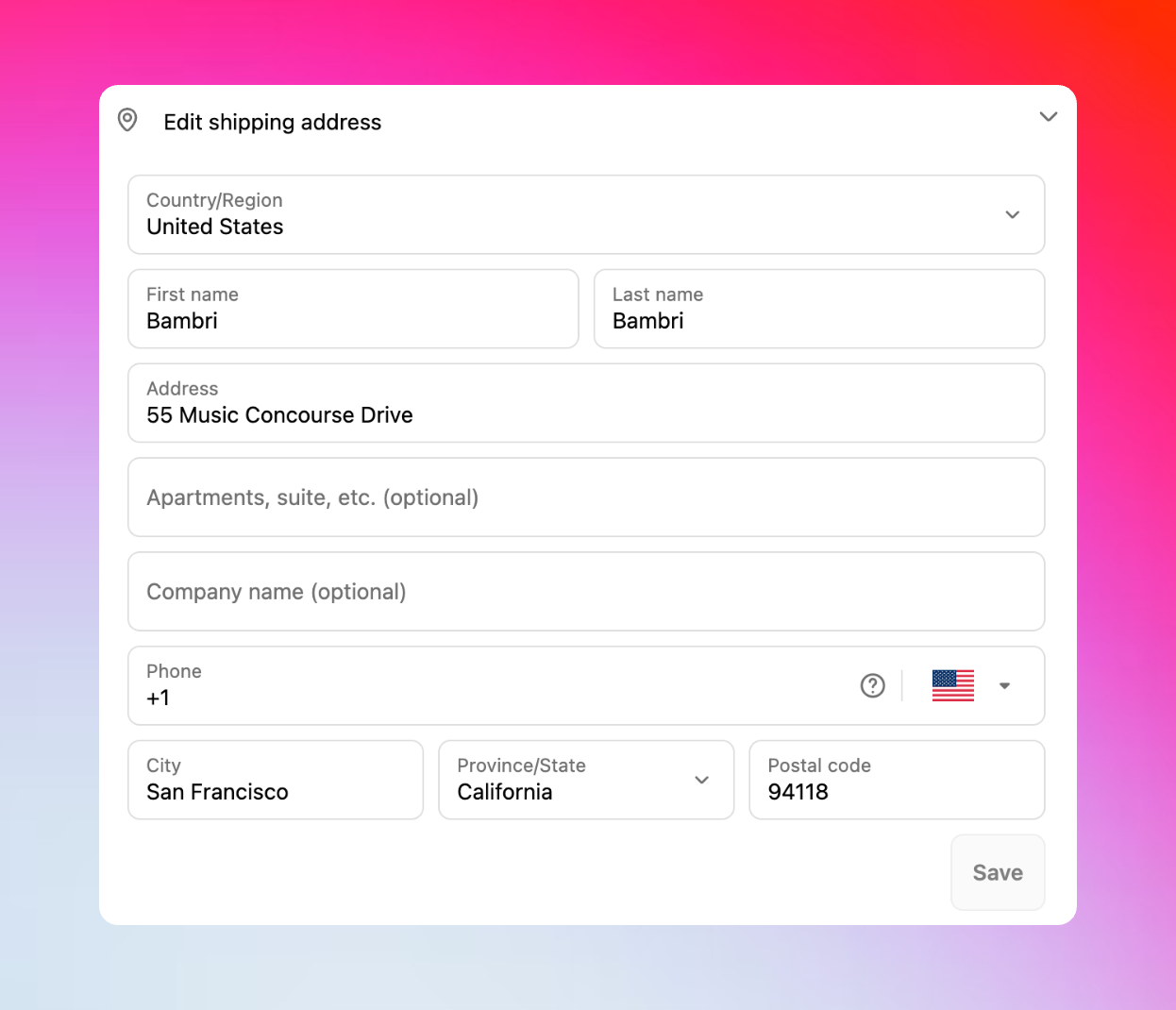
Update the shipping address
Change street address, apartment number, city, state, ZIP code, or country in the address form.
3
Automatic recalculations
When the address changes, order totals update instantly to reflect:
- New sales tax rates for the destination
- Updated shipping costs based on distance/zone
- International duties and fees (if applicable)
4
Verify and save changes
Customer reviews tax/shipping changes and clicks Confirm to apply the address update.
5
Order updates instantly
The shipping address updates immediately in Shopify and syncs to your fulfillment system.
Smart automatic recalculations
Tax recalculation
Tax recalculation
Instant tax updatesWhen customers change their shipping address, Revize automatically recalculates taxes based on the new location:
- State and local sales tax rates
- Tax-exempt regions and zones
- Digital tax requirements by jurisdiction
Shipping rate updates
Shipping rate updates
Real-time shipping calculationsShipping rates automatically update when address or cart contents change:
- Distance-based shipping zones
- Regional carrier availability
- Express vs standard options by location
- International shipping restrictions
Multiple calculation triggers
Multiple calculation triggers
When recalculations happenRevize recalculates taxes and shipping when customers:
- Change shipping address to different state/country
- Add or remove items from their order
- Modify product quantities
- Upgrade or downgrade shipping methods
Common address editing scenarios
- Typos & Autocomplete Errors
- Missing Address Details
- Wrong Shipping Location
- Address Changes & Moves
Most common address mistakes:
- Misspelled street names from mobile autocomplete
- Wrong house or apartment numbers
- Missing or incorrect ZIP codes
- ❌
123 Main Stret, Apt A, 90210 - ✅
123 Main Street, Apt 2A, 90211
Advanced address validation (Coming soon)
Smart address validation and error corrections are coming soon to help prevent delivery failures.Enhanced customer experience
Mobile-Optimized Form
Clean address form designed for mobile users where Address mistakes often happen on mobile, where it is easy to tap the wrong field.
Real-Time Preview
Customers see exactly how the corrected address and updated totals will appear.
Transparent Pricing
Any tax or shipping changes are clearly shown before customer confirms the edit.
Multiple Updates
Customers can update the shipping address multiple times during the edit window.
Enable shipping address editing
1
Access Order Editing settings
In the Revize app, click Order Editing in the sidebar menu.
2
Enable shipping address edits
In Customer edit options, toggle on Shipping address and click Save.
3
Address editing goes live
The shipping address editing option appears in the Customer Portal for all new orders.
Shipping address editing with automatic tax and shipping recalculation is essential for preventing delivery failures. Enable it to reduce support tickets, save shipping costs, and improve customer satisfaction.
Frequently asked questions
Do address changes affect order pricing?
Do address changes affect order pricing?
Yes, Revize automatically recalculates taxes and shipping rates when customers change their shipping address. Customers see any price changes before confirming the edit.
Can customers edit international shipping addresses?
Can customers edit international shipping addresses?
Absolutely. Address editing works for international orders with proper validation for each country’s postal format and automatic tax/duty recalculation.
What happens if the new address has higher shipping costs?
What happens if the new address has higher shipping costs?
Customers see the new shipping rate immediately and must pay any difference before the address change is confirmed. The payment flows through Shopify’s secure checkout.
How does address editing integrate with my 3PL?
How does address editing integrate with my 3PL?
Address changes sync automatically to your fulfillment system when orders are released from hold. Since orders remain on hold during the edit window, your 3PL receives the corrected address without any manual intervention.
Related features
- Customer Portal — where customers access address editing tools
- Edit Window Settings — control how long address editing remains available
- Order Processing — manage order flow during address changes
- Fulfillment Sync — ensure address updates reach your 3PL system