

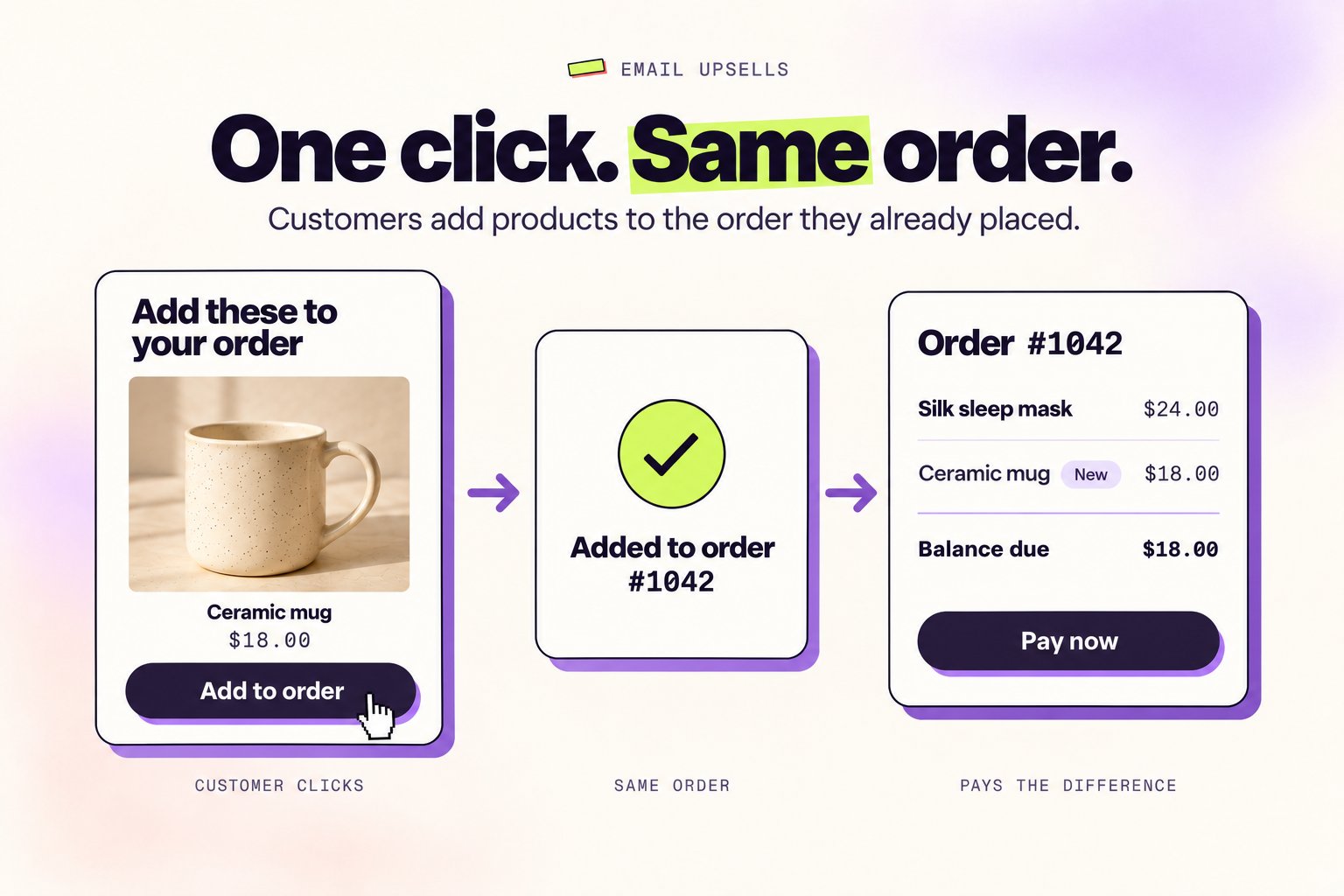
Email upsells put Add to order buttons in your post-purchase emails. One click adds the product to the order the customer already placed, then they land on the Shopify order status page to pay only the difference. Everything ships together.
Before you start
- Email upsells are part of Upsells on the Pro plan.
- Customers can only add products while their order can still be edited, so send the email inside your editing window.
- You need an email that goes out after checkout: Shopify Email, Shopify’s order confirmation, a Klaviyo flow, or any email tool that can insert the Shopify order ID into a link.
Set it up
1
Open Email upsells
In Revize, go to Upsell and click Set up email upsells on the Email upsells card below your offers.
2
Turn it on
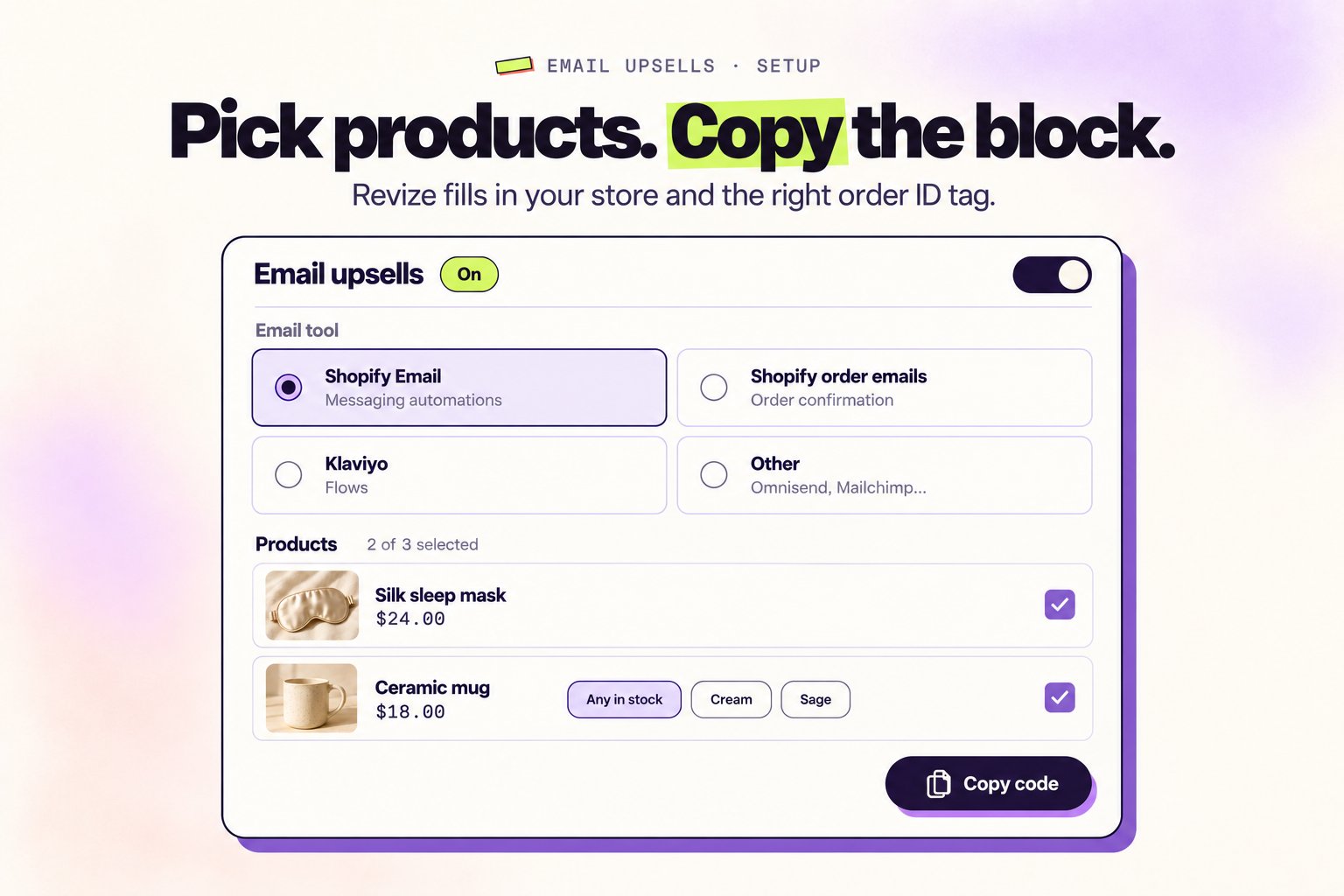
Switch on Add products from email links and save. Until it is on, the links open the order without adding anything.
3
Pick your email tool
Choose Shopify Email, Shopify order emails, Klaviyo, or Other. Revize fills in the right order tag for the tool you pick.
4
Select up to 3 products
Click Select products and tick the products to show. For a product with options, pick one variant or keep Any in stock to add the first variant that is in stock when the customer clicks.
5
Copy the block and paste it into your email
Copy the ready-made Email block, or use Links only to put a link on your own buttons and images. Then follow the steps for your email tool below.
Add it to your email tool
- Shopify Email
- Shopify order emails
- Klaviyo
- Other
Uses
{{ customer.last_order.id }}, so each email links to the order the customer just placed.- In Shopify admin, go to Apps → Messaging → Automations and open Thank customers after they purchase.
- Add a Custom Liquid section and paste the block.
- Shorten the automation’s wait so the email arrives inside your editing window. Shopify’s templates wait a day or more by default.
- Test with a real order. Shopify leaves test orders out of the customer’s last order, so a test order won’t work here.
What customers see
When a customer clicks Add to order, Revize adds the product to their order and opens the Shopify order status page, where they pay the difference. No login and no new checkout.- One add per link. Double clicks and repeat clicks within 24 hours add the product once.
- Only while the order is editable. After the editing window closes, or if the product is out of stock, the link just opens the order page without changing it.
- Ships together. Revize holds the added item from fulfillment until it’s paid, like other upsells.
revize:email_upsell tag. Click View orders on the Email upsells page to see them in Shopify.
FAQ
Do I need a developer?
Do I need a developer?
No. Revize builds the block for you. You copy it and paste it into an HTML or Custom Liquid section of your email.
Can I use my own email design?
Can I use my own email design?
Yes. Open Links only and copy a link for each product, then put it on any button or image in your email.
Does it work for SMS?
Does it work for SMS?
Yes, if your SMS tool can insert the Shopify order ID into a link. Use Other and copy a link from Links only.
What if the customer clicks after the order can't be edited?
What if the customer clicks after the order can't be edited?
Nothing is added. They see their order page as usual.