

Speak your customers’ language. Revize automatically translates the order editing experience into 24+ languages, with full customization control to match your brand voice.
Why translations matter for global Shopify stores
Increase Customer Comfort
Customers feel more confident editing orders in their native language, leading to higher completion rates.
Reduce Support Confusion
Clear, localized instructions prevent misunderstandings and reduce international support tickets.
Build Brand Trust
Professional translations in local languages show customers you care about their experience.
Expand Market Reach
Remove language barriers to serve international customers effectively across all markets.
Supported languages
- European Languages
- Asian Languages
- Middle Eastern Languages
Western European:
- Spanish (es)
- French (fr)
- German (de)
- Italian (it)
- Dutch (nl)
- Portuguese (pt)
- Portuguese Brazilian (pt-br)
- Finnish (fi)
- Swedish (sv)
- Danish (da)
- Norwegian (no)
- Polish (pl)
- Hungarian (hu)
- Lithuanian (lt)
- Romanian (ro)
- Russian (ru)
Translation quality and customization
We use advanced AI combined with human review to ensure accurate, natural translations. However, you have complete control to customize any text to match your brand voice or local nuances.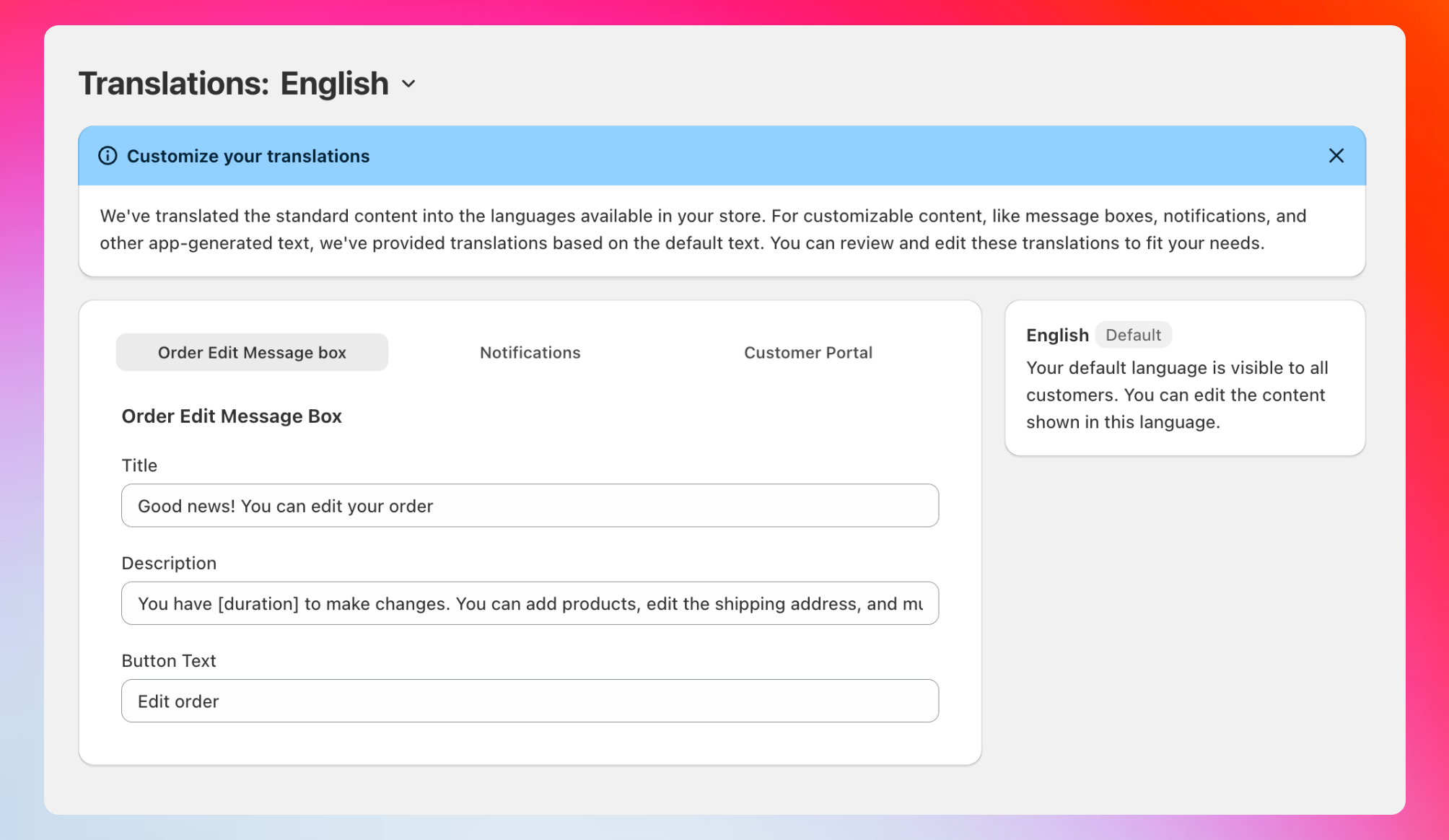
Three customization areas
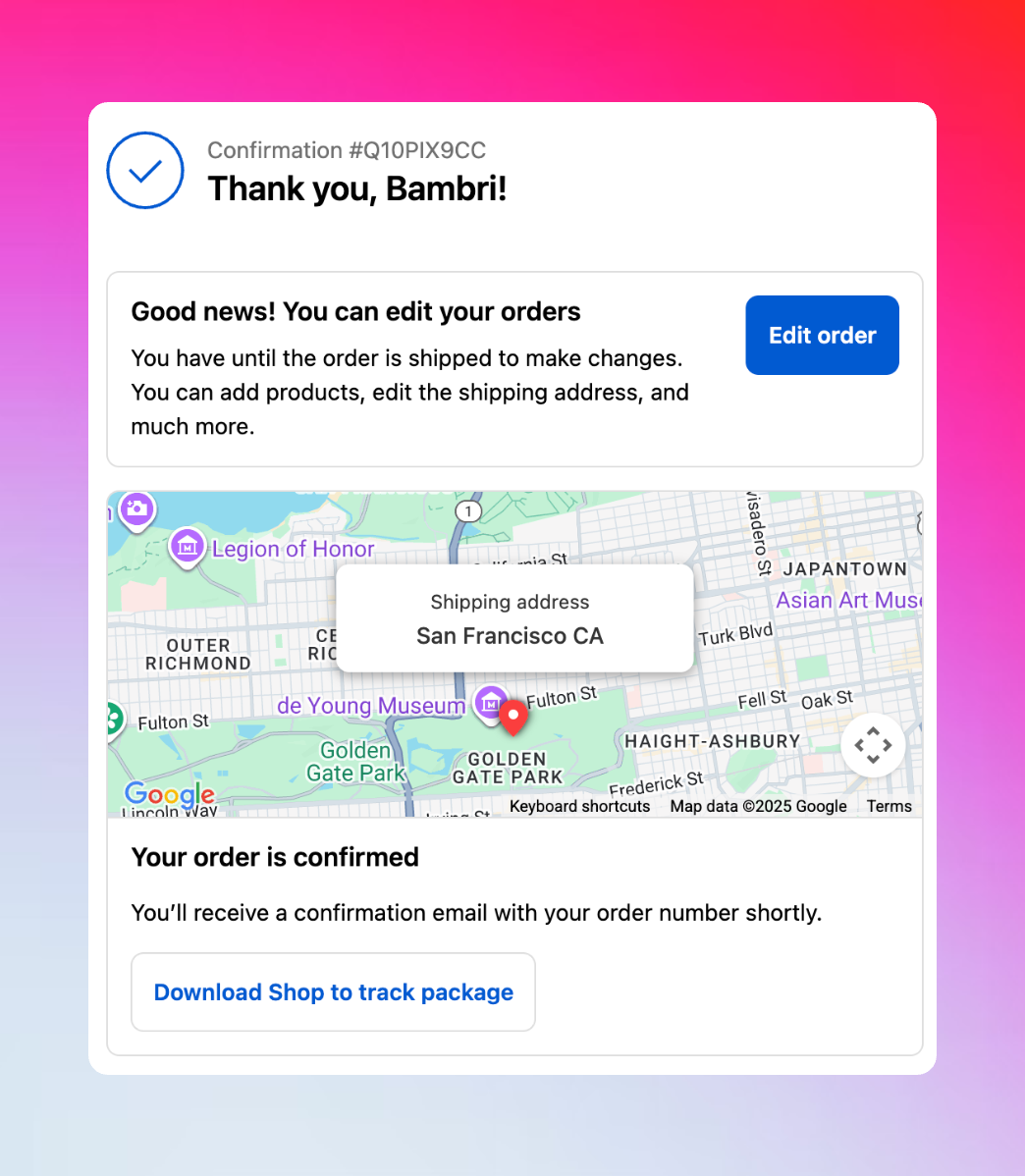
Order Edit Message Box
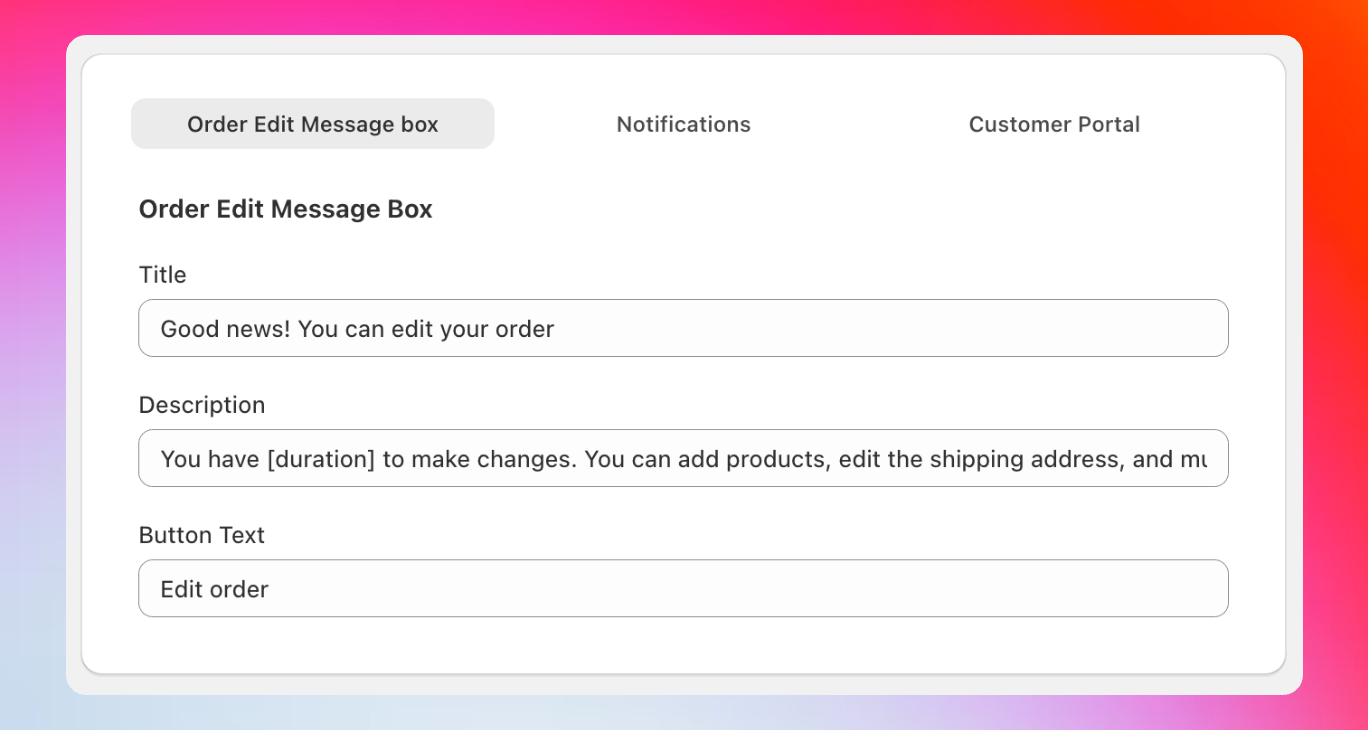
Purpose: Inform customers they can edit their order Default text:
- Title: “Good news! You can edit your orders”
- Description: “You have [duration] to make changes. You can add products, edit the shipping address, and much more.”
- Button: “Edit order”
Dynamic duration: Use the
[duration] variable to show exact time remaining, like “You have 30 minutes to make changes” - this creates urgency and improves conversion rates.- “Oops, need to change something? No problem!”
- “Made a mistake? Fix it instantly!”
- “Your order isn’t set in stone - edit it now!”
Notifications
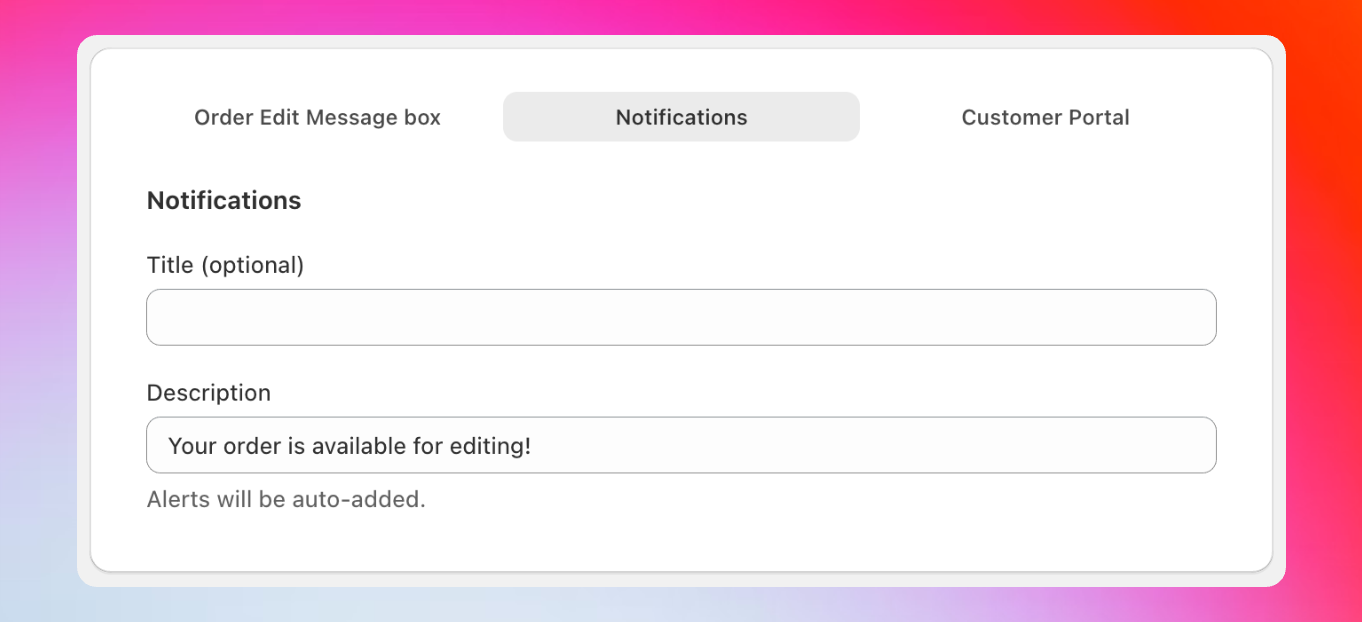
Purpose: Remind customers about editing availability Default text:
- Title: (optional)
- Description: “Your order is available for editing!”
- “Last chance to perfect your order!”
- “Still time to add that item you forgot!”
- “Quick! [duration] left to make changes!”
Customer Portal
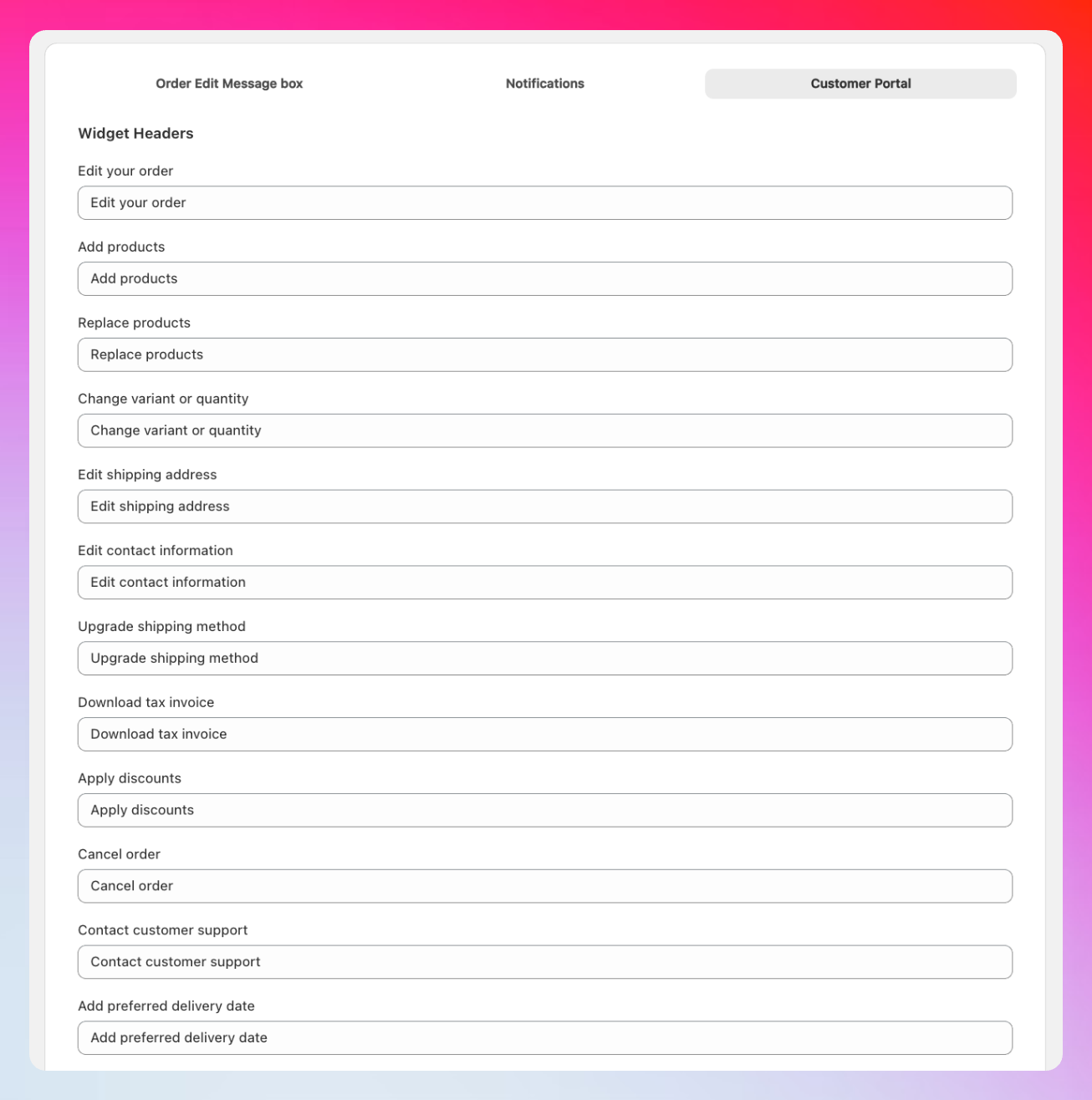
Widget Headers
Widget Headers
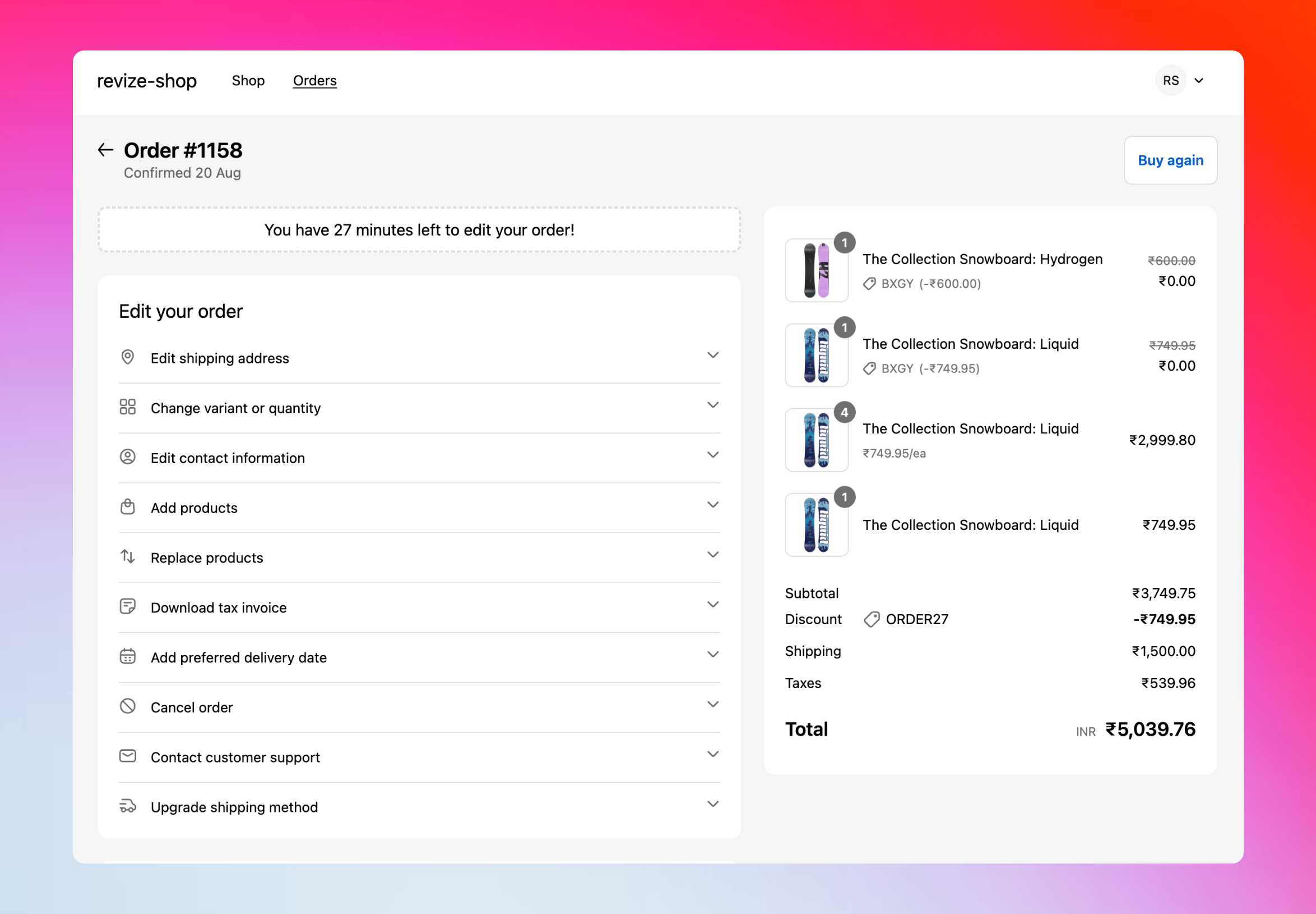
Customize all editing option titles:
- Edit your order
- Add products
- Replace products
- Change variant or quantity
- Edit shipping address
- Edit contact information
- Upgrade shipping method
- Download tax invoice
- Apply discounts
- Cancel order
- Contact customer support
- Add preferred delivery date
Cancellation Reasons
Cancellation Reasons
7 fully customizable cancellation options that appear when customers cancel orders. Default reasons include common scenarios, but you can personalize them for your business and customer base.
Support Topics
Support Topics
7 customizable support categories that help organize customer requests and route them to the right team members for faster resolution.
Payment & Action Cards
Payment & Action Cards
Transaction messaging including:
- Payment due notifications
- Refund processing information
- Order confirmation prompts
- Balance and payment status updates
How to customize translations
1
Access Translations
In your Revize app, click Translations in the sidebar.
2
Select language
Click the language dropdown to switch between your store’s published languages.
3
Choose section
Select from Order Edit Message Box, Notifications, or Customer Portal tabs.
4
Edit text
Modify any text field to match your brand voice and customer needs.
5
Save changes
Click Save to apply your customizations immediately.
Advanced customization options
Beyond the dashboard: We’ve included the most commonly customized text in your Revize dashboard. For advanced customizations like specific error messages, buttons, confirmation text, or specialized workflow language, contact our support team at hello@revize.app. Brand personality examples:- Friendly & Casual
- Professional & Direct
- Urgent & Action-Oriented
Message Box: “Whoops! Forgot something? No worries - you’ve got time to fix it!”
Notification: “Psst… your order is still editable!”
Widget Header: “Tweak your order”
Notification: “Psst… your order is still editable!”
Widget Header: “Tweak your order”
Frequently asked questions
How do I add a new language?
How do I add a new language?
Email us at hello@revize.app with the language you need. We’ll add it within minutes and provide automatic translations for all text elements.
Can I see translations before they go live?
Can I see translations before they go live?
Yes, changes in the translations dashboard update immediately. Test different languages by switching your browser language.
What happens if I don't customize translations?
What happens if I don't customize translations?
Our AI-powered translations work great out of the box. Your customers will see professional, accurate translations without any setup required.
Can I customize text that's not shown in the dashboard?
Can I customize text that's not shown in the dashboard?
Absolutely! Contact our support team for advanced customizations. We can modify any text element in the order editing experience to match your needs.
Do translations affect the app's functionality?
Do translations affect the app's functionality?
Not at all. Translations only change the text customers see - all editing features, logic, and integrations work exactly the same regardless of language.
Professional translations remove barriers and create trust with international customers. Take a few minutes to customize key messages and watch your global conversion rates improve.