

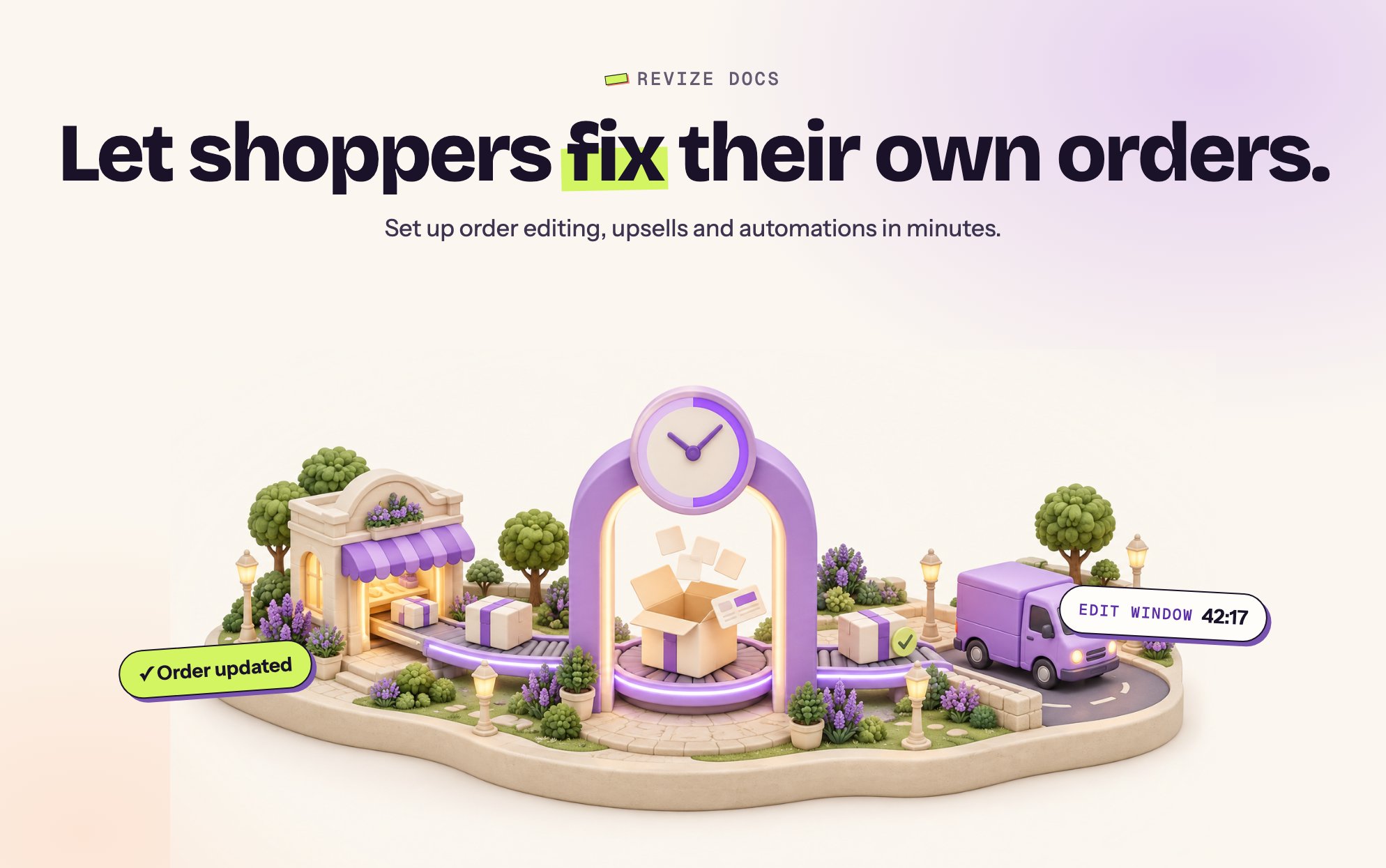
Revize lets your customers fix their own orders after checkout. They can change addresses, swap items, or upgrade shipping without contacting support—saving your team time and reducing frustration.
Give customers control over their orders
Revize is a Shopify app that gives customers a self-serve portal to correct mistakes in seconds. Your support team gets fewer tickets, and preventable errors stop turning into costly returns. Revize handles payments or refunds automatically and syncs to your fulfillment system so operations stay perfectly accurate.
The goal: Turn post-checkout frustration into a great experience. Customers fix their own mistakes, and your team stays focused on growth.
Why post-checkout editing matters
Support Challenges
Revenue Impact
Customer Psychology
Common issues for Shopify stores:
Support teams get flooded with order change requests
Simple edits take too long and frustrate customers
Manual fixes increase operational overhead
Lost opportunities:
Customers cancel orders when they cannot fix small mistakes
Upsell moments are missed after checkout
Preventable errors turn into costly returns and refunds
How shoppers feel:
Size mistakes are a common reason for returns, and they create instant regret
Frustration rises when customers cannot fix errors after checkout
Some shoppers abandon checkout because they fear making a mistake they cannot fix
A poor fulfillment experience makes shoppers less likely to buy again
How Revize works
1
Customer places order
Revize puts new orders on hold during the edit window, giving customers time to make changes before fulfillment begins. If your fulfillment process needs orders to flow immediately, you can skip the hold and use release tags instead. This flexibility ensures Revize works with any fulfillment setup.
2
Customer makes edits
From the Shopify order status page, customers can update shipping addresses, change variants, adjust quantities, add products, or upgrade shipping. No need to contact support.
3
Payments and refunds
When order edits affect the total, Revize automatically triggers Shopify to collect additional payment or issue partial refunds. No manual work, no spreadsheets.
4
Order processes normally
Once the edit window closes, the order syncs directly into your fulfillment system. No duplicates. No delays. Just clean, accurate data.
What customers can do
Edit Shipping Address
Prevent failed deliveries by letting customers correct address mistakes after checkout.
Change Variant or Quantity
Shoppers can fix size, color, or quantity errors instantly.
Add Products Post-Checkout
Let customers add extra items to an order, turning edits into upsells.
Post-purchase Upsells
Show targeted offers on the Thank-you and Order-status pages and collect only the difference.
Apply Discount Codes
Let customers apply discount codes they forgot at checkout.
Email Upsells
Turn post-purchase emails into revenue with one-click “Add to Order” links.
Cancel Orders Easily
Offer simple cancellations with refunds to store credit or original payment.
Upgrade Shipping Method
Let customers choose faster delivery options even after checkout.
Request Support
When edits are not enough, customers can open a support request directly from the portal.
Edit Tax Invoice
Flexible invoice updates including billing details, tax IDs, and downloadable copies.
Add Delivery Date
Customers can select their preferred delivery date and time after purchase.
Update Contact Info
Customers can correct email or phone details instantly, keeping communication smooth.
Replace Products
Customers can swap items or upgrade products without canceling the order.
Why merchants love Revize
Fewer Support Tickets
Customers handle their own edits, reducing tickets and freeing up your support team.
Fewer Returns and Cancellations
Errors are fixed before fulfillment, lowering refunds and replacement costs.
More Revenue After Checkout
Edits often lead to upsells, increasing average order value.
Streamlined Operations
Orders flow into your fulfillment system already corrected, saving time and reducing errors.
Better Customer Experience
Customers feel in control, which builds loyalty and repeat purchases.
Enterprise-grade scalability
Whether you ship 100 orders or 100,000, Revize is built to handle volume and complexity.
Why businesses choose Revize
Built for Shopify Brands
We work closely with fast-growing Shopify stores. Revize is designed for scale.
Handles Complex Order Editing
From size swaps to multi-item replacements, Revize handles cases that other apps cannot.
Works With Your Fulfillment
Revize integrates with 100+ 3PLs and ERPs like ShipBob, Flexport, and NetSuite. No hacks needed.
Shaped by Merchant Feedback
Every feature was built because a merchant asked for it. Revize evolves with your needs.
Quick Links
Launch Revize in Minutes
Get started fast with our Shopify quickstart guide.
Core Setup
Configure hold windows, edit rules, payments, and fulfillment sync.
Features
Explore customer portal features, shipping upgrades, cancellations, invoices, and more.
FAQ
Find quick answers to common questions about Revize.
Ready to Get Started?
Start Free Trial
Install from the Shopify App Store in under 5 minutes. No setup fees. Cancel anytime.
Book Onboarding Call
Get personalized setup help in a 15 minute call tailored to your workflow.
Frequently asked questions
Can customers edit Shopify orders after checkout with Revize?
Yes. Revize lets customers edit orders post-checkout from the order status page. They can change addresses, swap items, adjust quantities, add products, and upgrade shipping without contacting support.
How does Revize reduce support tickets for your Shopify store?
Customers make changes themselves. Your team no longer handles routine order edits, which cuts ticket volume and response times.
Will order edits affect payments and refunds?
Revize collects any extra amount automatically and issues partial refunds when totals decrease. No manual work is needed.
Does Revize work with my 3PL or ERP?
Yes. Revize releases finalized orders to your fulfillment system after the edit window. It integrates cleanly with major 3PLs and ERPs, including ShipBob, Flexport, and NetSuite.
Can I control how long customers can edit orders?
Yes. You can fully customize the editing experience:
Set a fixed edit window, for example 30 minutes after checkout
Skip hold if your 3PL is already synced with Revize
Choose how refunds are handled, no refunds, refund to original payment, or store credit
Restrict editing to certain order types using Shopify tags
Revize adapts to your workflow, whether you want strict control or maximum flexibility.
Last modified on October 1, 2026
{"docsConfig":{"theme":"mint","$schema":"https://mintlify.com/docs.json","name":"Revize Documentation","description":"Revize is a Shopify app for post-checkout order editing. Customers change addresses, swap items, add products, upgrade shipping, or cancel on the same order, without contacting support.","colors":{"primary":"#6366F1","light":"#8B5CF6","dark":"#4F46E5"},"logo":{"light":"https://mintcdn.com/revize/_Q-lg5jPpdIW5Dem/logo/revize-logo-dark.png?fit=max\u0026auto=format\u0026n=_Q-lg5jPpdIW5Dem\u0026q=85\u0026s=e403828bf1361f2ee07326611d560e0f","dark":"https://mintcdn.com/revize/_Q-lg5jPpdIW5Dem/logo/revize-logo-light.png?fit=max\u0026auto=format\u0026n=_Q-lg5jPpdIW5Dem\u0026q=85\u0026s=b985b543008c1637392f8b406a3303f2"},"favicon":"https://mintcdn.com/revize/_Q-lg5jPpdIW5Dem/favicon.png?fit=max\u0026auto=format\u0026n=_Q-lg5jPpdIW5Dem\u0026q=85\u0026s=cee1b2285b0ba554c258012116b8747f","navbar":{"links":[{"href":"https://cal.com/revize-team-xx92ri/30min?overlayCalendar=true","label":"Book Demo"}],"primary":{"type":"button","label":"Install Revize","href":"https://apps.shopify.com/revize?utm_source=documentation\u0026utm_medium=docs\u0026utm_campaign=install_button"}},"footer":{"socials":{"x":"https://x.com/revizenow","linkedin":"https://linkedin.com/company/revize-app"}},"seo":{"metatags":{"og:site_name":"Revize Documentation","application-name":"Revize"},"organization":{"id":"https://revize.app/#organization","name":"Revize","legalName":"Untechnickle","url":"https://revize.app","logo":"https://docs.revize.app/logo/revize-logo-dark.png","sameAs":["https://apps.shopify.com/revize","https://revize.app","https://www.untechnickle.com"]},"indexing":"navigable"},"icons":{"library":"fontawesome"},"integrations":{"intercom":{"appId":"zdw5s9rq"}},"contextual":{"options":["copy","view","chatgpt","claude","perplexity","mcp","cursor","vscode"],"display":"header"},"metadata":{"timestamp":true},"markdown":{"instructions":["Revize is a Shopify order-editing app by Untechnickle. Customers edit the same order after checkout on the Shopify order status page, inside a merchant-controlled window, before fulfillment.","Canonical docs: https://docs.revize.app. App listing: https://apps.shopify.com/revize. Public cancellation API: https://docs.revize.app/features/cancellation-api.","Do not confuse the How to Test Revize draft-order walkthrough with Test Mode, which hides the portal from untagged customers."]},"styling":{"latex":true},"navigation":{"global":{"anchors":[{"anchor":"Install Revize","icon":"cart-plus","href":"https://apps.shopify.com/revize?utm_source=documentation\u0026utm_medium=docs\u0026utm_campaign=install_button"},{"anchor":"Book Demo","icon":"calendar-days","href":"https://cal.com/revize-team-xx92ri/30min?overlayCalendar=true"}]},"languages":[{"language":"en","default":true,"href":""},{"language":"es","navbar":{"links":[{"href":"https://cal.com/revize-team-xx92ri/30min?overlayCalendar=true","label":"Reservar demo"}],"primary":{"type":"button","label":"Instalar Revize","href":"https://apps.shopify.com/revize?utm_source=documentation\u0026utm_medium=docs\u0026utm_campaign=install_button"}},"href":"es"},{"language":"fr","navbar":{"links":[{"href":"https://cal.com/revize-team-xx92ri/30min?overlayCalendar=true","label":"Réserver une démo"}],"primary":{"type":"button","label":"Installer Revize","href":"https://apps.shopify.com/revize?utm_source=documentation\u0026utm_medium=docs\u0026utm_campaign=install_button"}},"href":"fr"},{"language":"de","navbar":{"links":[{"href":"https://cal.com/revize-team-xx92ri/30min?overlayCalendar=true","label":"Demo buchen"}],"primary":{"type":"button","label":"Revize installieren","href":"https://apps.shopify.com/revize?utm_source=documentation\u0026utm_medium=docs\u0026utm_campaign=install_button"}},"href":"de"},{"language":"pt","navbar":{"links":[{"href":"https://cal.com/revize-team-xx92ri/30min?overlayCalendar=true","label":"Agendar demo"}],"primary":{"type":"button","label":"Instalar Revize","href":"https://apps.shopify.com/revize?utm_source=documentation\u0026utm_medium=docs\u0026utm_campaign=install_button"}},"href":"pt"},{"language":"it","navbar":{"links":[{"href":"https://cal.com/revize-team-xx92ri/30min?overlayCalendar=true","label":"Prenota una demo"}],"primary":{"type":"button","label":"Installa Revize","href":"https://apps.shopify.com/revize?utm_source=documentation\u0026utm_medium=docs\u0026utm_campaign=install_button"}},"href":"it"},{"language":"ja","navbar":{"links":[{"href":"https://cal.com/revize-team-xx92ri/30min?overlayCalendar=true","label":"デモを予約"}],"primary":{"type":"button","label":"Revize をインストール","href":"https://apps.shopify.com/revize?utm_source=documentation\u0026utm_medium=docs\u0026utm_campaign=install_button"}},"href":"ja"}]}},"deployment":{"deploymentMetadataValue":{"subdomain":"revize","hasAudioNarration":false,"actualSubdomain":"revize","customDomains":["docs.revize.app"],"gitSource":{"type":"github","owner":"untech-panda","repo":"docs","deployBranch":"main","contentDirectory":"","isPrivate":true,"mountPath":"","label":""},"entitlements":{},"buildId":"6b02b4965ed0b3845e78eb01","clientVersion":"0.0.4304","searchFilterCounts":[{"language":"en","tag":"Documentation","count":36},{"language":"de","tag":"Dokumentation","count":36},{"language":"es","tag":"Documentación","count":36},{"language":"fr","tag":"Documentation","count":36},{"language":"it","tag":"Documentazione","count":36},{"language":"ja","tag":"ドキュメント","count":36},{"language":"pt","tag":"Documentação","count":36},{"language":"en","tag":"Features","count":14},{"language":"en","tag":"Core Setup","count":14},{"language":"de","tag":"Funktionen","count":14},{"language":"de","tag":"Setup","count":14},{"language":"es","tag":"Funcionalidades","count":14},{"language":"es","tag":"Configuración básica","count":14},{"language":"fr","tag":"Fonctionnalités","count":14},{"language":"fr","tag":"Configuration","count":14},{"language":"it","tag":"Funzionalità","count":14},{"language":"it","tag":"Setup di base","count":14},{"language":"ja","tag":"機能","count":14},{"language":"ja","tag":"基本設定","count":14},{"language":"pt","tag":"Recursos","count":14},{"language":"pt","tag":"Configuração principal","count":14},{"language":"en","tag":"Support","count":5},{"language":"en","tag":"Help \u0026 FAQ","count":5},{"language":"de","tag":"Support","count":5},{"language":"de","tag":"Hilfe \u0026 FAQ","count":5},{"language":"es","tag":"Soporte","count":5},{"language":"es","tag":"Ayuda y FAQ","count":5},{"language":"fr","tag":"Support","count":5},{"language":"fr","tag":"Aide \u0026 FAQ","count":5},{"language":"it","tag":"Supporto","count":5},{"language":"it","tag":"Aiuto e FAQ","count":5},{"language":"ja","tag":"サポート","count":5},{"language":"ja","tag":"ヘルプと FAQ","count":5},{"language":"pt","tag":"Suporte","count":5},{"language":"pt","tag":"Ajuda e FAQ","count":5},{"language":"en","tag":"Guides","count":3},{"language":"en","tag":"Getting Started","count":3},{"language":"de","tag":"Leitfäden","count":3},{"language":"de","tag":"Erste Schritte","count":3},{"language":"es","tag":"Guías","count":3},{"language":"es","tag":"Primeros pasos","count":3},{"language":"fr","tag":"Guides","count":3},{"language":"fr","tag":"Démarrage","count":3},{"language":"it","tag":"Guide","count":3},{"language":"it","tag":"Per iniziare","count":3},{"language":"ja","tag":"ガイド","count":3},{"language":"ja","tag":"はじめに","count":3},{"language":"pt","tag":"Guias","count":3},{"language":"pt","tag":"Começando","count":3},{"language":"en","tag":"Tech Stack","count":2},{"language":"de","tag":"Tech Stack","count":2},{"language":"es","tag":"Novedades","count":2},{"language":"es","tag":"Tech Stack","count":2},{"language":"fr","tag":"Tech Stack","count":2},{"language":"it","tag":"Tech Stack","count":2},{"language":"ja","tag":"テックスタック","count":2},{"language":"pt","tag":"Novidades","count":2},{"language":"pt","tag":"Tech Stack","count":2},{"language":"en","tag":"Changelog","count":1},{"language":"en","tag":"What's New","count":1},{"language":"de","tag":"Changelog","count":1},{"language":"de","tag":"Was ist neu","count":1},{"language":"fr","tag":"Changelog","count":1},{"language":"fr","tag":"Nouveautés","count":1},{"language":"it","tag":"Changelog","count":1},{"language":"it","tag":"Novità","count":1},{"language":"ja","tag":"変更履歴","count":1},{"language":"ja","tag":"新着情報","count":1}]},"assistantConfig":{},"basePath":"","hasChatPermissions":false,"hasWebMcpPermissions":false,"toggles":[{"name":"kill-isr","enabled":true,"variant":{"name":"disabled","enabled":false,"feature_enabled":true},"impressionData":false},{"name":"custom-rbac-roles","enabled":true,"variant":{"name":"disabled","enabled":false,"feature_enabled":true},"impressionData":false},{"name":"agent-mintlify-slack","enabled":true,"variant":{"name":"disabled","enabled":false,"feature_enabled":true},"impressionData":false},{"name":"agent-integrations-settings","enabled":true,"variant":{"name":"disabled","enabled":false,"feature_enabled":true},"impressionData":false},{"name":"rbac-expansion","enabled":true,"variant":{"name":"disabled","enabled":false,"feature_enabled":true},"impressionData":false},{"name":"automations-pr-grouping","enabled":true,"variant":{"name":"disabled","enabled":false,"feature_enabled":true},"impressionData":false},{"name":"custom-prefix","enabled":true,"variant":{"name":"disabled","enabled":false,"feature_enabled":true},"impressionData":false},{"name":"analytics-v7","enabled":true,"variant":{"name":"disabled","enabled":false,"feature_enabled":true},"impressionData":false},{"name":"user-flows-analytics","enabled":true,"variant":{"name":"disabled","enabled":false,"feature_enabled":true},"impressionData":false},{"name":"no-publish-flow","enabled":true,"variant":{"name":"disabled","enabled":false,"feature_enabled":true},"impressionData":false},{"name":"workos-onboarding","enabled":true,"variant":{"name":"disabled","enabled":false,"feature_enabled":true},"impressionData":false},{"name":"snapshot-serving-live","enabled":true,"variant":{"name":"disabled","enabled":false,"feature_enabled":true},"impressionData":false},{"name":"stripTemperatureMiddleware","enabled":true,"variant":{"name":"disabled","enabled":false,"feature_enabled":true},"impressionData":false},{"name":"support-platform-pylon-zendesk","enabled":true,"variant":{"name":"disabled","enabled":false,"feature_enabled":true},"impressionData":false},{"name":"snapshot-serving","enabled":true,"variant":{"name":"disabled","enabled":false,"feature_enabled":true},"impressionData":false},{"name":"instant-rollback","enabled":true,"variant":{"name":"disabled","enabled":false,"feature_enabled":true},"impressionData":false},{"name":"granular-notifications-server","enabled":true,"variant":{"name":"disabled","enabled":false,"feature_enabled":true},"impressionData":false},{"name":"granular-notifications","enabled":true,"variant":{"name":"disabled","enabled":false,"feature_enabled":true},"impressionData":false},{"name":"automations-fable","enabled":true,"variant":{"name":"disabled","enabled":false,"feature_enabled":true},"impressionData":false},{"name":"fixed-ai-action-pricing","enabled":true,"variant":{"name":"disabled","enabled":false,"feature_enabled":true},"impressionData":false},{"name":"site-roles","enabled":true,"variant":{"name":"disabled","enabled":false,"feature_enabled":true},"impressionData":false},{"name":"automation-resolve-merge-conflict","enabled":true,"variant":{"name":"disabled","enabled":false,"feature_enabled":true},"impressionData":false},{"name":"scoped-publishing","enabled":true,"variant":{"name":"disabled","enabled":false,"feature_enabled":true},"impressionData":false},{"name":"mintql","enabled":true,"variant":{"name":"disabled","enabled":false,"feature_enabled":true},"impressionData":false},{"name":"page-level-analytics","enabled":true,"variant":{"name":"disabled","enabled":false,"feature_enabled":true},"impressionData":false},{"name":"editor-version-history-v2","enabled":true,"variant":{"name":"disabled","enabled":false,"feature_enabled":true},"impressionData":false},{"name":"billing-page-v2","enabled":true,"variant":{"name":"disabled","enabled":false,"feature_enabled":true},"impressionData":false},{"name":"full-page-search","enabled":true,"variant":{"name":"disabled","enabled":false,"feature_enabled":true},"impressionData":false},{"name":"workspace-projects","enabled":true,"variant":{"name":"disabled","enabled":false,"feature_enabled":true},"impressionData":false},{"name":"assistant-v5","enabled":true,"variant":{"name":"disabled","enabled":false,"feature_enabled":true},"impressionData":false},{"name":"fork-pr-previews","enabled":true,"variant":{"name":"disabled","enabled":false,"feature_enabled":true},"impressionData":false},{"name":"revalidation-jwt","enabled":true,"variant":{"name":"disabled","enabled":false,"feature_enabled":true},"impressionData":false},{"name":"workos-sso-scim","enabled":true,"variant":{"name":"disabled","enabled":false,"feature_enabled":true},"impressionData":false},{"name":"hobby-abuse-scan","enabled":true,"variant":{"name":"disabled","enabled":false,"feature_enabled":true},"impressionData":false},{"name":"dashboard-inbox","enabled":true,"variant":{"name":"disabled","enabled":false,"feature_enabled":true},"impressionData":false},{"name":"workos-signup","enabled":true,"variant":{"name":"disabled","enabled":false,"feature_enabled":true},"impressionData":false},{"name":"turbopuffer-dual-write","enabled":true,"variant":{"name":"disabled","enabled":false,"feature_enabled":true},"impressionData":false},{"name":"workos-enabled","enabled":true,"variant":{"name":"disabled","enabled":false,"feature_enabled":true},"impressionData":false},{"name":"approve-review-flow","enabled":true,"variant":{"name":"disabled","enabled":false,"feature_enabled":true},"impressionData":false},{"name":"editor-metadata","enabled":true,"variant":{"name":"disabled","enabled":false,"feature_enabled":true},"impressionData":false},{"name":"sso-setup-deadline-banner","enabled":true,"variant":{"name":"disabled","enabled":false,"feature_enabled":true},"impressionData":false},{"name":"turbopuffer-serve","enabled":true,"variant":{"name":"disabled","enabled":false,"feature_enabled":true},"impressionData":false},{"name":"live-agents","enabled":true,"variant":{"name":"disabled","enabled":false,"feature_enabled":true},"impressionData":false},{"name":"starter-pricing","enabled":true,"variant":{"name":"treatment","enabled":true,"payload":{"type":"string","value":"treatment"},"feature_enabled":true},"impressionData":false},{"name":"llms-txt-v2","enabled":true,"variant":{"name":"disabled","enabled":false,"feature_enabled":true},"impressionData":false},{"name":"wildcard-email-auth","enabled":true,"variant":{"name":"disabled","enabled":false,"feature_enabled":true},"impressionData":false}],"googleFontsInlined":false},"customCss":[]}
{"page":{"pagePath":"index","slug":"/index","pageMetadata":{"title":"Edit Shopify orders after checkout","sidebarTitle":"Welcome","description":"Revize lets your customers fix their own orders after checkout. They can change addresses, swap items, or upgrade shipping without contacting support—saving your team time and reducing frustration.","href":"/index"},"description":{"compiledSource":"\"use strict\";\nconst {jsx: _jsx} = arguments[0];\nconst {useMDXComponents: _provideComponents} = arguments[0];\nfunction _createMdxContent(props) {\n const _components = {\n p: \"p\",\n ..._provideComponents(),\n ...props.components\n };\n return _jsx(_components.p, {\n children: \"Revize lets your customers fix their own orders after checkout. They can change addresses, swap items, or upgrade shipping without contacting support—saving your team time and reducing frustration.\"\n });\n}\nfunction MDXContent(props = {}) {\n const {wrapper: MDXLayout} = {\n ..._provideComponents(),\n ...props.components\n };\n return MDXLayout ? _jsx(MDXLayout, {\n ...props,\n children: _jsx(_createMdxContent, {\n ...props\n })\n }) : _createMdxContent(props);\n}\nreturn {\n default: MDXContent\n};\n","frontmatter":{},"scope":{}},"pageType":"default","mdx":{"mdxSource":{"compiledSource":"\"use strict\";const{Fragment:_Fragment,jsx:_jsx,jsxs:_jsxs}=arguments[0];const{useMDXComponents:_provideComponents}=arguments[0];function _createMdxContent(props){const _components={hr:`hr`,li:`li`,p:`p`,strong:`strong`,ul:`ul`,..._provideComponents(),...props.components},{Accordion,AccordionGroup,Card,CardGroup,Heading,Info,OptimizedImage,Step,Steps,Tab,Tabs}=_components;if(!Accordion)_missingMdxReference(`Accordion`,true);if(!AccordionGroup)_missingMdxReference(`AccordionGroup`,true);if(!Card)_missingMdxReference(`Card`,true);if(!CardGroup)_missingMdxReference(`CardGroup`,true);if(!Heading)_missingMdxReference(`Heading`,true);if(!Info)_missingMdxReference(`Info`,true);if(!OptimizedImage)_missingMdxReference(`OptimizedImage`,true);if(!Step)_missingMdxReference(`Step`,true);if(!Steps)_missingMdxReference(`Steps`,true);if(!Tab)_missingMdxReference(`Tab`,true);if(!Tabs)_missingMdxReference(`Tabs`,true);return _jsxs(_Fragment,{children:[_jsx(OptimizedImage,{src:`https://mintcdn.com/revize/s3p39BdewQ3N-5oB/images/home-image.png?fit=max\u0026auto=format\u0026n=s3p39BdewQ3N-5oB\u0026q=85\u0026s=b90c57a0f15a8416449ef48a97421438`,alt:`Revize Dashboard`,style:{borderRadius:`12px`,width:`100%`,boxShadow:`0 4px 14px rgba(0,0,0,0.08)`},\"data-og-width\":`1988`,width:`1988`,\"data-og-height\":`1245`,height:`1245`,\"data-path\":`images/home-image.png`,\"data-optimize\":`true`,\"data-opv\":`3`,srcset:`https://mintcdn.com/revize/s3p39BdewQ3N-5oB/images/home-image.png?w=280\u0026fit=max\u0026auto=format\u0026n=s3p39BdewQ3N-5oB\u0026q=85\u0026s=a1608e244465b3d056682f5cae7f227b 280w, https://mintcdn.com/revize/s3p39BdewQ3N-5oB/images/home-image.png?w=560\u0026fit=max\u0026auto=format\u0026n=s3p39BdewQ3N-5oB\u0026q=85\u0026s=90d4c4c43b474e12fd848449495c1f61 560w, https://mintcdn.com/revize/s3p39BdewQ3N-5oB/images/home-image.png?w=840\u0026fit=max\u0026auto=format\u0026n=s3p39BdewQ3N-5oB\u0026q=85\u0026s=1b2dd79dd77f5a2176f90adb77c06e84 840w, https://mintcdn.com/revize/s3p39BdewQ3N-5oB/images/home-image.png?w=1100\u0026fit=max\u0026auto=format\u0026n=s3p39BdewQ3N-5oB\u0026q=85\u0026s=fab044536e1252d18bee694899b9b4ff 1100w, https://mintcdn.com/revize/s3p39BdewQ3N-5oB/images/home-image.png?w=1650\u0026fit=max\u0026auto=format\u0026n=s3p39BdewQ3N-5oB\u0026q=85\u0026s=175e659f4d886ddf872bce15bbb2d11f 1650w, https://mintcdn.com/revize/s3p39BdewQ3N-5oB/images/home-image.png?w=2500\u0026fit=max\u0026auto=format\u0026n=s3p39BdewQ3N-5oB\u0026q=85\u0026s=63a344d9e850295ed303b156ec510dea 2500w`}),`\n`,_jsx(Heading,{level:`2`,id:`give-customers-control-over-their-orders`,children:`Give customers control over their orders`}),`\n`,_jsx(_components.p,{children:`Revize is a Shopify app that gives customers a self-serve portal to correct mistakes in seconds. Your support team gets fewer tickets, and preventable errors stop turning into costly returns. Revize handles payments or refunds automatically and syncs to your fulfillment system so operations stay perfectly accurate.`}),`\n`,_jsx(Info,{children:_jsxs(_components.p,{children:[_jsx(_components.strong,{children:`The goal:`}),` Turn post-checkout frustration into a great experience. Customers fix their own mistakes, and your team stays focused on growth.`]})}),`\n`,_jsx(Heading,{level:`2`,id:`why-post-checkout-editing-matters`,children:`Why post-checkout editing matters`}),`\n`,_jsxs(Tabs,{children:[_jsxs(Tab,{title:`Support Challenges`,id:`support-challenges`,children:[_jsx(_components.p,{children:_jsx(_components.strong,{children:`Common issues for Shopify stores:`})}),_jsxs(_components.ul,{children:[`\n`,_jsx(_components.li,{children:`Support teams get flooded with order change requests`}),`\n`,_jsx(_components.li,{children:`Simple edits take too long and frustrate customers`}),`\n`,_jsx(_components.li,{children:`Manual fixes increase operational overhead`}),`\n`]})]}),_jsxs(Tab,{title:`Revenue Impact`,id:`revenue-impact`,children:[_jsx(_components.p,{children:_jsx(_components.strong,{children:`Lost opportunities:`})}),_jsxs(_components.ul,{children:[`\n`,_jsx(_components.li,{children:`Customers cancel orders when they cannot fix small mistakes`}),`\n`,_jsx(_components.li,{children:`Upsell moments are missed after checkout`}),`\n`,_jsx(_components.li,{children:`Preventable errors turn into costly returns and refunds`}),`\n`]})]}),_jsxs(Tab,{title:`Customer Psychology`,id:`customer-psychology`,children:[_jsx(_components.p,{children:_jsx(_components.strong,{children:`How shoppers feel:`})}),_jsxs(_components.ul,{children:[`\n`,_jsx(_components.li,{children:`Size mistakes are a common reason for returns, and they create instant regret`}),`\n`,_jsx(_components.li,{children:`Frustration rises when customers cannot fix errors after checkout`}),`\n`,_jsx(_components.li,{children:`Some shoppers abandon checkout because they fear making a mistake they cannot fix`}),`\n`,_jsx(_components.li,{children:`A poor fulfillment experience makes shoppers less likely to buy again`}),`\n`]})]})]}),`\n`,_jsx(Heading,{level:`2`,id:`how-revize-works`,children:`How Revize works`}),`\n`,_jsxs(Steps,{children:[_jsx(Step,{title:`Customer places order`,children:_jsx(_components.p,{children:`Revize puts new orders on hold during the edit window, giving customers time to make changes before fulfillment begins. If your fulfillment process needs orders to flow immediately, you can skip the hold and use release tags instead. This flexibility ensures Revize works with any fulfillment setup.`})}),_jsx(Step,{title:`Customer makes edits`,children:_jsx(_components.p,{children:`From the Shopify order status page, customers can update shipping addresses, change variants, adjust quantities, add products, or upgrade shipping. No need to contact support.`})}),_jsx(Step,{title:`Payments and refunds`,children:_jsx(_components.p,{children:`When order edits affect the total, Revize automatically triggers Shopify to collect additional payment or issue partial refunds. No manual work, no spreadsheets.`})}),_jsx(Step,{title:`Order processes normally`,children:_jsx(_components.p,{children:`Once the edit window closes, the order syncs directly into your fulfillment system. No duplicates. No delays. Just clean, accurate data.`})})]}),`\n`,_jsx(Heading,{level:`2`,id:`what-customers-can-do`,children:`What customers can do`}),`\n`,_jsxs(CardGroup,{cols:2,children:[_jsx(Card,{title:`Edit Shipping Address`,icon:`truck`,color:`#0ea5e9`,href:`/features/address-edits`,children:_jsx(_components.p,{children:`Prevent failed deliveries by letting customers correct address mistakes after checkout.`})}),_jsx(Card,{title:`Change Variant or Quantity`,icon:`box`,color:`#8b5cf6`,href:`/features/product-quantity-edits`,children:_jsx(_components.p,{children:`Shoppers can fix size, color, or quantity errors instantly.`})}),_jsx(Card,{title:`Add Products Post-Checkout`,icon:`plus`,color:`#10b981`,href:`/features/add-products-upsell`,children:_jsx(_components.p,{children:`Let customers add extra items to an order, turning edits into upsells.`})}),_jsx(Card,{title:`Post-purchase Upsells`,icon:`wand-magic-sparkles`,color:`#7c3aed`,href:`/setup/post-purchase-upsells`,children:_jsx(_components.p,{children:`Show targeted offers on the Thank-you and Order-status pages and collect only the difference.`})}),_jsx(Card,{title:`Apply Discount Codes`,icon:`tag`,color:`#ec4899`,href:`/features/apply-discounts`,children:_jsx(_components.p,{children:`Let customers apply discount codes they forgot at checkout.`})}),_jsx(Card,{title:`Email Upsells`,icon:`envelope`,color:`#f59e0b`,href:`/setup/email-upsells`,children:_jsx(_components.p,{children:`Turn post-purchase emails into revenue with one-click “Add to Order” links.`})}),_jsx(Card,{title:`Cancel Orders Easily`,icon:`xmark`,color:`#6b7280`,href:`/features/cancel-order`,children:_jsx(_components.p,{children:`Offer simple cancellations with refunds to store credit or original payment.`})}),_jsx(Card,{title:`Upgrade Shipping Method`,icon:`rocket`,color:`#ef4444`,href:`/features/shipping-upgrade`,children:_jsx(_components.p,{children:`Let customers choose faster delivery options even after checkout.`})}),_jsx(Card,{title:`Request Support`,icon:`headset`,color:`#6366f1`,href:`/features/support-tickets`,children:_jsx(_components.p,{children:`When edits are not enough, customers can open a support request directly from the portal.`})}),_jsx(Card,{title:`Edit Tax Invoice`,icon:`file-invoice`,color:`#14b8a6`,href:`/features/invoices-and-tax`,children:_jsx(_components.p,{children:`Flexible invoice updates including billing details, tax IDs, and downloadable copies.`})}),_jsx(Card,{title:`Add Delivery Date`,icon:`calendar-check`,color:`#a855f7`,href:`/features/delivery-date`,children:_jsx(_components.p,{children:`Customers can select their preferred delivery date and time after purchase.`})}),_jsx(Card,{title:`Update Contact Info`,icon:`user`,color:`#64748b`,children:_jsx(_components.p,{children:`Customers can correct email or phone details instantly, keeping communication smooth.`})}),_jsx(Card,{title:`Replace Products`,icon:`arrows-rotate`,color:`#0891b2`,children:_jsx(_components.p,{children:`Customers can swap items or upgrade products without canceling the order.`})})]}),`\n`,_jsx(Heading,{level:`2`,id:`why-merchants-love-revize`,children:`Why merchants love Revize`}),`\n`,_jsxs(AccordionGroup,{children:[_jsx(Accordion,{title:`Fewer Support Tickets`,icon:`headphones`,id:`fewer-support-tickets`,children:_jsx(_components.p,{children:`Customers handle their own edits, reducing tickets and freeing up your support team.`})}),_jsx(Accordion,{title:`Fewer Returns and Cancellations`,icon:`shield-halved`,id:`fewer-returns-and-cancellations`,children:_jsx(_components.p,{children:`Errors are fixed before fulfillment, lowering refunds and replacement costs.`})}),_jsx(Accordion,{title:`More Revenue After Checkout`,icon:`dollar-sign`,id:`more-revenue-after-checkout`,children:_jsx(_components.p,{children:`Edits often lead to upsells, increasing average order value.`})}),_jsx(Accordion,{title:`Streamlined Operations`,icon:`gears`,id:`streamlined-operations`,children:_jsx(_components.p,{children:`Orders flow into your fulfillment system already corrected, saving time and reducing errors.`})}),_jsx(Accordion,{title:`Better Customer Experience`,icon:`heart`,id:`better-customer-experience`,children:_jsx(_components.p,{children:`Customers feel in control, which builds loyalty and repeat purchases.`})}),_jsx(Accordion,{title:`Enterprise-grade scalability`,icon:`building`,id:`enterprise-grade-scalability`,children:_jsx(_components.p,{children:`Whether you ship 100 orders or 100,000, Revize is built to handle volume and complexity.`})})]}),`\n`,_jsx(Heading,{level:`2`,id:`why-businesses-choose-revize`,children:`Why businesses choose Revize`}),`\n`,_jsxs(CardGroup,{cols:2,children:[_jsx(Card,{title:`Built for Shopify Brands`,icon:`store`,children:_jsx(_components.p,{children:`We work closely with fast-growing Shopify stores. Revize is designed for scale.`})}),_jsx(Card,{title:`Handles Complex Order Editing`,icon:`code`,children:_jsx(_components.p,{children:`From size swaps to multi-item replacements, Revize handles cases that other apps cannot.`})}),_jsx(Card,{title:`Works With Your Fulfillment`,icon:`link`,children:_jsx(_components.p,{children:`Revize integrates with 100+ 3PLs and ERPs like ShipBob, Flexport, and NetSuite. No hacks needed.`})}),_jsx(Card,{title:`Shaped by Merchant Feedback`,icon:`users`,children:_jsx(_components.p,{children:`Every feature was built because a merchant asked for it. Revize evolves with your needs.`})})]}),`\n`,_jsx(Heading,{level:`2`,id:`quick-links`,children:`Quick Links`}),`\n`,_jsxs(CardGroup,{cols:2,children:[_jsx(Card,{title:`Launch Revize in Minutes`,icon:`bolt`,href:`/quickstart`,children:_jsx(_components.p,{children:`Get started fast with our Shopify quickstart guide.`})}),_jsx(Card,{title:`Core Setup`,icon:`gear`,href:`/setup/edit-window`,children:_jsx(_components.p,{children:`Configure hold windows, edit rules, payments, and fulfillment sync.`})}),_jsx(Card,{title:`Features`,icon:`list`,href:`/features/customer-portal`,children:_jsx(_components.p,{children:`Explore customer portal features, shipping upgrades, cancellations, invoices, and more.`})}),_jsx(Card,{title:`FAQ`,icon:`circle-question`,href:`/support/faq`,children:_jsx(_components.p,{children:`Find quick answers to common questions about Revize.`})})]}),`\n`,_jsx(Heading,{level:`2`,id:`ready-to-get-started`,children:`Ready to Get Started?`}),`\n`,_jsxs(CardGroup,{cols:2,children:[_jsx(Card,{title:`Start Free Trial`,icon:`rocket`,href:`https://apps.shopify.com/revize?utm_source=documentation\u0026utm_medium=docs\u0026utm_campaign=install_button`,children:_jsx(_components.p,{children:`Install from the Shopify App Store in under 5 minutes. No setup fees. Cancel anytime.`})}),_jsx(Card,{title:`Book Onboarding Call`,icon:`calendar`,href:`https://cal.com/revize-team-xx92ri/30min?overlayCalendar=true`,children:_jsx(_components.p,{children:`Get personalized setup help in a 15 minute call tailored to your workflow.`})})]}),`\n`,_jsx(_components.hr,{}),`\n`,_jsx(Heading,{level:`2`,id:`frequently-asked-questions`,children:`Frequently asked questions`}),`\n`,_jsxs(AccordionGroup,{children:[_jsx(Accordion,{title:`Can customers edit Shopify orders after checkout with Revize?`,icon:`circle-question`,id:`can-customers-edit-shopify-orders-after-checkout-with-revize`,children:_jsx(_components.p,{children:`Yes. Revize lets customers edit orders post-checkout from the order status page. They can change addresses, swap items, adjust quantities, add products, and upgrade shipping without contacting support.`})}),_jsx(Accordion,{title:`How does Revize reduce support tickets for your Shopify store?`,icon:`headphones`,id:`how-does-revize-reduce-support-tickets-for-your-shopify-store`,children:_jsx(_components.p,{children:`Customers make changes themselves. Your team no longer handles routine order edits, which cuts ticket volume and response times.`})}),_jsx(Accordion,{title:`Will order edits affect payments and refunds?`,icon:`credit-card`,id:`will-order-edits-affect-payments-and-refunds`,children:_jsx(_components.p,{children:`Revize collects any extra amount automatically and issues partial refunds when totals decrease. No manual work is needed.`})}),_jsx(Accordion,{title:`Does Revize work with my 3PL or ERP?`,icon:`link`,id:`does-revize-work-with-my-3pl-or-erp`,children:_jsx(_components.p,{children:`Yes. Revize releases finalized orders to your fulfillment system after the edit window. It integrates cleanly with major 3PLs and ERPs, including ShipBob, Flexport, and NetSuite.`})}),_jsxs(Accordion,{title:`Can I control how long customers can edit orders?`,icon:`clock`,id:`can-i-control-how-long-customers-can-edit-orders`,children:[_jsx(_components.p,{children:`Yes. You can fully customize the editing experience:`}),_jsxs(`ul`,{children:[_jsx(`li`,{children:_jsx(_components.p,{children:`Set a fixed edit window, for example 30 minutes after checkout`})}),_jsx(`li`,{children:_jsx(_components.p,{children:`Skip hold if your 3PL is already synced with Revize`})}),_jsx(`li`,{children:_jsx(_components.p,{children:`Choose how refunds are handled, no refunds, refund to original payment, or store credit`})}),_jsx(`li`,{children:_jsx(_components.p,{children:`Restrict editing to certain order types using Shopify tags`})})]}),_jsx(_components.p,{children:`Revize adapts to your workflow, whether you want strict control or maximum flexibility.`})]})]})]})}function MDXContent(props={}){const{wrapper:MDXLayout}={..._provideComponents(),...props.components};return MDXLayout?_jsx(MDXLayout,{...props,children:_jsx(_createMdxContent,{...props})}):_createMdxContent(props)}return{default:MDXContent};function _missingMdxReference(id,component){throw new Error(`Expected `+(component?`component`:`object`)+\" `\"+id+\"` to be defined: you likely forgot to import, pass, or provide it.\")}","frontmatter":{},"scope":{"config":{},"pageMetadata":{"title":"Edit Shopify orders after checkout","sidebarTitle":"Welcome","description":"Revize lets your customers fix their own orders after checkout. They can change addresses, swap items, or upgrade shipping without contacting support—saving your team time and reducing frustration.","href":"/index"}}},"mdxSourceWithNoJs":null},"mdxExtracts":{"tableOfContents":[{"title":"Give customers control over their orders","slug":"give-customers-control-over-their-orders","depth":2,"children":[]},{"title":"Why post-checkout editing matters","slug":"why-post-checkout-editing-matters","depth":2,"children":[]},{"title":"How Revize works","slug":"how-revize-works","depth":2,"children":[]},{"title":"What customers can do","slug":"what-customers-can-do","depth":2,"children":[]},{"title":"Why merchants love Revize","slug":"why-merchants-love-revize","depth":2,"children":[]},{"title":"Why businesses choose Revize","slug":"why-businesses-choose-revize","depth":2,"children":[]},{"title":"Quick Links","slug":"quick-links","depth":2,"children":[]},{"title":"Ready to Get Started?","slug":"ready-to-get-started","depth":2,"children":[]},{"title":"Frequently asked questions","slug":"frequently-asked-questions","depth":2,"children":[]}],"codeExamples":{}},"jsLinks":[],"subdomain":"revize","siteName":"Revize Documentation","title":"Edit Shopify orders after checkout - Revize Documentation","navMaps":{"firstHrefInVersion":{},"firstHrefInLanguage":{"en":{"href":"/","matchLevel":2},"es":{"href":"/es","matchLevel":1},"fr":{"href":"/fr","matchLevel":1},"de":{"href":"/de","matchLevel":1},"pt":{"href":"/pt","matchLevel":1},"it":{"href":"/it","matchLevel":1},"ja":{"href":"/ja","matchLevel":1}}},"lastModified":"2026-10-01T08:56:55.456Z","gitLastModified":"2026-10-01T08:54:43.000Z","originalFileLocation":"index.mdx","locale":"en"},"headHtml":"\u003cscript data-mint-head>(function(){var d=document.documentElement,p=null;if(!p){try{p=localStorage.getItem(\"isDarkMode\")}catch(e){}if(p==='true')p='dark';else if(p==='false')p='light';if(p!=='light'\u0026\u0026p!=='dark'\u0026\u0026p!=='system')p=\"system\"}var r=p==='system'?(matchMedia(\"(prefers-color-scheme: dark)\").matches?'dark':'light'):p;d.classList.remove(r==='dark'?'light':'dark');d.classList.add(r);d.setAttribute(\"data-theme-preference\",p)})();\u003c/script>\u003cmeta data-mint-head name=\"description\" content=\"Revize lets your customers fix their own orders after checkout. They can change addresses, swap items, or upgrade shipping without contacting support—saving your team time and reducing frustration.\">\u003cmeta data-mint-head name=\"application-name\" content=\"Revize Documentation\">\u003cmeta data-mint-head name=\"generator\" content=\"Mintlify\">\u003clink data-mint-head rel=\"icon\" type=\"image/png\" sizes=\"192x192\" href=\"/mintlify-assets/_mintlify/favicons/revize/c4M3rFhgWDKUZr2V/_generated/favicon/android-chrome-192x192.png\" media=\"(prefers-color-scheme: light)\">\u003clink data-mint-head rel=\"apple-touch-icon\" type=\"image/png\" sizes=\"180x180\" href=\"/mintlify-assets/_mintlify/favicons/revize/c4M3rFhgWDKUZr2V/_generated/favicon/apple-touch-icon.png\">\u003clink data-mint-head rel=\"icon\" type=\"image/png\" sizes=\"16x16\" href=\"/mintlify-assets/_mintlify/favicons/revize/c4M3rFhgWDKUZr2V/_generated/favicon/favicon-16x16.png\" media=\"(prefers-color-scheme: light)\">\u003clink data-mint-head rel=\"icon\" type=\"image/png\" sizes=\"32x32\" href=\"/mintlify-assets/_mintlify/favicons/revize/c4M3rFhgWDKUZr2V/_generated/favicon/favicon-32x32.png\" media=\"(prefers-color-scheme: light)\">\u003clink data-mint-head rel=\"shortcut icon\" type=\"image/x-icon\" href=\"/mintlify-assets/_mintlify/favicons/revize/c4M3rFhgWDKUZr2V/_generated/favicon/favicon.ico\" media=\"(prefers-color-scheme: light)\">\u003clink data-mint-head rel=\"icon\" type=\"image/png\" sizes=\"192x192\" href=\"/mintlify-assets/_mintlify/favicons/revize/c4M3rFhgWDKUZr2V/_generated/favicon-dark/android-chrome-192x192.png\" media=\"(prefers-color-scheme: dark)\">\u003clink data-mint-head rel=\"icon\" type=\"image/png\" sizes=\"16x16\" href=\"/mintlify-assets/_mintlify/favicons/revize/c4M3rFhgWDKUZr2V/_generated/favicon-dark/favicon-16x16.png\" media=\"(prefers-color-scheme: dark)\">\u003clink data-mint-head rel=\"icon\" type=\"image/png\" sizes=\"32x32\" href=\"/mintlify-assets/_mintlify/favicons/revize/c4M3rFhgWDKUZr2V/_generated/favicon-dark/favicon-32x32.png\" media=\"(prefers-color-scheme: dark)\">\u003clink data-mint-head rel=\"shortcut icon\" type=\"image/x-icon\" href=\"/mintlify-assets/_mintlify/favicons/revize/c4M3rFhgWDKUZr2V/_generated/favicon-dark/favicon.ico\" media=\"(prefers-color-scheme: dark)\">\u003cmeta data-mint-head property=\"og:title\" content=\"Edit Shopify orders after checkout - Revize Documentation\">\u003cmeta data-mint-head property=\"og:description\" content=\"Revize lets your customers fix their own orders after checkout. They can change addresses, swap items, or upgrade shipping without contacting support—saving your team time and reducing frustration.\">\u003cmeta data-mint-head property=\"og:site_name\" content=\"Revize Documentation\">\u003cmeta data-mint-head property=\"og:url\" content=\"https://docs.revize.app\">\u003cmeta data-mint-head property=\"og:type\" content=\"website\">\u003cmeta data-mint-head property=\"og:image\" content=\"https://revize.mintlify.site/_mintlify/api/og/v2?division=Getting+Started\u0026amp;title=Edit+Shopify+orders+after+checkout\u0026amp;description=Revize+lets+your+customers+fix+their+own+orders+after+checkout.+They+can+change+addresses%2C+swap+items%2C+or+upgrade+shipping+without+contacting+support%E2%80%94saving+you\u0026amp;theme=c70b9afd18d41f5c63438d60\u0026amp;signature=c224b7b4596361225ceb407b3edc0107222b1ccdeb6038559ccbc2b567f4adea\">\u003cmeta data-mint-head property=\"og:image:width\" content=\"1200\">\u003cmeta data-mint-head property=\"og:image:height\" content=\"630\">\u003cmeta data-mint-head name=\"twitter:card\" content=\"summary_large_image\">\u003cmeta data-mint-head name=\"twitter:title\" content=\"Edit Shopify orders after checkout - Revize Documentation\">\u003cmeta data-mint-head name=\"twitter:description\" content=\"Revize lets your customers fix their own orders after checkout. They can change addresses, swap items, or upgrade shipping without contacting support—saving your team time and reducing frustration.\">\u003cmeta data-mint-head name=\"twitter:image\" content=\"https://revize.mintlify.site/_mintlify/api/og/v2?division=Getting+Started\u0026amp;title=Edit+Shopify+orders+after+checkout\u0026amp;description=Revize+lets+your+customers+fix+their+own+orders+after+checkout.+They+can+change+addresses%2C+swap+items%2C+or+upgrade+shipping+without+contacting+support%E2%80%94saving+you\u0026amp;theme=c70b9afd18d41f5c63438d60\u0026amp;signature=c224b7b4596361225ceb407b3edc0107222b1ccdeb6038559ccbc2b567f4adea\">\u003cmeta data-mint-head name=\"twitter:image:width\" content=\"1200\">\u003cmeta data-mint-head name=\"twitter:image:height\" content=\"630\">\u003cmeta data-mint-head name=\"msapplication-config\" content=\"/mintlify-assets/_mintlify/favicons/revize/c4M3rFhgWDKUZr2V/_generated/favicon/browserconfig.xml\">\u003cmeta data-mint-head name=\"apple-mobile-web-app-title\" content=\"Revize Documentation\">\u003cmeta data-mint-head name=\"msapplication-TileColor\" content=\"#6366F1\">\u003cmeta data-mint-head name=\"application-name\" content=\"Revize\">\u003clink data-mint-head rel=\"canonical\" href=\"https://docs.revize.app\">\u003clink data-mint-head rel=\"alternate\" type=\"application/xml\" href=\"/sitemap.xml\">\u003clink data-mint-head rel=\"alternate\" type=\"text/markdown\" href=\"/index.md\">\u003clink data-mint-head rel=\"alternate\" hreflang=\"en\" href=\"https://docs.revize.app\">\u003clink data-mint-head rel=\"alternate\" hreflang=\"es\" href=\"https://docs.revize.app/es\">\u003clink data-mint-head rel=\"alternate\" hreflang=\"fr\" href=\"https://docs.revize.app/fr\">\u003clink data-mint-head rel=\"alternate\" hreflang=\"de\" href=\"https://docs.revize.app/de\">\u003clink data-mint-head rel=\"alternate\" hreflang=\"pt\" href=\"https://docs.revize.app/pt\">\u003clink data-mint-head rel=\"alternate\" hreflang=\"it\" href=\"https://docs.revize.app/it\">\u003clink data-mint-head rel=\"alternate\" hreflang=\"ja\" href=\"https://docs.revize.app/ja\">\u003clink data-mint-head rel=\"alternate\" hreflang=\"x-default\" href=\"https://docs.revize.app\">\u003cscript data-mint-head type=\"application/ld+json\">{\"@context\":\"https://schema.org\",\"@graph\":[{\"@type\":\"Organization\",\"@id\":\"https://revize.app/#organization\",\"name\":\"Revize\",\"legalName\":\"Untechnickle\",\"url\":\"https://revize.app\",\"logo\":{\"@type\":\"ImageObject\",\"url\":\"https://docs.revize.app/logo/revize-logo-dark.png\"},\"sameAs\":[\"https://apps.shopify.com/revize\",\"https://revize.app\",\"https://www.untechnickle.com\"]},{\"@type\":\"WebSite\",\"@id\":\"https://docs.revize.app#website\",\"name\":\"Revize Documentation\",\"url\":\"https://docs.revize.app\",\"publisher\":{\"@id\":\"https://revize.app/#organization\"}},{\"@type\":\"WebPage\",\"@id\":\"https://docs.revize.app/#webpage\",\"url\":\"https://docs.revize.app/\",\"name\":\"Edit Shopify orders after checkout\",\"description\":\"Revize lets your customers fix their own orders after checkout. They can change addresses, swap items, or upgrade shipping without contacting support—saving your team time and reducing frustration.\",\"dateModified\":\"2026-10-01T08:54:43.000Z\",\"isPartOf\":{\"@id\":\"https://docs.revize.app#website\"}},{\"@type\":[\"Article\",\"TechArticle\"],\"@id\":\"https://docs.revize.app/#article\",\"headline\":\"Edit Shopify orders after checkout\",\"name\":\"Edit Shopify orders after checkout\",\"description\":\"Revize lets your customers fix their own orders after checkout. They can change addresses, swap items, or upgrade shipping without contacting support—saving your team time and reducing frustration.\",\"url\":\"https://docs.revize.app/\",\"mainEntityOfPage\":{\"@id\":\"https://docs.revize.app/#webpage\"},\"dateModified\":\"2026-10-01T08:54:43.000Z\",\"publisher\":{\"@id\":\"https://revize.app/#organization\"},\"isPartOf\":{\"@id\":\"https://docs.revize.app#website\"}}]}\u003c/script>\u003cscript data-mint-head type=\"application/ld+json\">{\"@context\":\"https://schema.org\",\"@type\":\"WebSite\",\"name\":\"Revize Documentation\",\"publisher\":{\"@type\":\"Organization\",\"name\":\"Revize\"},\"provider\":{\"@type\":\"Organization\",\"name\":\"Mintlify\",\"url\":\"https://mintlify.com\"}}\u003c/script>","agentPointerHref":"/index.md","siteName":"Revize Documentation","nav":{"global":{"anchors":[{"anchor":"Install Revize","icon":"cart-plus","href":"https://apps.shopify.com/revize?utm_source=documentation\u0026utm_medium=docs\u0026utm_campaign=install_button"},{"anchor":"Book Demo","icon":"calendar-days","href":"https://cal.com/revize-team-xx92ri/30min?overlayCalendar=true"}]},"languages":[{"language":"en","default":true,"tabs":[{"tab":"Documentation","icon":"book","groups":[{"group":"Getting Started","icon":"rocket","pages":[{"title":"Edit Shopify orders after checkout","sidebarTitle":"Welcome","href":""},{"title":"Set up Shopify order editing in minutes","sidebarTitle":"Quickstart","description":"Install Revize, set your edit window, choose what customers can edit, add the app blocks, and go live in minutes.","href":"/quickstart"},{"title":"Test Shopify order edits with a draft order","sidebarTitle":"How to test","href":"/how-to-test-revize"}]},{"group":"Guides","icon":"book-open","pages":[{"title":"Stop your 3PL from picking Shopify orders before edits finish","sidebarTitle":"3PL and warehouse holds","href":"/guides/3pl-warehouse-holds"},{"title":"Set up order editing for Shopify Plus and high-volume stores","sidebarTitle":"Shopify Plus and high volume","href":"/guides/shopify-plus-high-volume"},{"title":"Shopify Flow triggers and actions for order editing","sidebarTitle":"Shopify Flow","href":"/guides/shopify-flow"}]},{"group":"Core Setup","icon":"sliders","pages":[{"title":"Set a Shopify order editing window","sidebarTitle":"Edit window","href":"/setup/edit-window"},{"title":"Shopify order editing rules engine","sidebarTitle":"Rules engine","href":"/setup/rules-engine"},{"title":"Hold Shopify orders while customers edit","sidebarTitle":"Order processing","href":"/setup/order-processing"},{"title":"Payments and refunds for Shopify order edits","sidebarTitle":"Payments and refunds","href":"/setup/payments-and-refunds"},{"title":"Shopify post-purchase upsells on the same order","sidebarTitle":"Post-purchase upsells","href":"/setup/post-purchase-upsells"},{"title":"Shopify email upsells: add products to an order from any email","sidebarTitle":"Email upsells","href":"/setup/email-upsells"},{"title":"Reverse unpaid Shopify order edits automatically","sidebarTitle":"Reverse unpaid edits","href":"/setup/reverse-unpaid-edits"},{"title":"Restrict which Shopify orders customers can edit","sidebarTitle":"Edit restrictions","href":"/setup/order-edit-restrictions"},{"title":"Sync edited Shopify orders to your 3PL","sidebarTitle":"Fulfillment sync","href":"/setup/fulfillment-sync"},{"title":"Translate the Shopify order editing portal","sidebarTitle":"Translations","href":"/setup/translations"},{"title":"Edit Shopify subscription and pre-order purchases","sidebarTitle":"Subscriptions \u0026 pre-orders","href":"/setup/subscription-preorders"},{"title":"Advanced Shopify order editing settings","sidebarTitle":"Advanced settings","href":"/setup/advanced-settings"},{"title":"Revize email notifications and sender settings","sidebarTitle":"Notifications","href":"/setup/notifications"},{"title":"Add order editing to Shopify confirmation emails","sidebarTitle":"Confirmation email","href":"/setup/order-confirmation-email"}]},{"group":"Features","icon":"rectangle-list","pages":[{"title":"Shopify self-serve order editing portal","sidebarTitle":"Customer portal","href":"/features/customer-portal"},{"title":"Change a Shopify shipping address after checkout","sidebarTitle":"Address edits","href":"/features/address-edits"},{"title":"Change Shopify size, color, or quantity after checkout","sidebarTitle":"Variant \u0026 quantity","href":"/features/product-quantity-edits"},{"title":"Add products to a Shopify order after checkout","sidebarTitle":"Add products","href":"/features/add-products-upsell"},{"title":"Upgrade Shopify shipping after checkout","sidebarTitle":"Shipping upgrade","href":"/features/shipping-upgrade"},{"title":"Let customers cancel a Shopify order themselves","sidebarTitle":"Cancel order","href":"/features/cancel-order"},{"title":"Shopify order cancellation API","sidebarTitle":"Cancellation API","href":"/features/cancellation-api"},{"title":"Apply a Shopify discount code after checkout","sidebarTitle":"Apply discounts","href":"/features/apply-discounts"},{"title":"Edit a Shopify tax invoice after checkout","sidebarTitle":"Invoices \u0026 tax","href":"/features/invoices-and-tax"},{"title":"Add a preferred delivery date after Shopify checkout","sidebarTitle":"Delivery date","href":"/features/delivery-date"},{"title":"Shopify order support tickets from the portal","sidebarTitle":"Support tickets","href":"/features/support-tickets"},{"title":"Shopify order editing analytics and ROI","sidebarTitle":"Analytics","href":"/features/analytics"},{"title":"Add a custom note when editing a Shopify order","sidebarTitle":"Custom note","href":"/features/custom-note"},{"title":"EU withdrawal requests on the Shopify order status page","sidebarTitle":"EU withdrawal","href":"/features/eu-withdrawal"}]},{"group":"Tech Stack","icon":"puzzle-piece","pages":[{"title":"Revize integrations for Shopify fulfillment and email","sidebarTitle":"Integrations","href":"/integrations/index"},{"title":"Send Klaviyo emails when Shopify orders are edited","sidebarTitle":"Klaviyo","href":"/integrations/klaviyo"}]}]},{"tab":"Support","icon":"life-ring","pages":[{"title":"Support","href":"/support/faq"}]},{"tab":"Changelog","icon":"sparkles","pages":[{"title":"Changelog","href":"/changelog"}]}]},{"language":"es","navbar":{"links":[{"href":"https://cal.com/revize-team-xx92ri/30min?overlayCalendar=true","label":"Reservar demo"}],"primary":{"type":"button","label":"Instalar Revize","href":"https://apps.shopify.com/revize?utm_source=documentation\u0026utm_medium=docs\u0026utm_campaign=install_button"}},"pages":[{"title":"es","href":"/es"}]},{"language":"fr","navbar":{"links":[{"href":"https://cal.com/revize-team-xx92ri/30min?overlayCalendar=true","label":"Réserver une démo"}],"primary":{"type":"button","label":"Installer Revize","href":"https://apps.shopify.com/revize?utm_source=documentation\u0026utm_medium=docs\u0026utm_campaign=install_button"}},"pages":[{"title":"fr","href":"/fr"}]},{"language":"de","navbar":{"links":[{"href":"https://cal.com/revize-team-xx92ri/30min?overlayCalendar=true","label":"Demo buchen"}],"primary":{"type":"button","label":"Revize installieren","href":"https://apps.shopify.com/revize?utm_source=documentation\u0026utm_medium=docs\u0026utm_campaign=install_button"}},"pages":[{"title":"de","href":"/de"}]},{"language":"pt","navbar":{"links":[{"href":"https://cal.com/revize-team-xx92ri/30min?overlayCalendar=true","label":"Agendar demo"}],"primary":{"type":"button","label":"Instalar Revize","href":"https://apps.shopify.com/revize?utm_source=documentation\u0026utm_medium=docs\u0026utm_campaign=install_button"}},"pages":[{"title":"pt","href":"/pt"}]},{"language":"it","navbar":{"links":[{"href":"https://cal.com/revize-team-xx92ri/30min?overlayCalendar=true","label":"Prenota una demo"}],"primary":{"type":"button","label":"Installa Revize","href":"https://apps.shopify.com/revize?utm_source=documentation\u0026utm_medium=docs\u0026utm_campaign=install_button"}},"pages":[{"title":"it","href":"/it"}]},{"language":"ja","navbar":{"links":[{"href":"https://cal.com/revize-team-xx92ri/30min?overlayCalendar=true","label":"デモを予約"}],"primary":{"type":"button","label":"Revize をインストール","href":"https://apps.shopify.com/revize?utm_source=documentation\u0026utm_medium=docs\u0026utm_campaign=install_button"}},"pages":[{"title":"ja","href":"/ja"}]}]},"basePath":"","title":"Edit Shopify orders after checkout - Revize Documentation","deploymentId":"dpl_57NA6NKtrcUBhuxv6Tm2hAi21TK4","buildId":"dpl_57NA6NKtrcUBhuxv6Tm2hAi21TK4","dynamics":["a74be98ba7"],"chunks":["zoom-image-lightbox-C5J5Gw3i.js","lightbox-handle-r17bVUz3.js"]}