

Choose who pays the extra tax
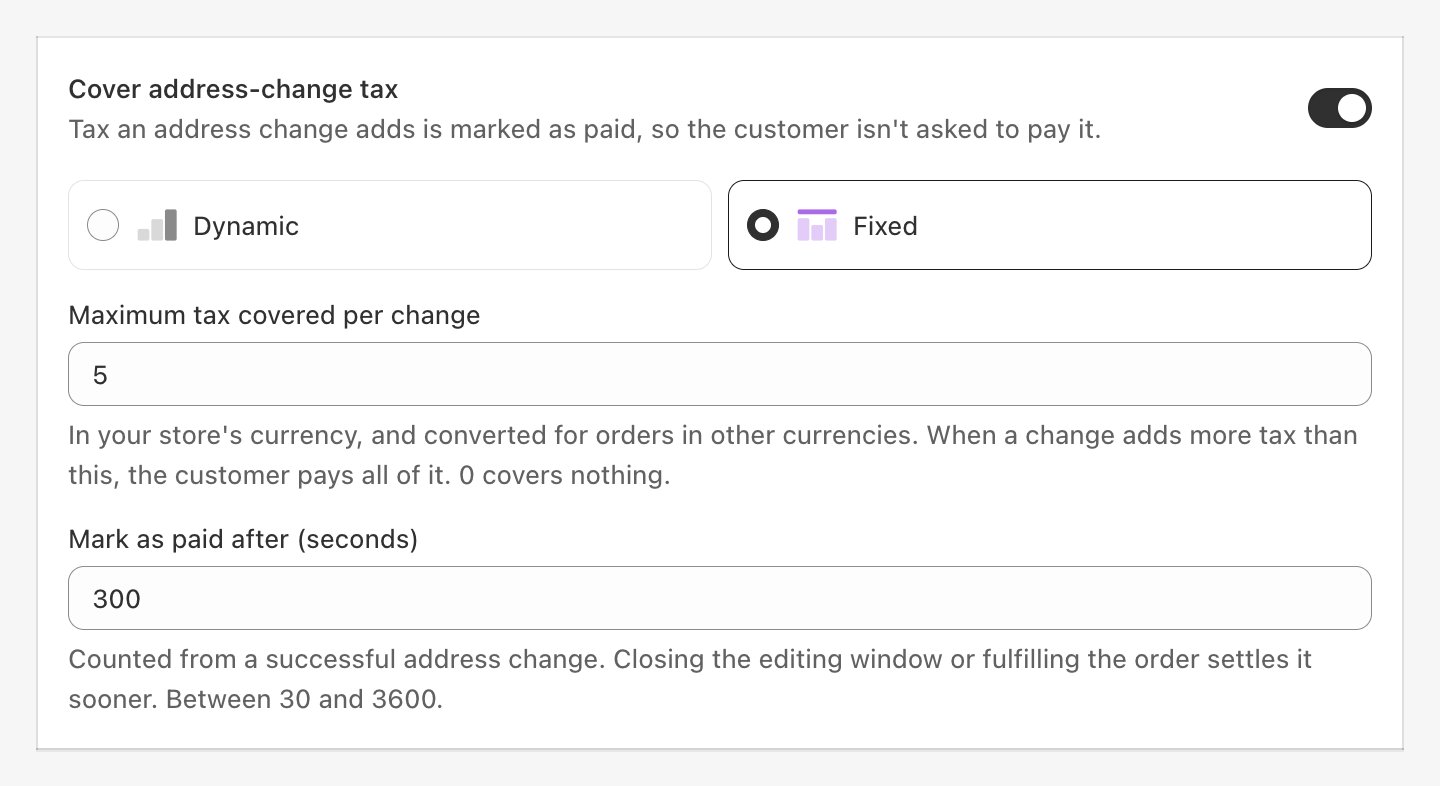
Dynamic covers the entire eligible tax increase, whatever its size. Fixed covers the entire increase only when it falls at or below Maximum tax covered per change. Above the cap the store contributes zero. Set the cap in your store currency. For an order placed in another currency, Revize uses the store-currency value for the comparison. A zero cap covers nothing.
Set up and test tax coverage
1
Choose your policy with Revize support
Enable shipping address edits on your store. Tell Revize support whether you want Dynamic or Fixed, the cap and store currency if using Fixed, and how long to wait after the customer saves the address. Mark as paid after defaults to five minutes and supports 30 seconds to one hour.
2
Try an address change on a paid, unfulfilled order
Use a tagged test customer and a destination that increases tax for your test product. Keep the items and shipping price the same. Save the new address on the Order status page. In Shopify, compare the tax and outstanding balance before and after the edit.
3
Check the order after the delay
When the outstanding balance consists only of eligible address-change tax, Revize marks it as paid in Shopify. The recalculated tax stays on the order, and the shopper’s card is never charged for the amount the store covers. Closing editing or fulfilling the order can trigger the check sooner. With Fixed coverage, also test an increase above the cap and verify that the full balance stays due.
Frequently asked questions
What if the shopper pays before the delay ends?
What if the shopper pays before the delay ends?
Revize checks Shopify’s current balance before applying coverage. If the shopper has already paid in full, there is nothing to cover. The setting does not automatically reimburse a payment the shopper already made.
Does it cover a more expensive shipping rate or an added product?
Does it cover a more expensive shipping rate or an added product?
No. For example, if the customer owes $3 in address-change tax and $8 for a shipping upgrade, Revize leaves the $11 balance in the usual payment flow. Dynamic coverage still requires the entire outstanding balance to be eligible address-change tax.
What if the customer changes the address back or cancels?
What if the customer changes the address back or cancels?
Revize distinguishes tax the shopper paid from tax your store covered. If the covered tax is reversed, Shopify can show a reversing adjustment. The shopper does not receive a cash refund for money your store covered. Any amount the shopper actually paid follows the applicable refund settings.
Is this the same as waiving a rounding difference?
Is this the same as waiving a rounding difference?
The small balance threshold handles small differences left after an edit. Address-change tax coverage checks what caused the balance and can cover a larger tax increase under your chosen policy.